

Release Management
Release management tool that tells you when to ship
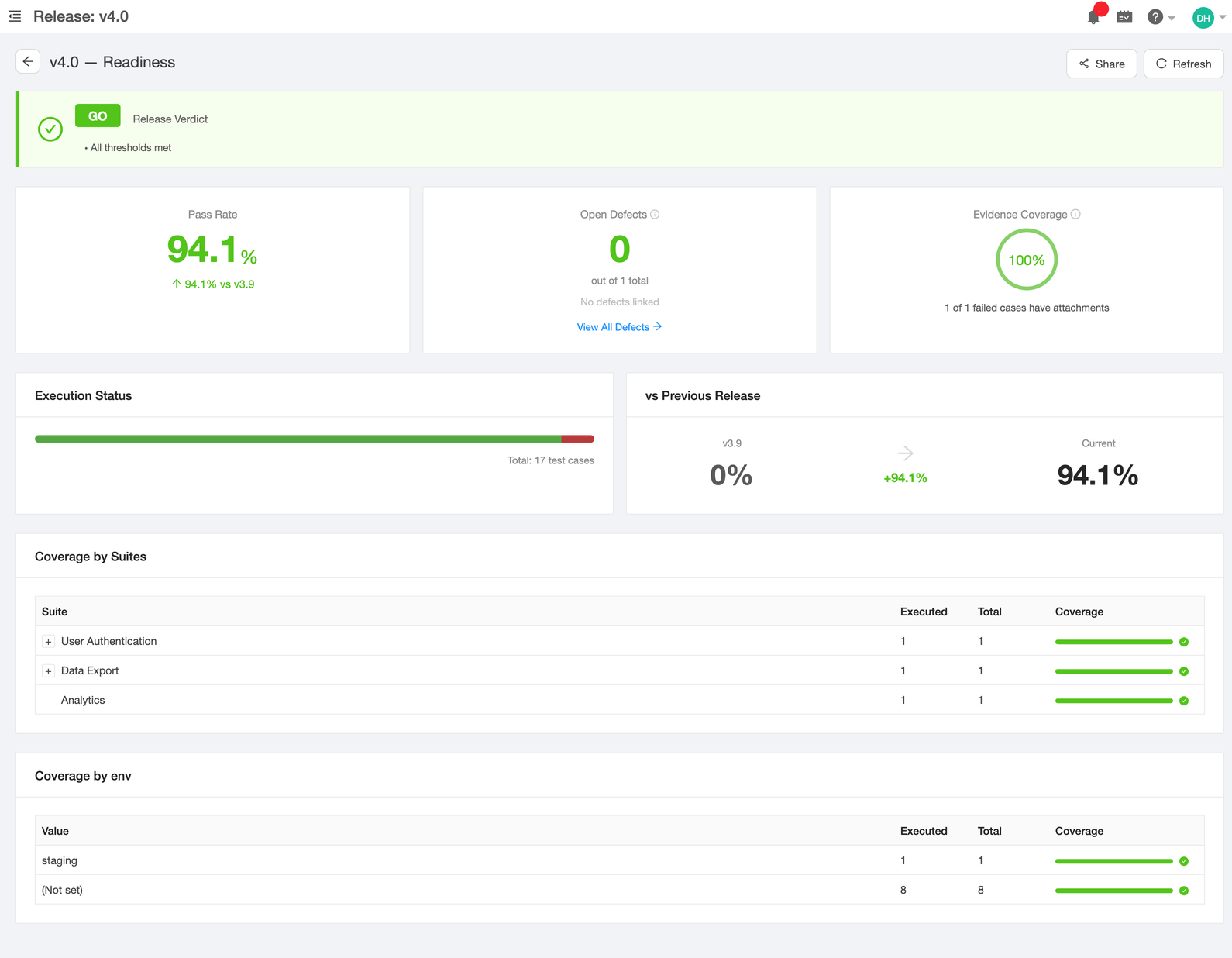
A live GO/NO-GO dashboard that pulls pass rate, open defects, evidence coverage, and execution progress from your test plans. No spreadsheets. No guessing.
No credit card required. Full access in under 2 minutes.
Trusted by QA teams at


Why it matters
Release decisions backed by data, not gut feel
Live GO/NO-GO verdict
A single badge tells you if the release is ready. The verdict recalculates every time a test runs, a defect closes, or evidence is uploaded - no manual refresh needed.
Defect statuses sync automatically
When a bug moves to Resolved in Jira, GitHub, GitLab, or Azure DevOps, the status updates in TestCollab and the readiness verdict recalculates immediately.
Compare against the last release
See how the current release stacks up against the previous one - pass rate delta, defect count changes, and coverage improvements, all side by side.
Evidence coverage tracking
Know how many failed test cases have supporting evidence (screenshots, logs, attachments) before you sign off. No more 'trust me, it's reproduced.'
Release readiness dashboard
One page, every metric that matters
Every release gets a readiness page that computes a verdict from your actual test data - not from a manually updated spreadsheet.
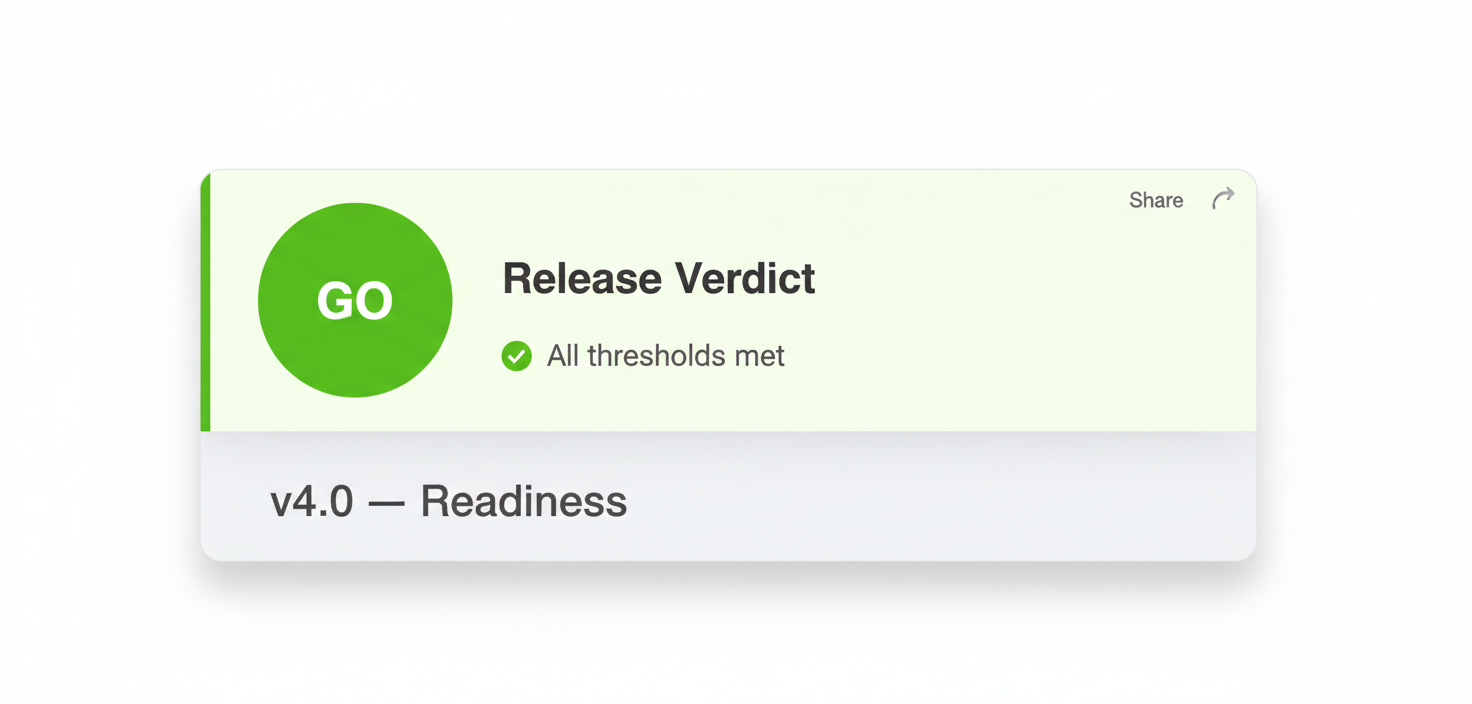
Automated GO/NO-GO verdict
The dashboard computes a release verdict from configurable thresholds. If pass rate, open defect count, and evidence coverage all meet your bar, you get a green GO. Otherwise, a clear NO-GO with the failing criteria highlighted.
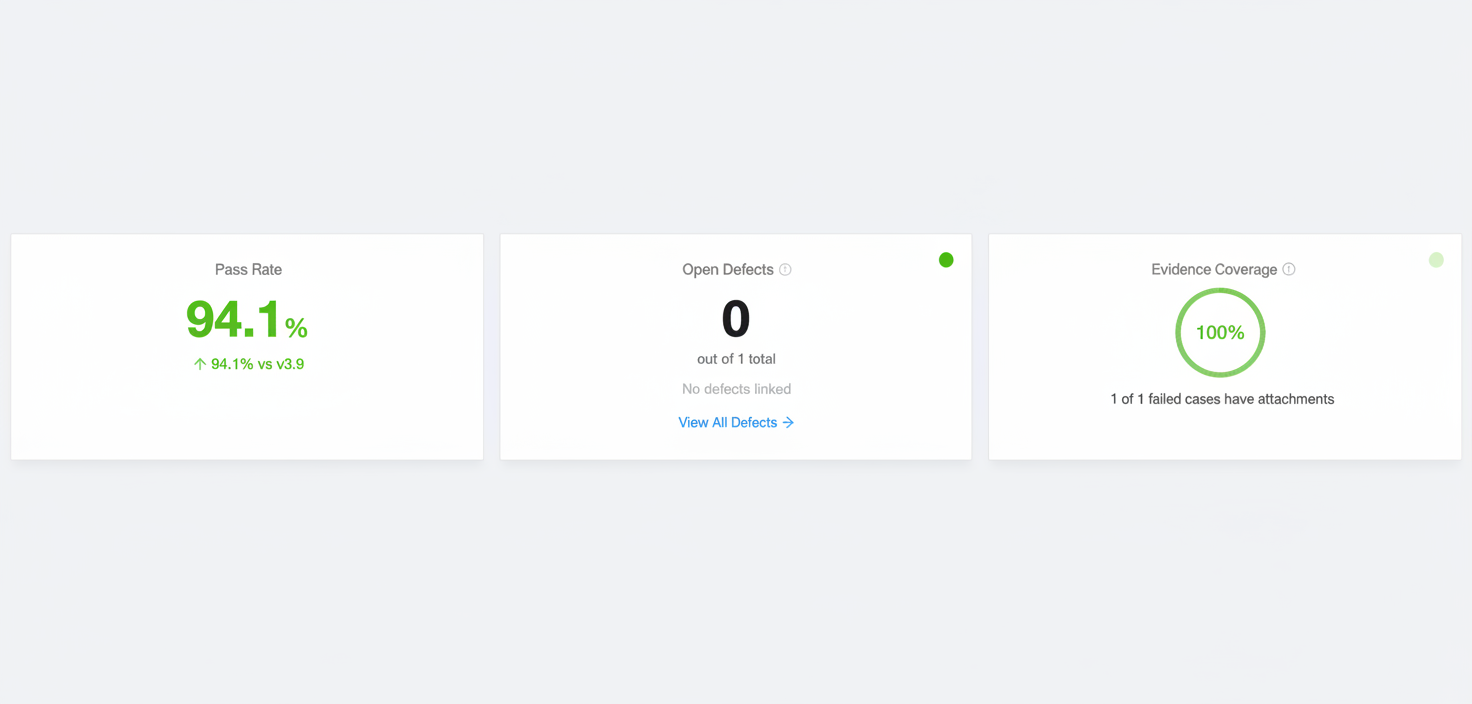
Pass rate, defects, and evidence at a glance
Three stat cards show the numbers that drive your release decision:
- Pass rate: percentage of test cases that passed, with delta vs. the previous release
- Open defects: count of unresolved bugs linked to this release
- Evidence coverage: percentage of failed cases with attachments (screenshots, logs)
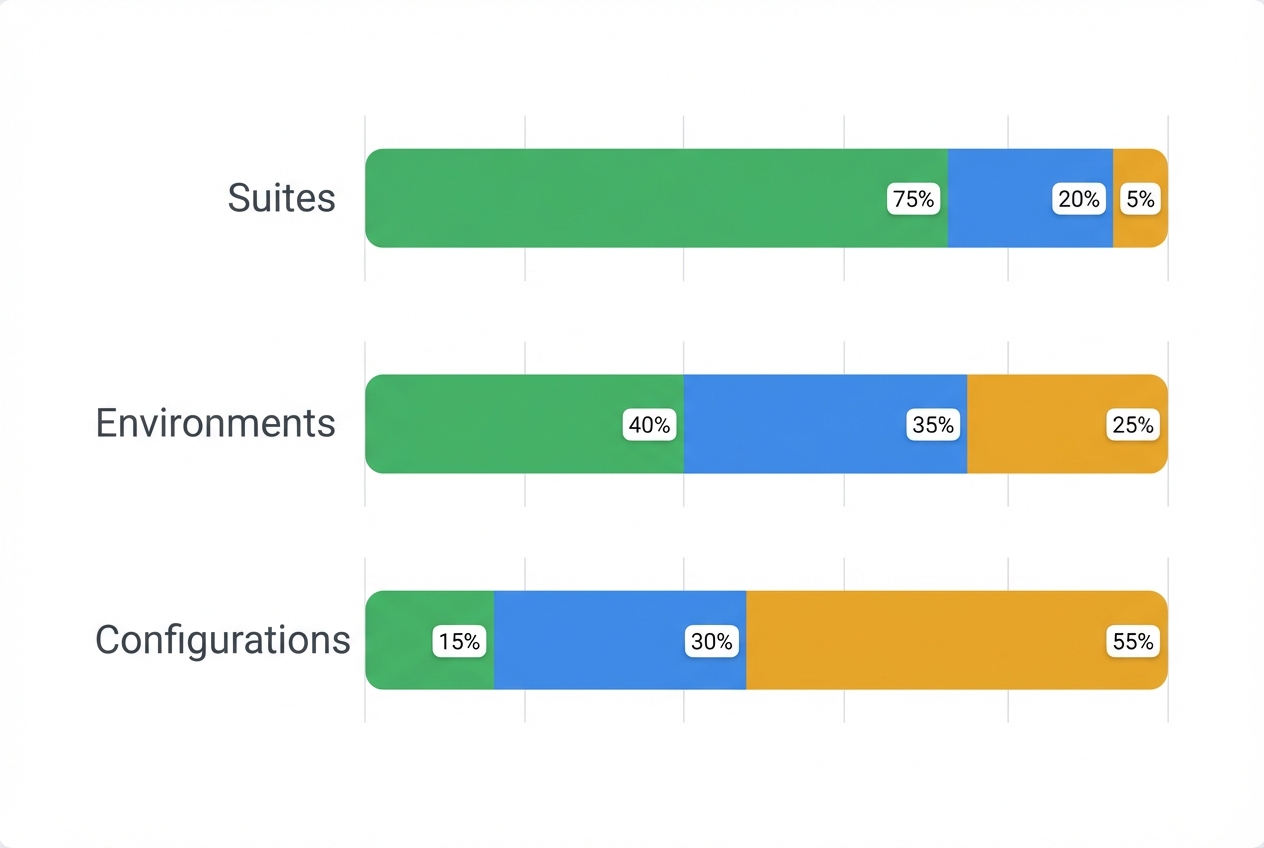
Coverage breakdowns by suite, environment, and configuration
See how coverage distributes across test suites, environments, and configurations. Spot the one environment that's dragging your pass rate down, or the suite that hasn't been executed yet.
Release-over-release comparison
Every readiness page includes a comparison against the previous release. See pass rate deltas, defect count changes, and coverage improvements - so stakeholders know whether quality is trending up or down.
Execution progress at a glance
A progress bar shows how many test cases have been executed, passed, failed, or are still pending. Know instantly if testing is on track or falling behind before the release date.
Share readiness with stakeholders
Generate a shareable link to the readiness dashboard. Product managers, release managers, and executives can check the live GO/NO-GO status without needing a TestCollab login.
Defect status sync
Defect statuses that update themselves
Stop manually checking Jira to see if a bug was fixed. TestCollab syncs defect statuses from your issue manager automatically.
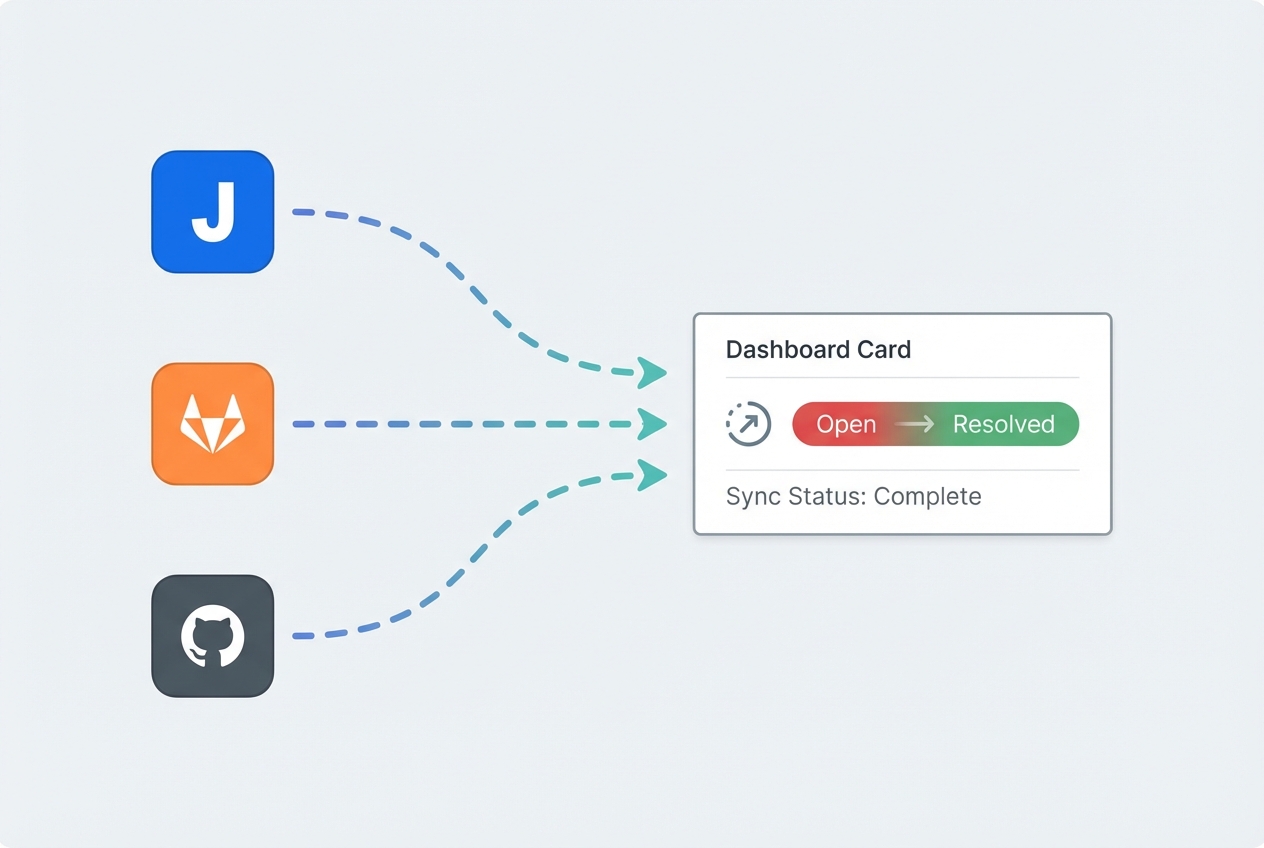
Automatic sync from your issue manager
Defect statuses sync automatically from Jira, GitHub, GitLab, Azure DevOps, and ClickUp. When a developer moves a bug to Resolved or Closed in your tracker, TestCollab picks up the change and the release readiness verdict recalculates immediately.
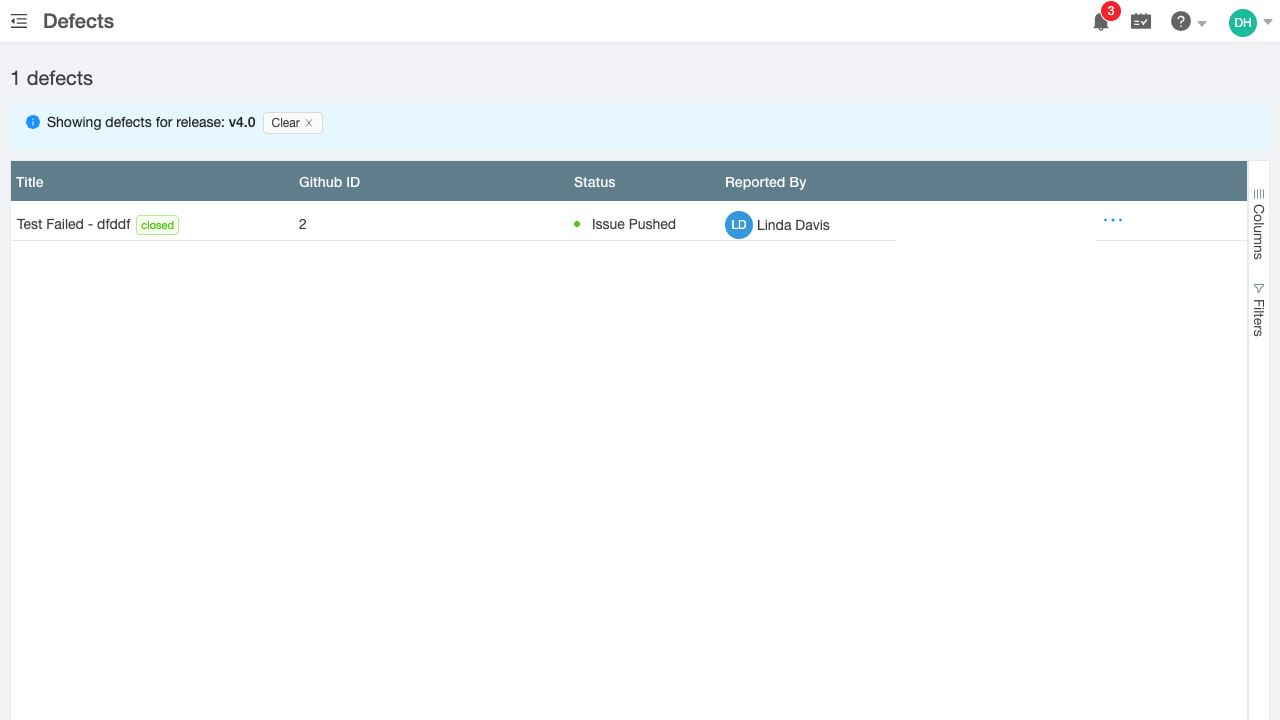
Defects filtered by release
Click "View All Defects" from the readiness dashboard to jump to the defects page pre-filtered to that release. A banner confirms the active filter and can be cleared with one click.
Release workflow
Create, configure, and ship releases
Set up releases with custom thresholds, link test plans, and track readiness from creation to sign-off.
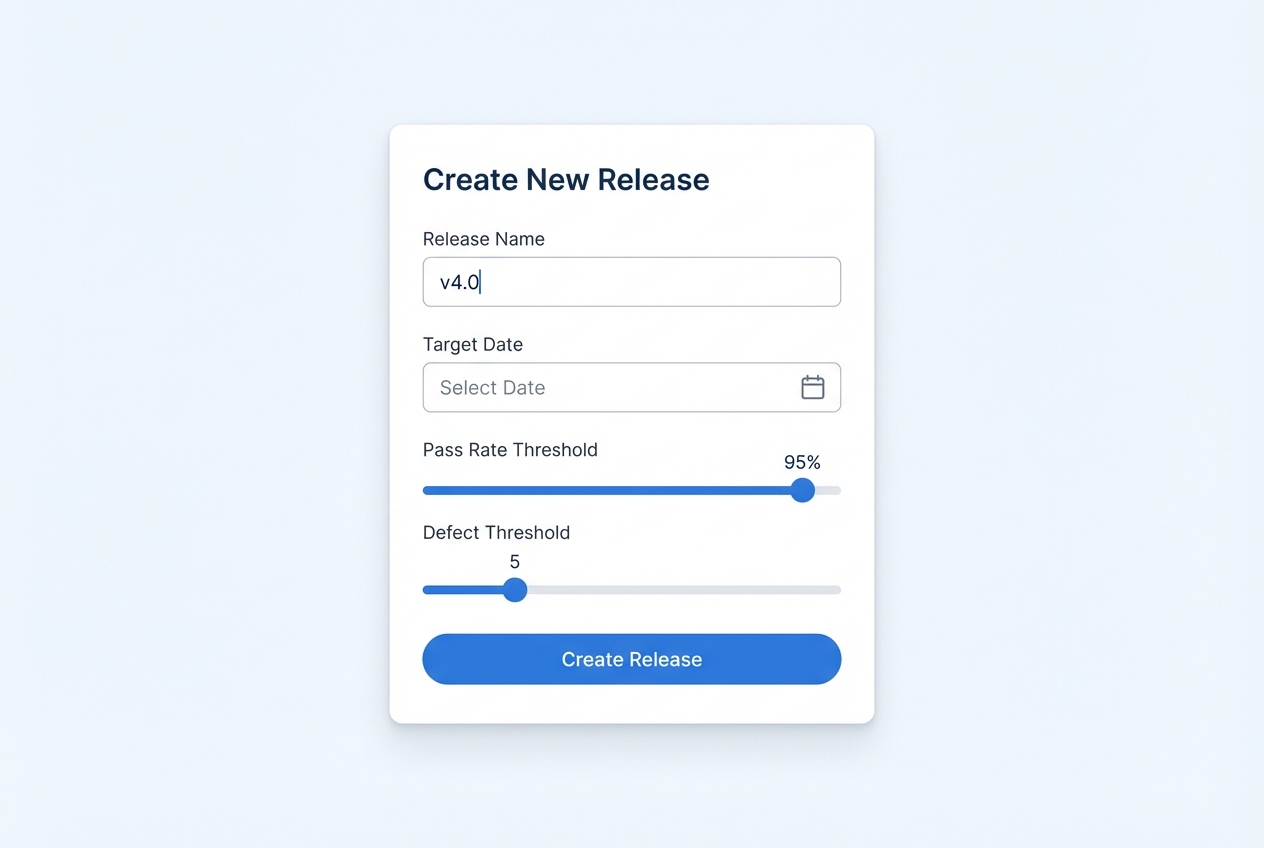
Create releases with configurable thresholds
Name your release, set a target date, and configure the thresholds that define 'ready.' Pass rate minimum, maximum open defects, evidence coverage target - you set the bar, the dashboard enforces it.
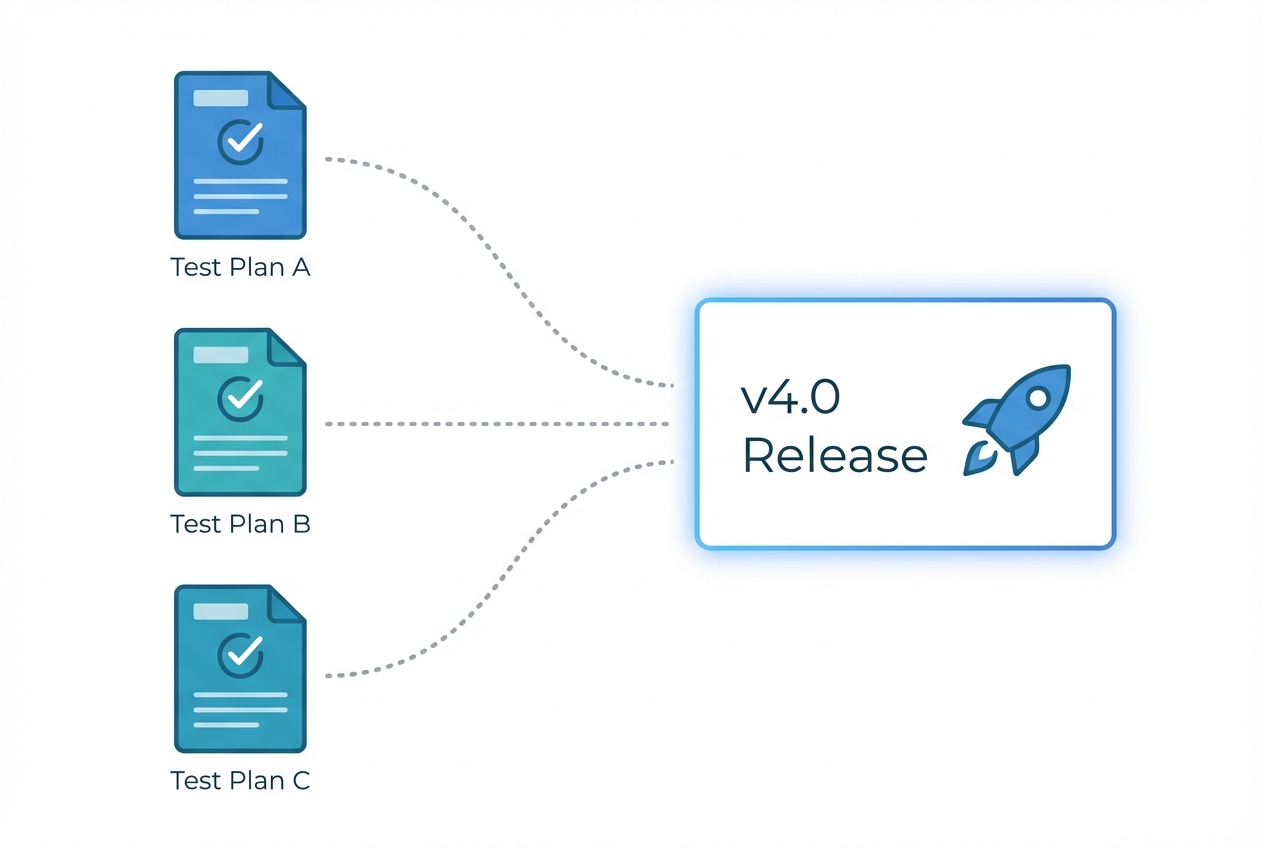
Link test plans to releases
Associate one or more test plans with a release. The readiness dashboard aggregates metrics across all linked plans, giving you a single view even when testing spans multiple teams or phases.
FAQ
Answers teams look for
What determines the GO/NO-GO verdict?
The verdict is computed from configurable thresholds you set per release: minimum pass rate, maximum open defects, and minimum evidence coverage. If all thresholds are met, the verdict is GO. If any threshold fails, it's NO-GO with the failing criteria highlighted. To choose the thresholds, see the release readiness checklist.
Which issue trackers support defect status sync?
Defect statuses sync automatically from Jira, GitHub, GitLab (cloud and self-managed), Azure DevOps, and ClickUp. When a bug status changes in your tracker, the change appears in TestCollab and the readiness verdict recalculates.
Can I track multiple test plans in one release?
Yes. Link as many test plans as you need to a single release. The readiness dashboard aggregates metrics across all linked plans for a unified view.
How does the release comparison work?
Each readiness dashboard automatically compares the current release against the most recent previous release. You see deltas for pass rate, open defects, and coverage so stakeholders know if quality is improving.
Do I need to refresh the dashboard manually?
No. The readiness dashboard recalculates every time a test case executes, a defect status changes, or evidence is uploaded. The verdict is always based on the latest data.
What counts as evidence coverage?
Evidence coverage tracks how many failed test cases have supporting attachments - screenshots, log files, videos, or any other file. This helps ensure every failure is documented before release sign-off.
Ship releases with confidence
Replace your spreadsheet checklist with a live dashboard. Start tracking release readiness in under 2 minutes.


