

QA Copilot
AI test case generation from Jira, requirements, screenshots, or URLs
Generate test cases using AI in under 90 seconds. QA Copilot drafts structured proposals from Jira user stories, requirements docs, screenshots, or URLs - review, edit, and accept with full human control.
No credit card required. Full access in under 2 minutes.

Trusted by QA teams at



Key advantages
What teams get with AI test case generation
AI test case generation you can trust
AI-powered test case generation with human approval built in. Unlike fully automated tools, nothing is created until your team reviews and accepts the proposal.
Generate from screenshots or requirements
Turn UI screenshots, PDFs, and specs into draft cases. This AI-powered tool supports image and PDF context up to 5 MB per file.
Edit, prioritize, and bulk accept
Inline edits for titles, descriptions, and steps. Accept or reject in bulk to create standard test cases quickly.
Fits your existing workflow
Proposals appear next to your test cases, then convert into the same structured format used across TestCollab.
Inputs
Generate test cases from requirements, screenshots, or URLs
Start with the same artifacts your QA team already uses - no special formatting needed.
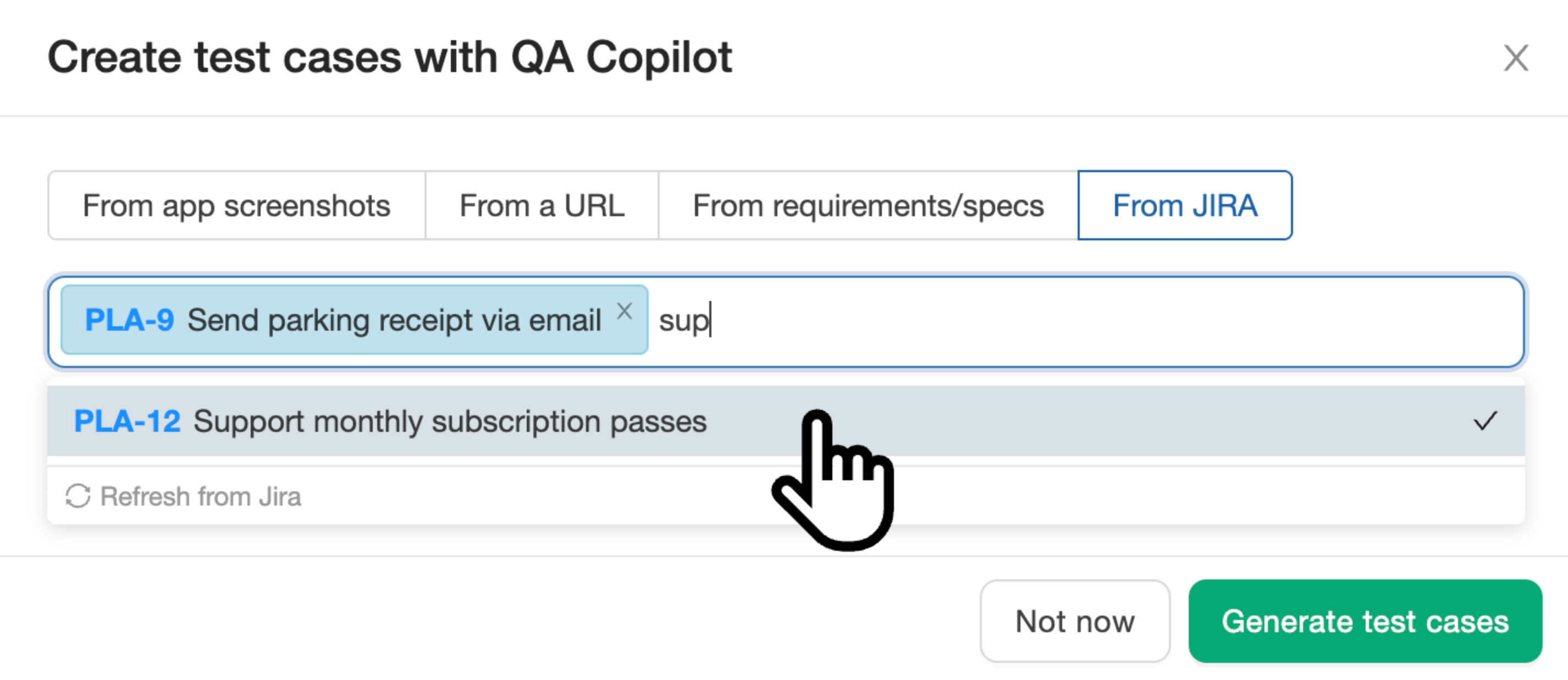
Jira user stories to test cases
Select Jira user stories directly from your synced backlog. QA Copilot uses TF-IDF similarity to pull in related requirements automatically, generating test cases that cover feature interactions - not just individual stories in isolation.
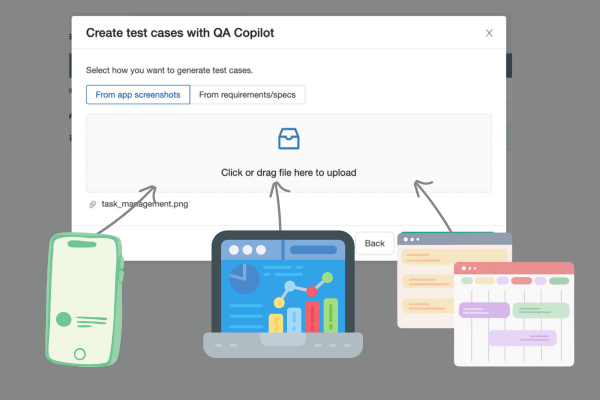
Screenshots to test cases
Drag and drop UI screenshots to kick off AI-powered test case generation in minutes.
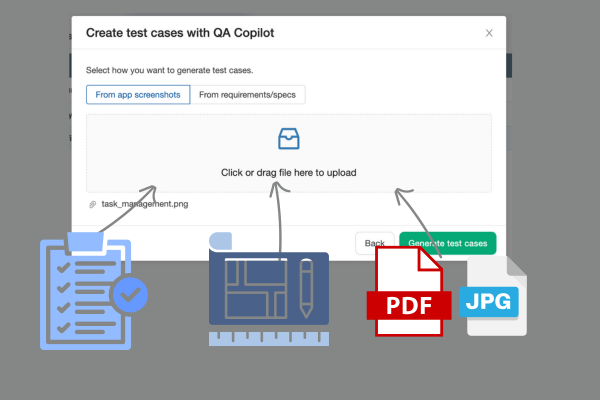
Requirements and specs
Paste requirement text and attach PDFs or prototypes for test case generation using AI.
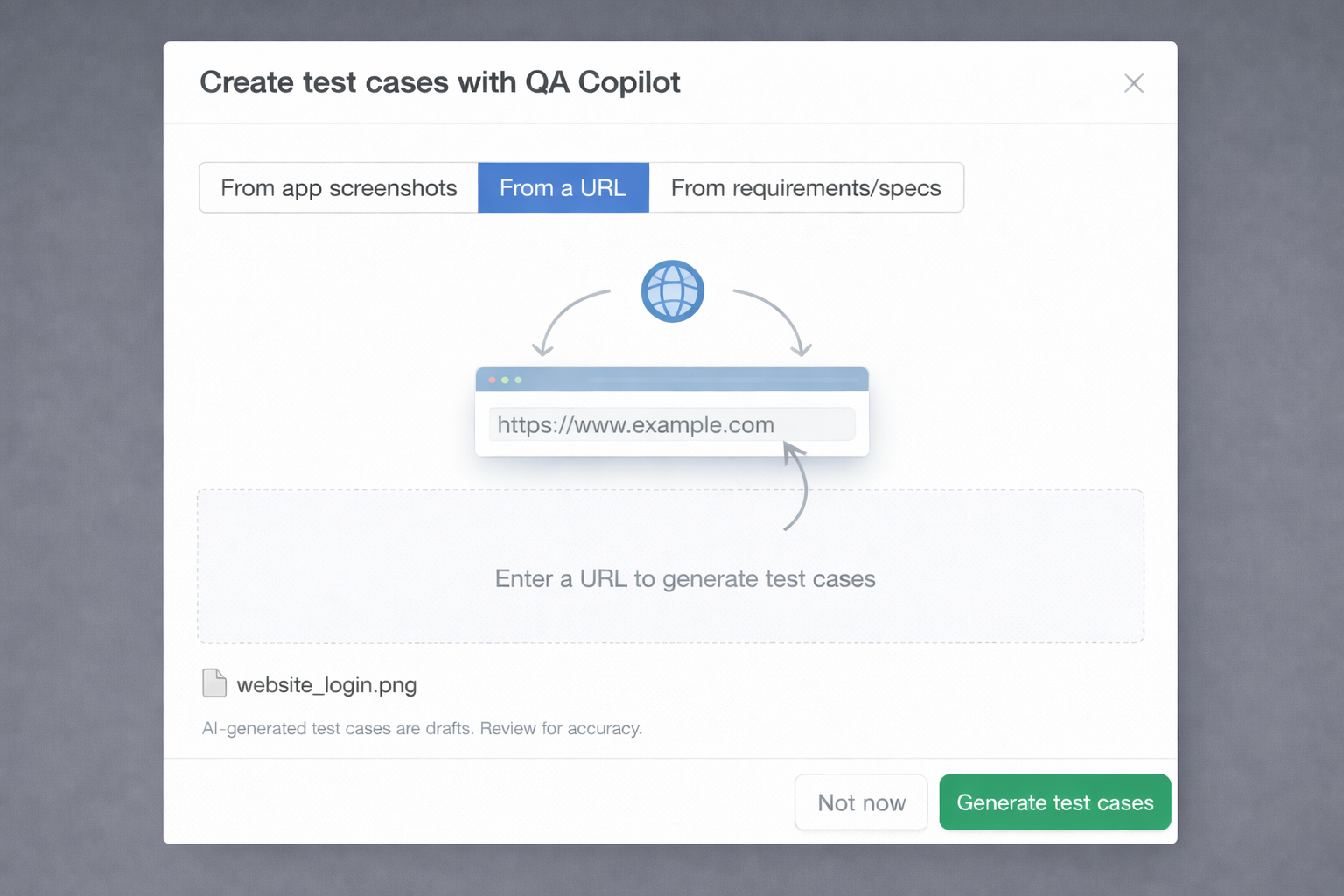
Test case generation from URL
Paste a page URL and let QA Copilot generate relevant test cases for that flow, then review and accept what fits your process.
Workflow
Automated test case generation in under 90 seconds
Generation runs in the background while you track progress and keep working.
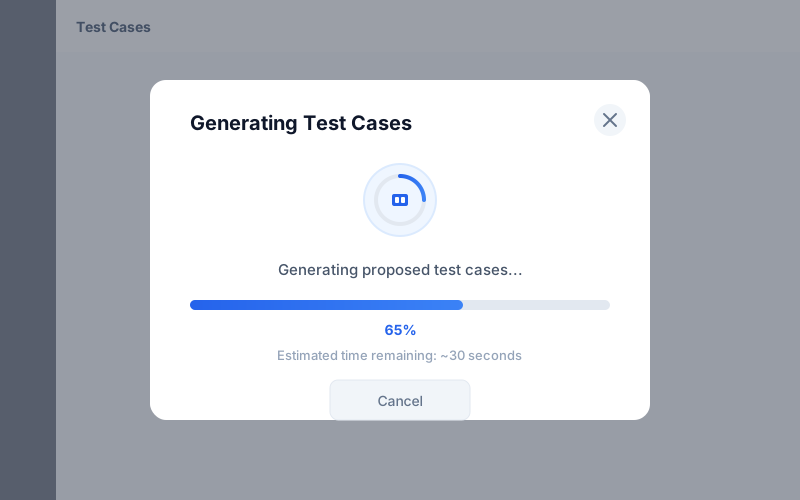
Queued generation with progress
Generation runs asynchronously with visible progress so teams never wait on a blocking request.
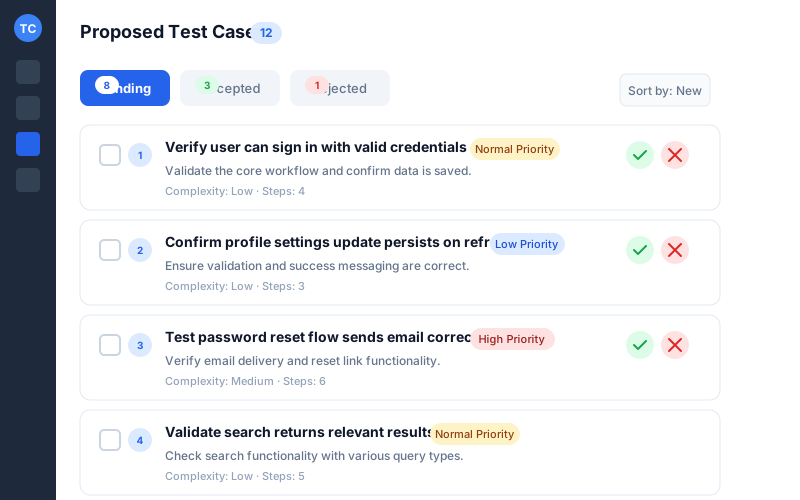
Proposed cases view
Review drafts inside a dedicated proposals page with Pending, Accepted, and Rejected tabs.
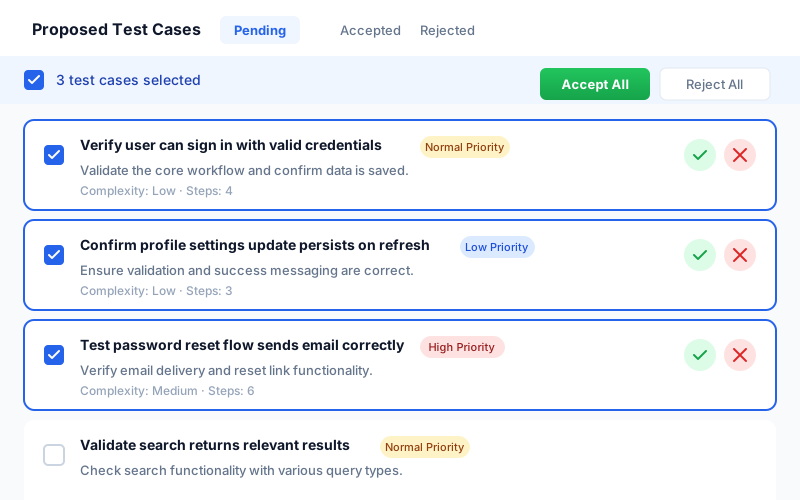
Bulk accept or reject
Accept multiple proposals at once to speed up automated test case generation using AI.
Governance
Stay in control of every case
Human decisions, clear traceability, and no surprise automation.
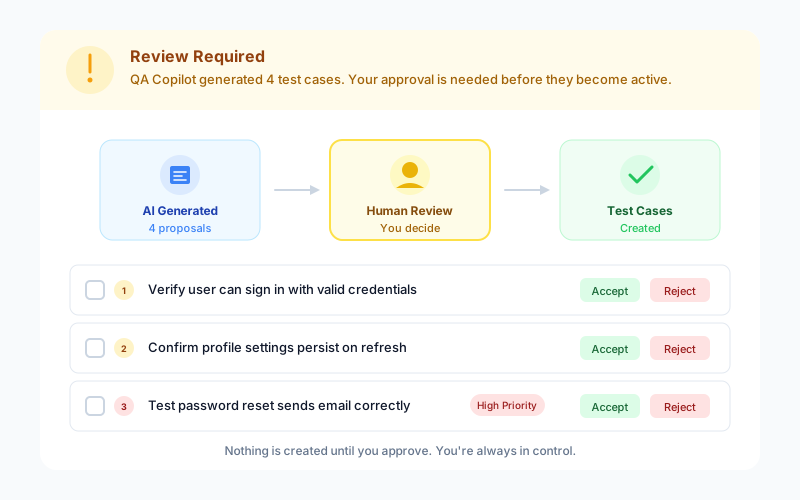
Human approval required
QA Copilot suggests, you decide. Nothing is created until your team accepts the proposal.
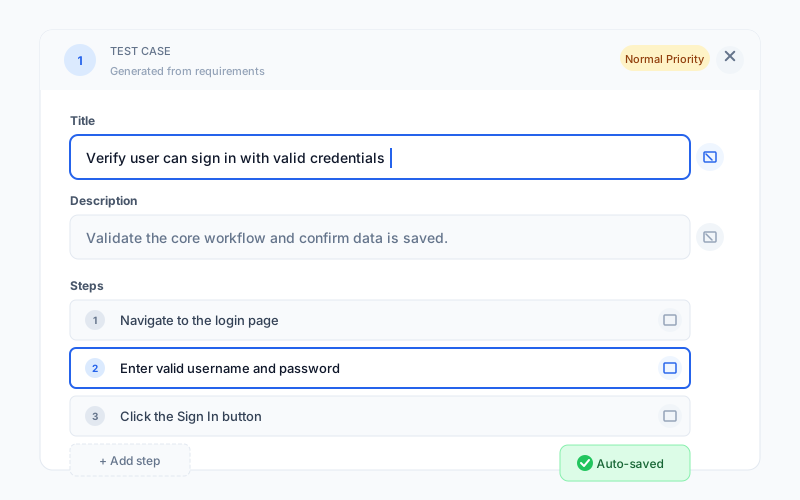
Inline edits per field
Edit titles, descriptions, or steps inline without leaving the list.
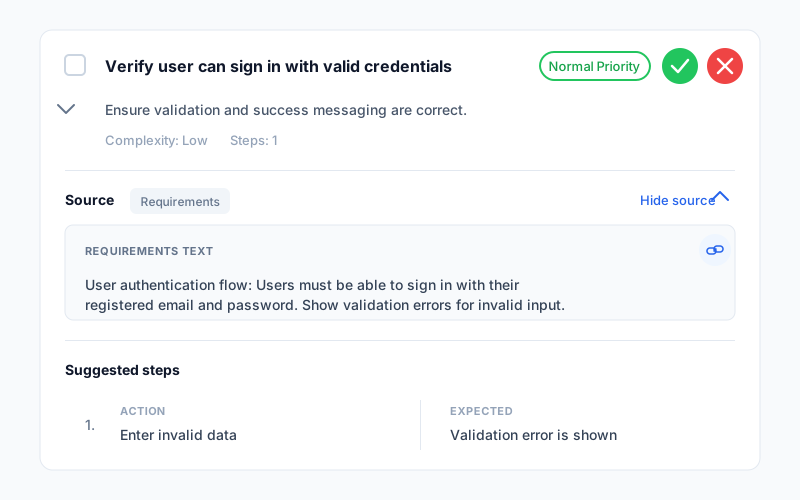
Traceability to sources
Each proposal tracks the original requirements or screenshots to keep audits and reviews simple.
FAQ
Answers teams look for
What is AI test case generation?
AI test case generation in TestCollab uses QA Copilot to draft structured test cases (title, description, steps) from requirements text or screenshots. Your team reviews the proposals first, edits what you want, and only then accepts them to create real test cases.
Can QA Copilot generate test cases from requirements?
Yes. Paste requirement text and optionally attach PDFs or images for extra context. QA Copilot blends those inputs with your project context to propose cases you can review and refine.
Can I generate test cases from Jira user stories?
Yes. Connect your Jira project under Settings > Requirements, then use the From JIRA tab in QA Copilot. Search and select up to 5 user stories at a time. The AI automatically finds related Jira tickets using TF-IDF similarity and includes them as context, so generated test cases cover feature interactions, not just individual stories. Each accepted test case is linked back to its source Jira issue for full traceability. See our step-by-step Jira guide for a complete walkthrough.
Does it create test cases automatically?
No. QA Copilot is human-in-the-loop: it only creates proposals. You can accept, reject, or edit each proposal (including bulk actions) before anything is added to your test case library.
Where do the proposals show up?
All drafts live in the Proposed Cases page under Test Cases, with tabs for Pending, Accepted, and Rejected. This keeps AI-generated drafts separate until you approve them.
Can I edit draft steps before accepting?
Yes. You can edit titles, descriptions, and individual steps inline, add new steps, or remove ones that do not match your workflow. Save your edits and then accept when you are ready.
What file types are supported?
Images and PDF files are supported, up to 5 MB per file. Common image types like PNG, JPG, GIF, and WebP work well, and you can upload multiple files in a single request.
How long does AI test case generation take?
Most runs complete quickly, with a progress indicator shown while generation is queued. Larger inputs can take longer, but the workflow is designed to finish in under a couple of minutes for typical projects.
Is there a free trial?
Yes. You can start a free trial and evaluate AI-powered test case generation in your own workspace before upgrading.
Can I generate test cases directly from my codebase?
Yes. Using the TestCollab MCP Server with an AI coding agent like Claude Code, you can point it at your codebase and have it analyze routes, controllers, and components to generate test cases with steps and expected results - all created directly in TestCollab. See our step-by-step tutorial for a complete walkthrough.
How do I create test cases using Copilot?
Creating test cases with QA Copilot is simple: (1) Go to Test Cases and click 'Generate with AI', (2) Provide context - paste requirements text, upload screenshots, or attach PDFs, (3) QA Copilot drafts proposed test cases with titles, descriptions, and steps, (4) Review each proposal - edit inline, accept, or reject, (5) Accepted proposals become standard test cases in your library. The entire process takes under 90 seconds for most inputs, and you stay in control of every case created.
What are the best AI test case generation tools?
AI test case generation tools range from standalone generators to integrated platforms. TestCollab's QA Copilot stands out because it generates test cases directly inside your test management workflow - no context-switching to external tools. Cases are generated from requirements, screenshots, or URLs, and every proposal goes through human review before becoming a real test case. Other tools in this space include TestGrid CoTester, CloudQA, and Xray, but most lack the built-in review and approval workflow that QA teams need for governance.
How does AI test case generation from requirements work?
AI test case generation from requirements uses large language models to analyze your requirement text (user stories, PRDs, acceptance criteria) and produce structured test cases with titles, descriptions, preconditions, and step-by-step instructions. In TestCollab, you paste your requirements, optionally attach supporting files like PDFs or screenshots, and QA Copilot generates proposed test cases that map back to the original requirements for traceability. The AI understands domain context and test patterns to produce cases that cover positive flows, negative scenarios, and edge cases.