
You have a Jira board full of user stories. Each one needs test cases - positive paths, negative paths, edge cases, boundary conditions. A single story like "As a user, I want to reset my password so I can regain access to my account" can easily produce 8 to 12 test cases when you account for validation rules, email delivery, token expiry, and error states.
Multiply that by a typical sprint backlog and you are looking at hours of manual work before a single test is executed. This is the gap that AI test case generation from requirements is designed to close.
In this guide, we will walk through how to generate test cases from user stories and Jira requirements using TestCollab's QA Copilot - and why the results are better than what you might expect from a generic AI prompt.
Why Writing Test Cases from User Stories Is Harder Than It Looks
On the surface, converting a user story to test cases seems straightforward. Read the acceptance criteria, write the happy path, add a few negative cases, and move on.
In practice, three things slow teams down:
Coverage gaps from context switching. A tester reading through 15 user stories in a sprint planning session will inevitably miss edge cases on story number 12 that they would have caught on story number 3. Attention fades, and the stories that get written last get the thinnest coverage.
Inconsistent depth across the team. A senior QA engineer might generate 10 test cases from a single story, while a junior tester writes 3 for the same story. There is no mechanism to enforce consistent coverage depth without code review-style overhead.
The acceptance criteria problem. User stories are written for developers, not testers. Acceptance criteria describe what the feature should do, but they rarely enumerate what should not happen. Test cases need both. Bridging that gap requires domain knowledge that takes time to apply story by story.
How AI Changes the Equation
AI test case generation from user stories works differently than asking ChatGPT to "write test cases for this feature." The difference is context.
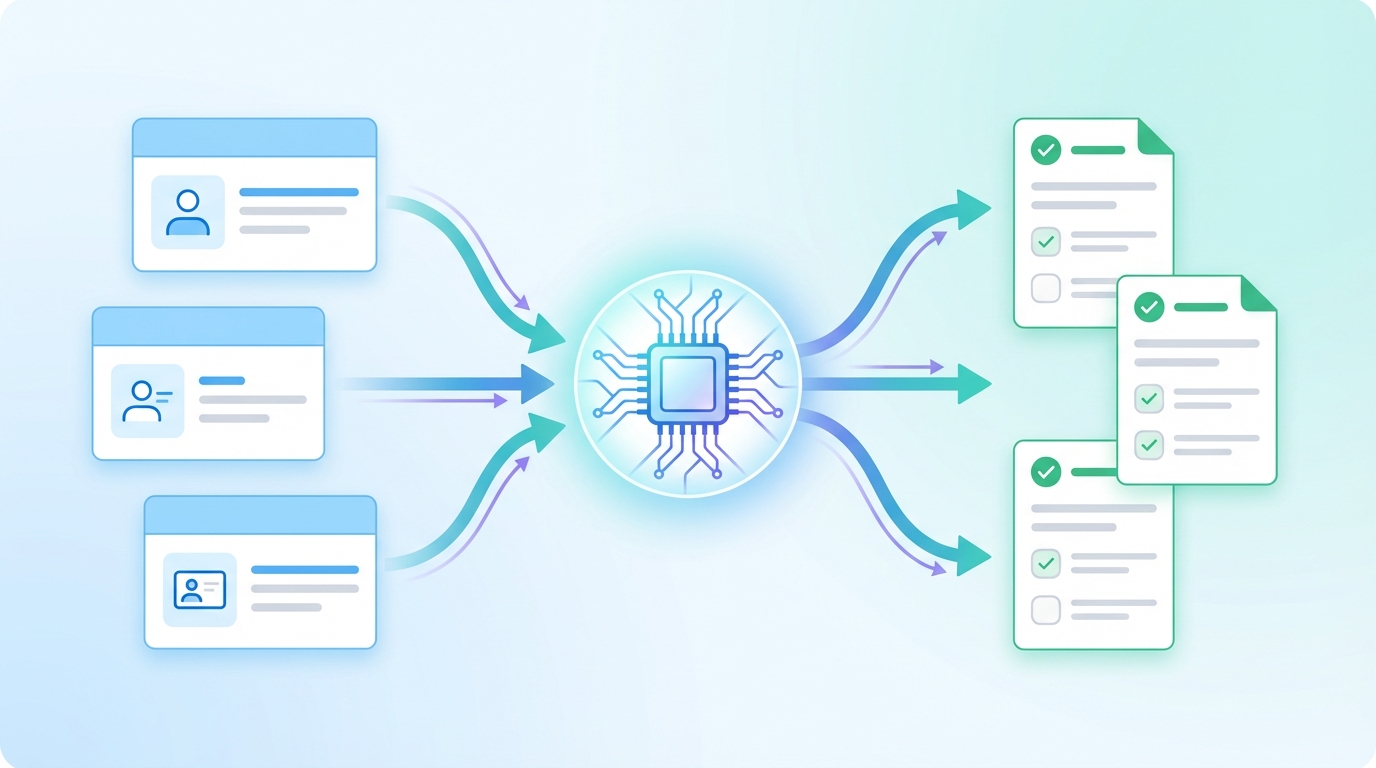
When you feed a user story into a purpose-built test case generator, the AI does not just read the story you selected. It can also pull in related requirements - stories that share similar functionality, overlapping modules, or connected user flows. This context-aware generation produces test cases that account for interactions between features, not just the feature in isolation.
TestCollab's QA Copilot uses TF-IDF cosine similarity to automatically find related Jira tickets and include them as context. If you select a story about "license plate recognition at entry," the system will also surface related stories about "parking fee calculation" and "vehicle exit gate" because they share domain context. The AI sees the bigger picture.
Step-by-Step: Generating Test Cases from Jira Requirements
Here is the actual workflow inside TestCollab.
1. Connect Jira to Your Project
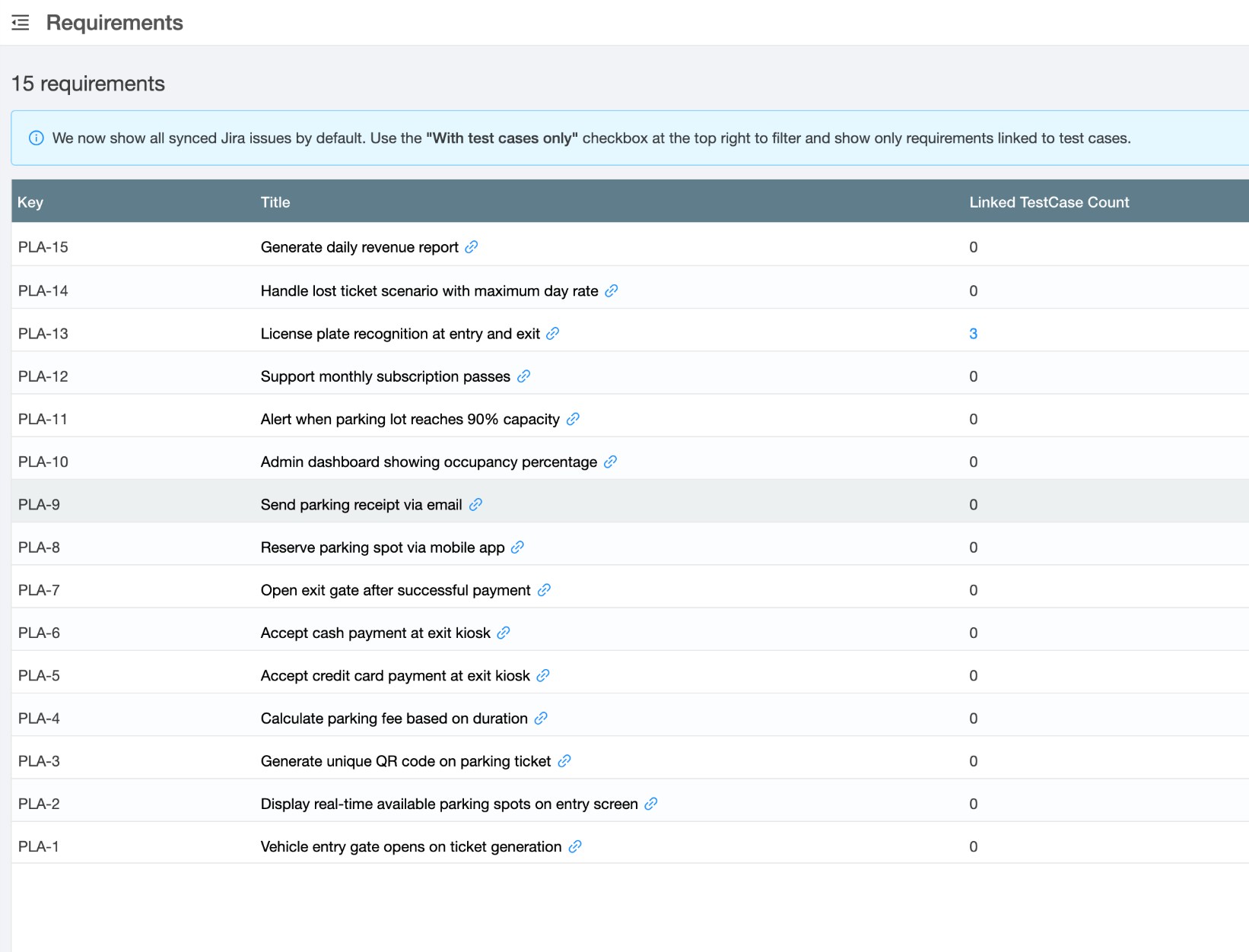
Under Settings > Requirements, select Jira as your requirement manager, authenticate with your Atlassian account, and pick the Jira project to sync from. TestCollab pulls your issues into a local index that enables fast search and similarity matching.
2. Open the QA Copilot Modal
From the Test Cases page, click Create with QA Copilot and select the From JIRA tab. You will see a search box that queries your synced requirements.
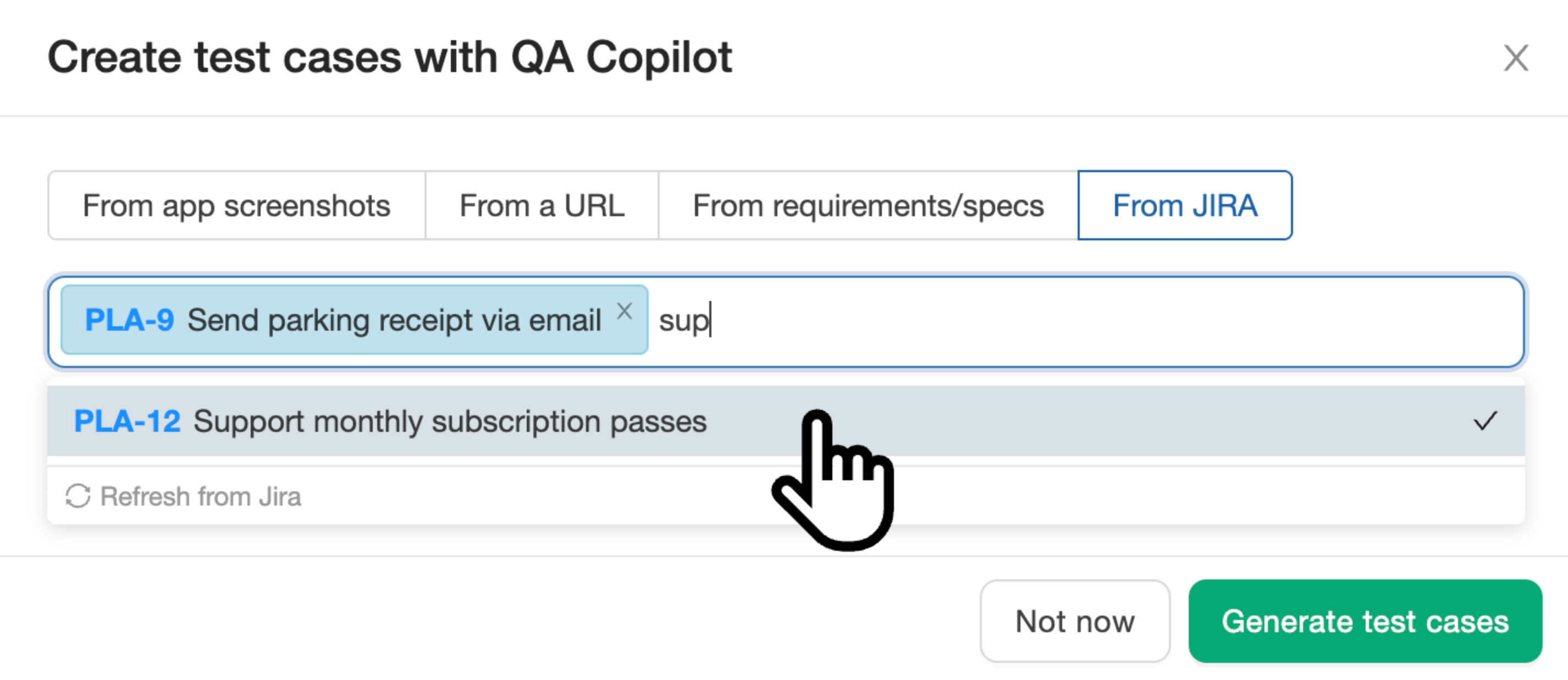
Search by keyword or issue key. You can select up to 5 requirements at a time - this keeps the AI focused and produces higher quality output compared to dumping 20 stories at once.
3. Review Proposed Test Cases
After clicking Generate test cases, the AI processes your selected requirements and their related context. Within a minute or two, you get a set of proposed test cases - each with a title, description, priority, and detailed steps with expected results.
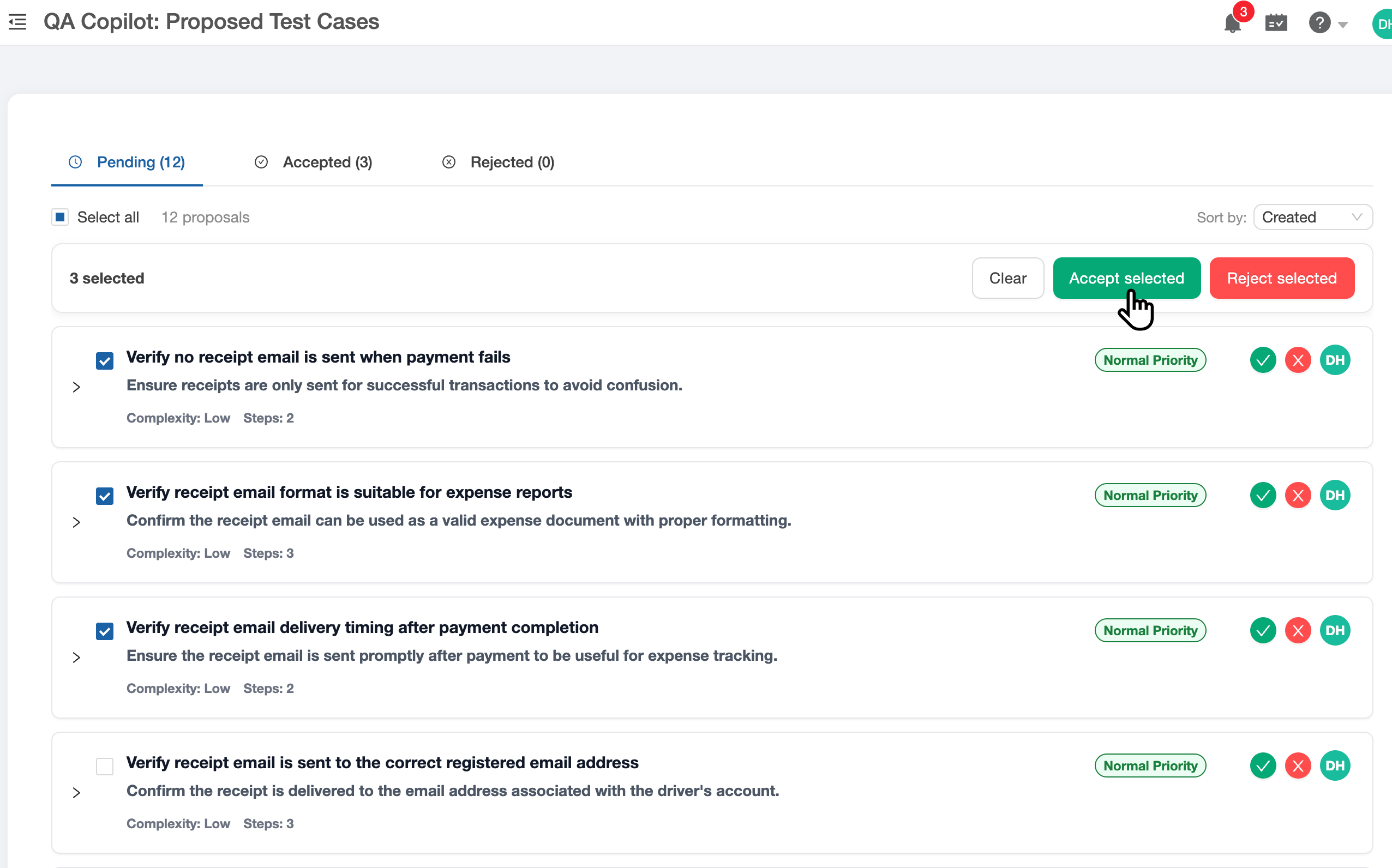
This is the human-in-the-loop step. You can:
- Accept individual test cases that look good
- Reject cases that are redundant or irrelevant
- Edit inline to adjust steps, add preconditions, or fix priority
- Bulk accept the entire batch if the quality is solid
Each proposed test case is linked back to its source requirement. When you accept a test case generated from PLA-13, it gets linked to PLA-13 specifically - not to every requirement in the batch. This keeps your requirements traceability matrix clean.
4. Test Cases Land in Your Project
Accepted test cases appear in your test case list alongside manually created ones. They have the same structure - title, suite, priority, steps - and can be assigned to test plans, executed, and tracked like any other test case.
From here, the workflow is the same as always. Add them to a test plan, assign to testers, and execute.
Try it on your own backlog. Connect Jira, pick up to 5 stories, and review the test cases QA Copilot proposes, each linked back to its story. 14-day trial, no credit card.
Connect Jira and try itWhat Makes This Different from Generic AI Prompts
You could paste a user story into Claude or ChatGPT and ask for test cases. The results would be reasonable for simple stories. But for real sprint work, three things break down:
No requirement traceability. A chatbot gives you text. You still need to manually create each test case in your tool, link it to the requirement, and organize it into suites. The generation was fast but the data entry still takes 20 minutes.
No related context. The chatbot only sees what you paste. It does not know that PLA-13 (license plate recognition) is related to PLA-7 (parking fee calculation). QA Copilot surfaces these connections automatically.
No review workflow. You get a wall of text and then decide what to do with it. QA Copilot gives you a structured review interface where you accept, reject, or edit each case individually before it enters your test management system.
Tips for Better Results
- Write clear acceptance criteria. The AI's output quality correlates directly with input quality. Stories with 4-5 specific acceptance criteria produce better test cases than stories with vague descriptions.
- Select related stories together. If you have 3 stories that cover different parts of the same feature, select them together. The AI will generate test cases that cover the interactions, not just each story in isolation.
- Use the description field. Jira story descriptions and acceptance criteria are both included in the context sent to the AI. A story with just a title will produce shallow test cases.
- Review before accepting. The proposed cases view exists for a reason. AI-generated test cases are a strong starting point, not a finished product. Spend 2 minutes reviewing a batch that would have taken 30 minutes to write.
Getting Started
If your team uses Jira for requirements and spends significant time writing test cases from user stories, try the QA Copilot with a free trial. Connect your Jira project, select a few stories, and see what the AI generates. Most teams find it covers 70-80% of the cases they would have written manually - with the remaining 20% added during review. For a broader comparison of tools in this space, see our roundup of the best AI test case generation tools.
Start your free trial and generate your first batch of test cases from Jira in under 5 minutes.