AI test case generation tools turn requirements, user stories, screenshots, code, API definitions, or application context into a first draft of test scenarios. Depending on the product, that draft might be a structured manual test case, a BDD scenario, an API test, or an executable UI automation flow.
That distinction matters. A tool that generates Playwright steps is not automatically a good fit for a team that needs reviewable manual test cases with expected results and requirements traceability. The best choice depends on what you want the AI to produce and where that output needs to live.
For this 2026 update, we compared current product documentation, supported inputs, output formats, review controls, integrations, and published pricing. We prioritized tools that generate usable test artifacts inside an ongoing QA workflow.
Quick answer: TestCollab, Testsigma, aqua, Qase, TestRail, Testmo, and BrowserStack Test Management are strongest for structured test case management. Katalon and mabl are better when the desired output is executable automation. Keploy is the specialist option for automated API test generation.
Disclosure and scope: TestCollab publishes this guide and is included in the comparison. That creates an unavoidable commercial interest, so we link to each vendor's official documentation and state where pricing is unavailable. This is a documented-capability comparison, not a hands-on benchmark of every vendor's output quality. Product features and prices were checked on August 10, 2026.
AI Test Case Generation Tools Compared
| Tool | Best For | Generates From | Primary Output | AI Starting Price |
|---|---|---|---|---|
| TestCollab | QA teams that want generation, review, test management, and automation together | Prompts, Jira stories, requirements, screenshots, URLs | Structured cases and runnable automation | $39/user/month |
| Katalon | Teams combining manual test design with cross-platform automation | Requirements, prompts, existing test context | Manual and automated tests | $59/seat/month |
| Testsigma | Jira-centric teams moving from cases to agentic execution | Requirements and natural language | Manual cases and automated tests | $8/user/month, annual billing |
| aqua | Regulated teams that need ALM and audit controls | Requirements and descriptions | Structured cases | €89/user/month, annual billing |
| Qase | Modern test management with AI and developer workflows | Requirements and prompts | Structured manual cases | $35/user/month, annual billing |
| TestRail | Established teams that need template-based generation and governance | Requirements, user stories, acceptance criteria | Structured or BDD cases | From $420/seat/year |
| Testmo | Teams wanting human-guided generation and traceability | Written requirements | Text, step-based, or BDD cases | $99/month for up to 10 users |
| Keploy | Developers generating API tests and mocks | OpenAPI, Postman, cURL, endpoints, traffic | Executable API suites | Free options available |
| BrowserStack | Teams with multi-format requirements and BrowserStack workflows | Prompts, files, images, Jira, Azure, Figma, Confluence | Structured or BDD cases | Custom quote for Team Ultimate |
| mabl | Low-code browser, mobile, and API automation | Test intent and workspace context | Executable automation steps | Custom pricing |
Prices are list prices or entry points shown by the vendors. They are not normalized for minimum seats, annual commitments, AI credits, execution usage, add-ons, or enterprise contracts.
How We Selected These Tools
We reviewed more than 15 products and scored their documented fit against six practical criteria:
- Direct generation capability - The product must create test cases or executable tests, not merely summarize requirements or suggest code changes.
- Useful input context - We looked for support for requirements, Jira issues, documents, screenshots, application URLs, code, or API specifications.
- Structured output - A useful output includes test intent plus steps, expected results, assertions, or BDD structure. A list of generic titles is less valuable.
- Human control - Testers should be able to review, edit, reject, or refine generated work before it affects a production test repository or pipeline.
- Workflow fit - Traceability, Jira integration, test management, CI/CD reporting, and automation handoff all reduce copy-paste work.
- Buying clarity - We prefer public pricing and clearly documented plan limits, but include strong enterprise products when pricing requires a quote.
We did not assign a universal output-quality score because we did not run the same private requirements and application against every product. AI results also vary with requirement quality, project context, model updates, and configuration. Use this guide to build a shortlist, then run your own proof of concept with the same inputs and review rubric.
1. TestCollab - Best for Generation, Review, and Automation in One Workflow
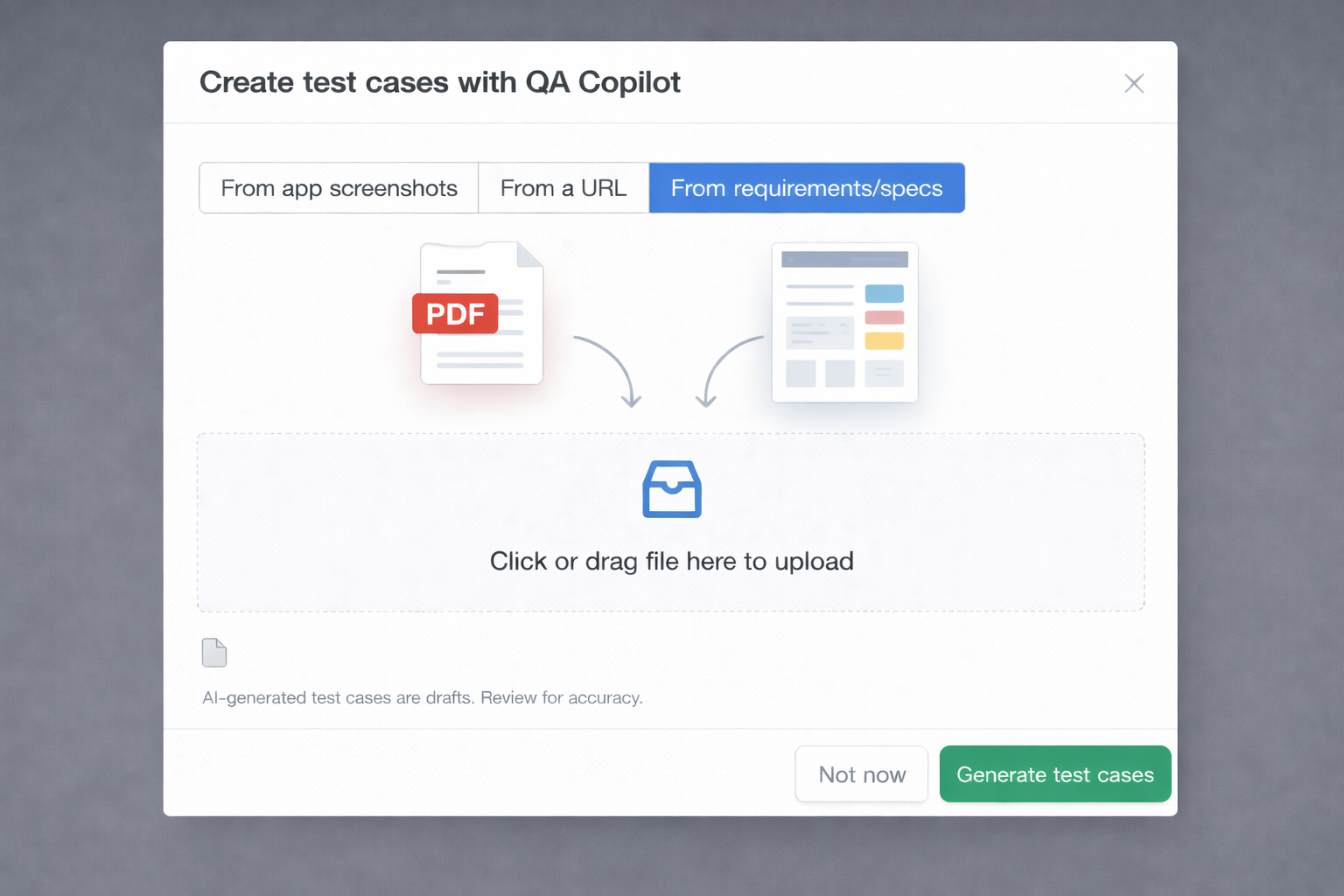
TestCollab's QA Copilot generates structured test cases with steps and expected results from natural-language prompts, Jira user stories, requirements documents, screenshots, and live application URLs. Generated proposals go through a human review workflow before they enter the test repository.
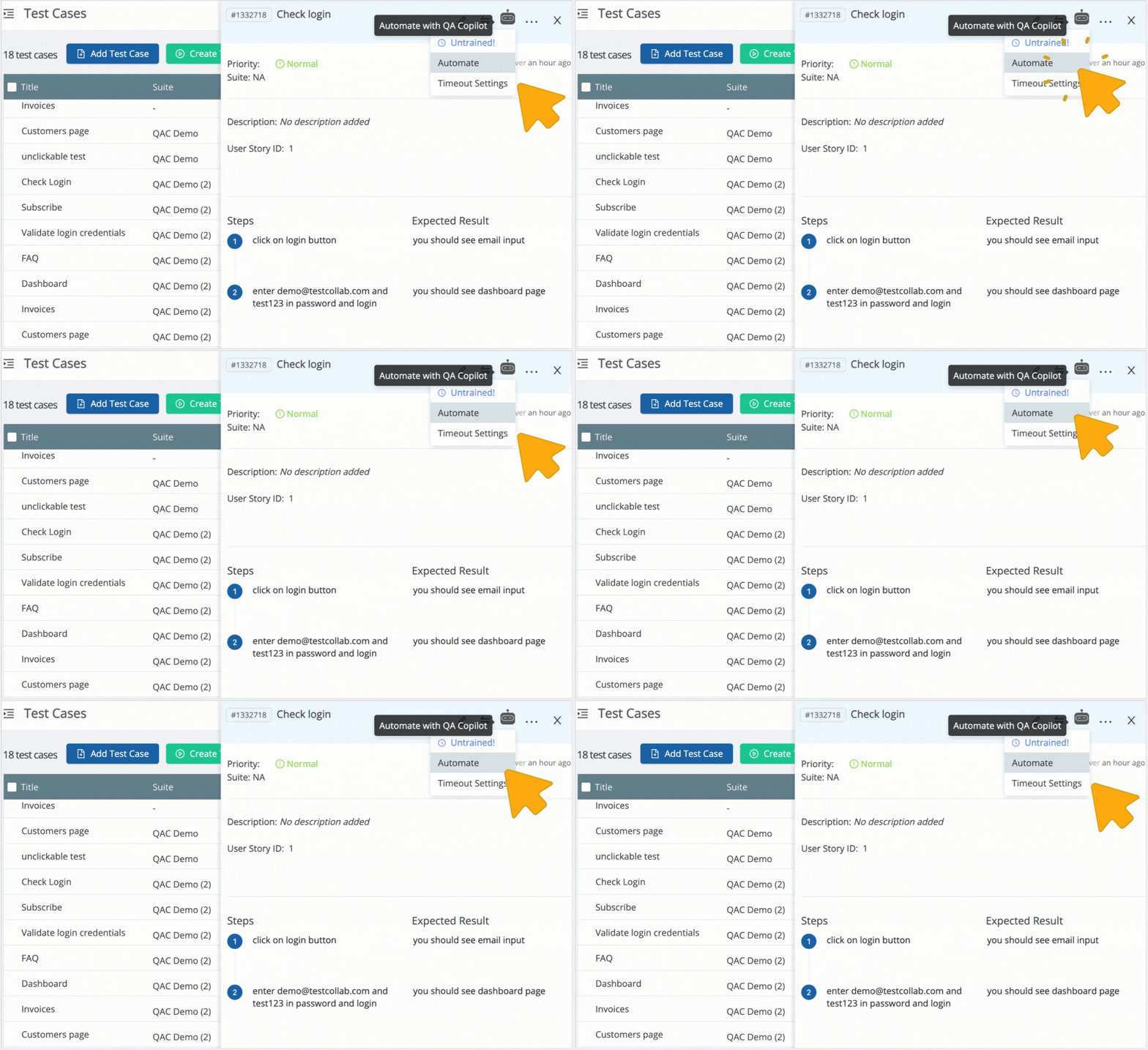
The main advantage is continuity. Approved cases remain in the same test management workspace, retain their source context, and can be turned into runnable automation. Teams that use Jira can generate from a story and keep the resulting cases connected through the native Jira integration. Requirements links and coverage reporting are available through the traceability matrix.
Key capabilities
- Structured test cases from prompts, requirements, screenshots, Jira stories, and URLs
- Human review with accept, edit, and reject controls
- Source links between generated cases and their originating requirements
- One-click conversion from approved manual cases to runnable automation
- Auto-healing support for generated UI automation
- Test management, execution, reporting, datasets, and version history in the same platform
Pricing: Premium is $29/user/month for core test management. Elite is $39/user/month and includes QA Copilot generation. Enterprise pricing is custom. A 14-day trial is available.
Best fit: QA teams that need structured cases before automation and want to avoid exporting AI output between separate tools.
Watch for: AI generation requires the Elite plan. Teams that want only code-level unit tests or only API traffic capture may prefer a specialist tool.
You can try this part yourself before reading the other nine. Start a 14-day TestCollab trial, paste one requirement, and see what the review workflow produces. See the AI test case generation feature page for how generation, review, and automation connect.
2. Katalon - Best for Cross-Platform Manual and Automated Testing
Katalon's StudioAssist branding is now retired. The current Katalon AI Assistant works across True Platform and Katalon Studio to refine requirements, generate manual or automated tests, execute tests, analyze failures, and file bugs.
Katalon is a better fit when test case generation is one part of a broader cross-platform automation strategy. True Platform covers test management and AI-assisted manual workflows, while True Automation adds Katalon Studio Enterprise for web, mobile, API, and desktop authoring and execution.
Key capabilities
- Manual test case generation and requirement analysis in True Platform
- Automated test generation in Katalon Studio
- Web, mobile, API, and desktop coverage
- Recorders, low-code and full-code authoring, and AI self-healing
- Reporting, cloud execution, and MCP access
- AI capabilities included in current paid plans
Pricing: True Platform is $59/seat/month. True Automation starts at $142/seat/month for the first three seats and $167 after that, with annual alternatives. Katalon Studio Enterprise is $229/seat/month. A 30-day trial is available.
Best fit: Mixed manual and automation teams that need broad platform coverage and can use the wider Katalon ecosystem.
Watch for: The packaging has changed substantially. Compare True Platform, True Automation, and Studio Enterprise based on roles instead of relying on older Katalon Premium pricing.
3. Testsigma - Best for Jira-Centric Agentic Testing
Testsigma has expanded beyond its original natural-language automation positioning into agentic test management. Its current product combines requirements, test case creation, execution, bug reporting, and Jira synchronization. Premium features include agentic test generation and execution, while the broader Testsigma platform supports web, mobile, and API automation.
This makes Testsigma more relevant to this list than it was in early 2026. It can serve teams that want AI-generated cases but expect to move quickly toward executable tests rather than maintain a manual-only repository.
Key capabilities
- Agentic generation of manual test cases from requirements
- Natural-language automation authoring
- Jira app and two-way requirement, case, execution, and defect sync
- Web, mobile, and API testing in the wider platform
- AI-assisted bug reporting and coverage workflows
- Free basic test management with paid AI capabilities
Pricing: Testsigma publishes pricing from $8/user/month with annual billing or $14/user/month with monthly billing. A free-forever test management plan and a seven-day premium trial are available.
Best fit: Cost-conscious teams that work heavily in Jira and want an AI path from test management into execution.
Watch for: Separate the capabilities of Testsigma Test Management from those of its larger automation platform when comparing plan scope and execution costs.
4. aqua - Best for Regulated and Audit-Heavy Workflows
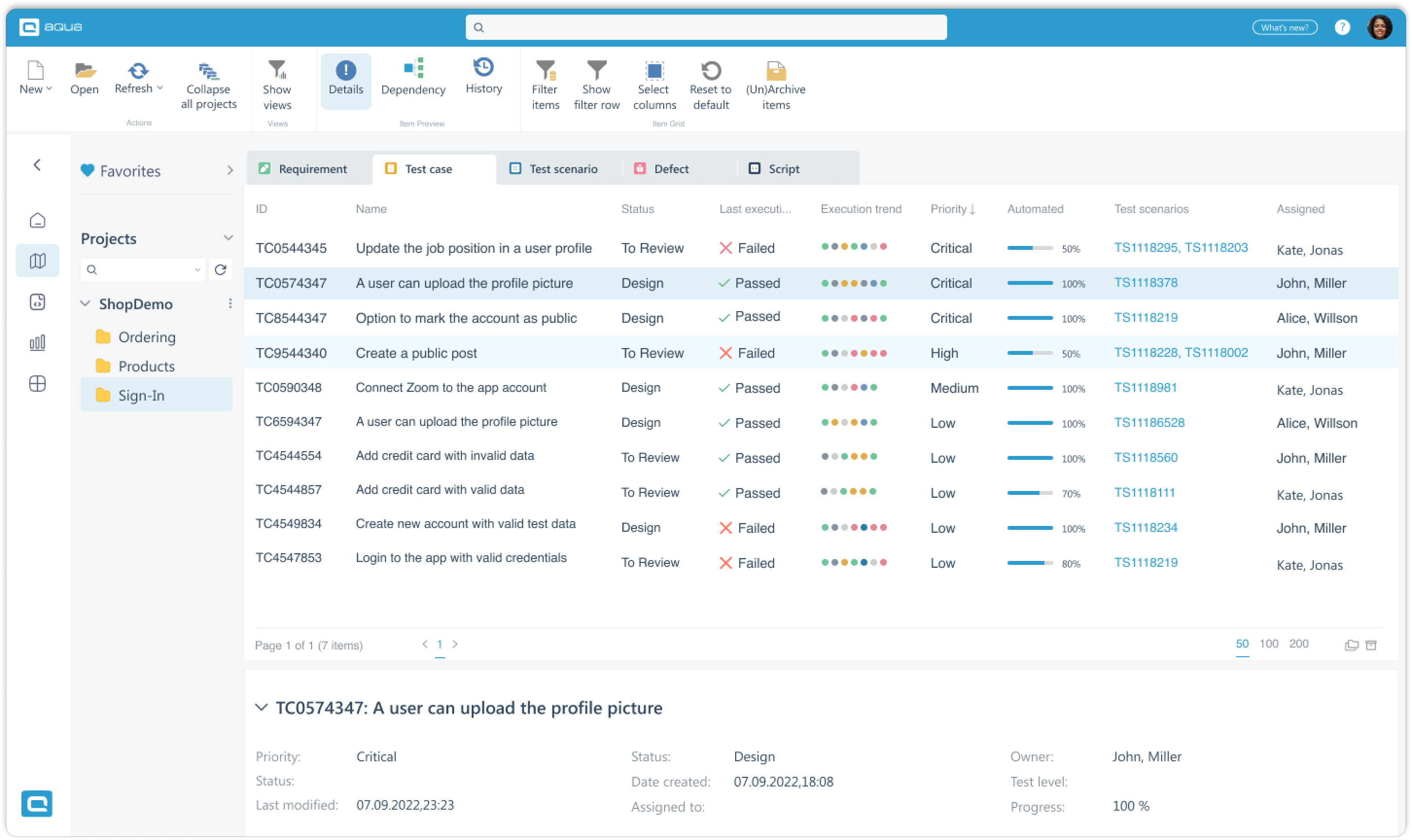
aqua combines test management, requirements management, defect tracking, reporting, and AI Copilot features. Its AI can generate structured test cases from requirement descriptions and assist with additional scenarios while the surrounding ALM workflow maintains links between requirements and tests.
The product is most compelling for regulated or process-heavy teams that need auditability and role separation around their test assets. Avoid assuming that AI alone proves compliance: teams still need their own validated process, review controls, and evidence.
Key capabilities
- Structured cases from requirements and written descriptions
- AI Copilot included with paid test management licenses
- Requirements, defects, dashboards, and reporting in the same ALM system
- Traceability and audit-oriented workflows
- Cloud and on-premise options
- Unlimited read-only Guest licenses
Pricing: aqua's test management pricing starts at €89/user/month with annual billing or €119/user/month with monthly billing. Test Runner DEV licenses start lower, but they are intended for execution rather than full AI authoring. Free Guest licenses are read-only.
Best fit: Regulated industries and QA organizations that place governance and requirements management ahead of lightweight UX.
Watch for: The entry price is higher than several modern SaaS alternatives, and Guest access should not be confused with a free AI authoring plan.
5. Qase - Best for Modern Test Management and Developer Workflows
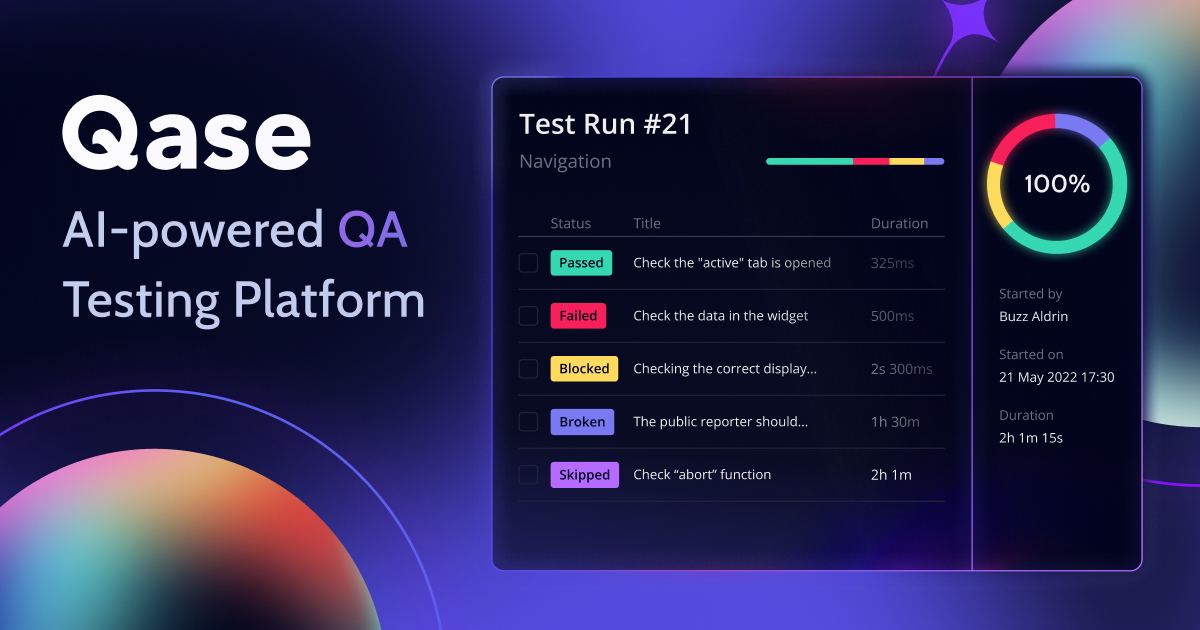
Qase AI generates manual test cases from requirements and lets teams review and refine the result in the test management workspace. Qase also connects the manual repository to automation results, Jira and developer integrations, natural-language queries, manual-to-automation conversion, and an MCP server.
The platform is a good fit for teams that value a clean interface and developer tooling but still need manual test case structure. The key buying detail is that AI generation is not included in the free plan.
Key capabilities
- Requirements-to-test-case generation in the repository
- Review and refinement of generated cases
- Manual-to-automation code conversion
- Jira, Linear, YouTrack, GitHub, GitLab, and CI/CD integrations
- Test review, traceability, and natural-language Qase Query Language features on paid tiers
- MCP access on all plans, including Free
Pricing: The Teams plan is $35/user/month with annual billing or $42/user/month with monthly billing. It includes 2,000 AI credits per month. Enterprise includes 4,000. The Free plan supports four users but does not include AI test case generation.
Best fit: Small and midsize teams that want modern test management plus developer-friendly integrations and AI workflows.
Watch for: AI is credit-based. Estimate generation volume and potential overage charges during the proof of concept.
6. TestRail - Best for Template-Based Generation and Governance
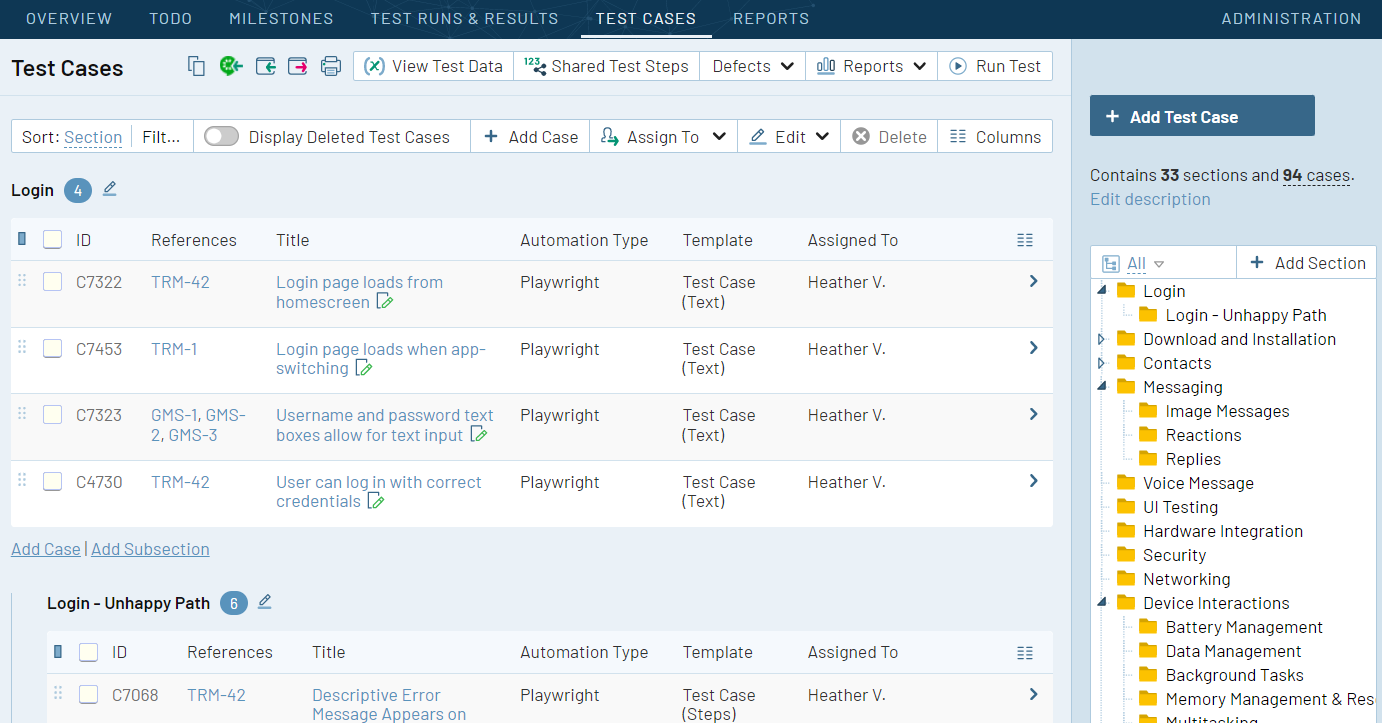
TestRail now offers AI-powered test case generation in TestRail Cloud. Teams provide product requirements, choose a destination section and template, review suggested cases, and then generate full steps and expected results. Templates can map AI output into standard or custom fields, including BDD scenarios.
The workflow is deliberately controlled. Administrators can enable AI by instance, project, and user role, while testers can refine suggestions before creating final cases. That makes TestRail a credible option for established QA organizations that already depend on standardized case templates and access controls.
Key capabilities
- Requirement-driven generation with an intermediate review step
- Step and expected-result output, combined step/result fields, or BDD scenarios
- Field mapping for supported custom templates
- Project and role-level AI permissions
- Cases remain in TestRail suites, runs, reports, and integrations
- AI-powered automation generation is also available for supported manual cases
Pricing: TestRail lists Professional from $420 per seat per year and includes AI-powered features. Monthly rates vary by team size, and Enterprise adds approvals, advanced auditing, SSO, and other governance controls. AI generation is Cloud-only.
Best fit: Existing TestRail users and larger teams that care about templates, permissions, and repeatable repository structure.
Watch for: Server users cannot use this AI generation workflow, and custom case layouts require compatible field mappings.
7. Testmo - Best for Human-Guided Requirements Traceability
Testmo introduced AI Test Case Generation in February 2026. The workflow starts inside the test repository: supply requirements, review and refine suggested cases, choose which suggestions to keep, and generate final cases in text, step-based, or BDD format.
Generated cases are tagged as AI-created and linked back to their originating requirement. That makes the tool especially relevant for teams that want AI assistance without losing the connection between requirements, test design, execution, and coverage reporting.
Key capabilities
- Human review before full cases are generated
- Text, structured steps, BDD, and compatible custom templates
- Automatic links between a generated case and its source requirement
- Reusable requirements and reporting on coverage
- Organization-level AI controls and role-based permissions
- AI generation included across Testmo plans
Pricing: The Team plan is $99/month for up to 10 users. Business starts at $399/month for up to 25 users, and Enterprise starts at $599/month for up to 25 users. Annual plans are discounted.
Best fit: Teams looking for a modern test management system with a careful review flow and built-in traceability.
Watch for: The generation feature is still labeled Beta, and its documented input starts with written requirements rather than the broader file and visual inputs offered by some competitors.
8. Keploy - Best for AI-Generated API Test Suites
Keploy is the specialist entry on this list. Its AI API test generator creates executable test suites from OpenAPI specifications, Postman collections, cURL commands, live endpoints, and supporting context. Its open-source record-and-replay workflow can also capture API traffic and dependencies to generate deterministic tests and mocks.
This is automated test case generation in a developer workflow, not a manual QA repository. Keploy is therefore a strong choice for API coverage and a poor replacement for requirement traceability, manual execution, or UI case management.
Key capabilities
- AI generation from OpenAPI, Postman, cURL, endpoints, and documentation
- Response-based assertions and editable generated tests
- API traffic recording and deterministic replay
- Automatic mocks and stubs for external dependencies
- CI/CD integrations and replay across environments
- Open-source core plus managed cloud plans
Pricing: Keploy offers open-source tooling and a free Playground tier. Its current pricing also includes usage-based paid plans for teams that need managed generation, execution, and support.
Best fit: Developers and platform teams that want executable API regression tests generated from specifications or real behavior.
Watch for: It does not replace a general test management system and is not intended to generate manual UI cases from business requirements.
9. BrowserStack Test Management - Best for Multi-Format Requirement Inputs
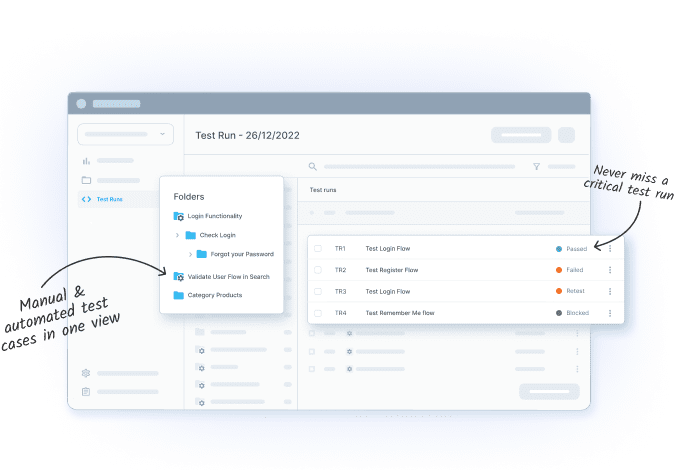
BrowserStack's Test Case Generator Agent creates structured cases from prompts, PDFs, text files, screenshots, Jira issues, Azure work items, Figma frames, and Confluence pages. It can populate fields such as preconditions and priority, generate plain-English or BDD output, and use existing repository context to align naming and structure.
This breadth makes BrowserStack one of the strongest choices when requirements arrive in several formats. Generated cases live in BrowserStack Test Management, where teams can connect them to runs, defects, automation results, and the broader BrowserStack testing cloud.
Key capabilities
- Multi-file and multi-format generation from requirements artifacts
- Structured fields, positive and negative flows, and BDD output
- Follow-up prompting to refine a draft
- Jira, Azure, Figma, and Confluence context
- Repository-aware naming and organization
- Separate AI agents for test data, deduplication, selection, maintenance, and failure analysis
Pricing: AI test case generation is documented as a Team Ultimate capability. BrowserStack asks customers to contact sales for that plan's price. Lower test management plans are publicly priced, but they should not be treated as the ongoing AI entry price.
Best fit: Teams already using BrowserStack or teams that need to ingest screenshots, files, and work items without reformatting every requirement.
Watch for: The AI plan is quote-based, so compare the complete package rather than the test management base price alone.
10. mabl - Best for Low-Code Agentic Test Creation
mabl's Test Creation Agent generates automation steps from a natural-language test intent and relevant workspace context. Browser tests can include reusable flows and visual assertions. Mobile generation starts with an outline that testers complete in the Trainer. API generation can create requests and test steps from the stated intent and API information.
mabl belongs on the list because it now supports generative creation across browser, mobile, and API tests. It is still automation-first: it does not aim to be the best tool for teams whose primary deliverable is a reviewed library of manual test cases.
Key capabilities
- Natural-language generation for browser, mobile, and API tests
- Workspace-aware reuse of flows, snippets, and variables
- Visual assertions and AI-assisted element interaction
- Auto-healing and failure analysis
- Low-code Trainer for reviewing and completing generated work
- Cloud execution and CI/CD integrations
Pricing: mabl uses custom pricing. A 14-day trial is available, while the Test Creation Agent may require the Advanced AI add-on depending on the account and workflow.
Best fit: Teams that want a low-code route from user intent to executable end-to-end tests.
Watch for: Ask for a quote that includes the AI add-on, execution volume, parallelism, and required test types.
Which Tool Should You Choose?
Start with the output your team needs, not with the word "AI."
- For structured test cases from requirements: Shortlist TestCollab, BrowserStack, TestRail, Testmo, Qase, Testsigma, and aqua.
- For a Jira-centered workflow: Compare the source-story sync, review flow, and traceability behavior in TestCollab, BrowserStack, Qase, and Testsigma.
- For screenshots, design files, and mixed requirement artifacts: BrowserStack and TestCollab document the broadest relevant input choices in this shortlist.
- For manual cases that later become automation: TestCollab, Testsigma, Katalon, TestRail, BrowserStack, and Qase all document a handoff or conversion path, but the mechanics differ.
- For API test generation: Choose Keploy when executable API coverage is the primary goal. Katalon, Testsigma, and mabl make more sense when API tests must sit beside UI automation.
- For regulated or governance-heavy teams: Compare aqua, TestRail Enterprise, BrowserStack, and TestCollab Enterprise for audit history, approvals, access control, deployment, and traceability.
- For automation-first teams: Katalon and mabl are stronger fits than manual-case-first platforms.
If your broader requirement is coordinating manual and automated testing rather than generation alone, use a test management tool comparison as the next step. For products focused on self-healing, visual validation, failure analysis, and other AI testing categories, see our separate guide to AI testing tools.
A Realistic Proof of Concept
Do not compare vendors with different demos and different requirements. Give every shortlisted AI test case generator the same source pack and score the raw output before your team fixes it.
Use one representative feature containing:
- A user story and acceptance criteria
- A screenshot or design reference, if supported
- At least one business rule and one role or permission constraint
- Expected happy paths, negative paths, boundaries, and state transitions
- A sample case template with required fields
Then score each tool from 1 to 5 for requirement coverage, correctness, duplicate rate, edge-case value, step clarity, expected-result quality, edit effort, source traceability, and export or automation handoff. Record unsupported assumptions separately from missing cases. A polished but incorrect test is more dangerous than an obviously incomplete draft.
The best product is usually the one that reduces total review and transfer time, not the one that generates the largest number of cases. Our guide to generating cases from user stories and requirements provides a practical input structure you can reuse in this proof of concept.
Ready to run that pack against one of the tools on this list? Open a free TestCollab trial and score the unedited output against your own template.
Automated Test Case Generation vs. AI Test Case Generation
The terms overlap but are not identical.
Automated test case generation is the broader category. It includes model-based generation, combinatorial techniques, code analysis, record-and-replay, traffic capture, schema-based API generation, and AI-assisted workflows.
AI test case generation usually means a model interprets natural language or other unstructured context and proposes scenarios, steps, expected results, or test code. Generative AI is especially useful when inputs are requirements, user stories, screenshots, or intent rather than a formal model.
Some tools combine both. Keploy can use API schemas and traffic as structured evidence while AI expands or validates coverage. Test management products use generative AI for case drafts, then conventional workflows for approval, execution, and reporting. Coding agents can also support automated test case generation through MCP when teams want to work from their development environment.
What to Check Before Buying
- Input support: Confirm the exact sources you use, including Jira, PDFs, screenshots, Figma, Confluence, code, OpenAPI, or live URLs.
- Output structure: Check whether the tool creates titles only, full steps and expected results, BDD, executable code, or a runnable low-code test.
- Review controls: Require edit, approve, reject, and regeneration controls before generated work becomes an official test asset.
- Traceability: Verify whether source links survive generation, edits, exports, and automation conversion.
- Data handling: Ask which model providers process your data, where it is retained, whether it trains models, and how administrators can disable AI.
- Usage limits: Model AI credits, minimum seats, add-ons, parallel execution, storage, and overages rather than comparing headline seat prices alone.
- Maintenance: Ask how the platform detects stale, duplicated, or broken generated tests after requirements and interfaces change.
- Portability: Export a sample suite before committing. Generated cases have long-term value only if your team can retrieve them in a usable format.
Frequently Asked Questions
What is an AI test case generator?
An AI test case generator uses requirements, user stories, screenshots, application context, code, or API definitions to propose test scenarios. Depending on the tool, it may produce manual cases with steps and expected results, BDD scenarios, automated scripts, or executable low-code tests.
Can AI-generated test cases replace manual test design?
No. AI is useful for drafting and expanding coverage, but it can misread business rules, invent behavior, duplicate scenarios, or miss risk that is obvious to a domain expert. A tester should review the source coverage, assumptions, steps, and expected results before accepting generated work.
Which AI test case generation tool is best for Jira?
There is no universal winner. TestCollab, BrowserStack Test Management, Qase, and Testsigma all document Jira-connected generation or test management workflows. Compare whether the tool reads the complete issue context, keeps a durable link to the story, synchronizes changes in both directions, and supports review without leaving Jira.
Are there free AI test case generation tools?
Keploy provides open-source and free options for API test generation. Some commercial tools offer time-limited trials or free test management plans, but the AI feature may require a paid plan. For example, Qase Free does not include AI generation, and BrowserStack reserves ongoing AI test case generation for Team Ultimate. Verify current plan limits before investing in setup.
Can generative AI create test cases from a requirements document?
Yes. Several tools in this comparison generate cases from written requirements, and some accept PDFs or connected work items. Better inputs produce better drafts: include acceptance criteria, user roles, business rules, preconditions, constraints, and examples rather than a one-line feature description.
What is a realistic result from an AI test case generator?
Expect a reviewable first draft, not guaranteed coverage. The useful measure is how much correct, non-duplicative work survives human review and how easily approved cases enter execution. Avoid universal percentage claims because results vary by domain, requirement quality, product context, model, and scoring method.
Final Recommendation
Choose the tool that matches the artifact your team must maintain. For structured test management, shortlist products that preserve review and traceability. For executable UI or API coverage, prioritize automation-first tools and evaluate maintenance as carefully as initial generation.
If you want to see how a requirement, Jira story, screenshot, or URL becomes a reviewed test case and then a runnable test, start a 14-day TestCollab trial. Use the same proof-of-concept input you give every other vendor and compare the unedited results.