

Integration
Jira test management tool
Report bugs, manage test cases, and track coverage in Jira without tab switching.
OAuth-based connection that works with Jira Cloud, Data Center, and Server.
Trusted by QA teams at



Value props
Why QA teams connect TestCollab with Jira
Report bugs instantly
Create Jira issues directly from failed steps in TestCollab - metadata, steps, and attachments included. Developers start triage 40% faster because every ticket arrives with context.
Bi-directional test management in Jira
Create, edit, link, and organize TestCollab test cases and plans without leaving Jira so QA leads stop juggling tabs and status always matches in both tools.
Requirements that stay in sync
Link Jira stories or epics to test cases so you always know what's covered and what isn't. Coverage reports surface gaps instantly for every product owner.
Traceability that execs love
Get an end-to-end matrix from Jira requirement -> test case -> run -> defect with drill-through both ways, making release reviews a data-backed conversation.
Feature deep dive
Everything the Jira integration unlocks
The integration covers the entire QA workflow - from creating defects to managing requirements and reporting status.
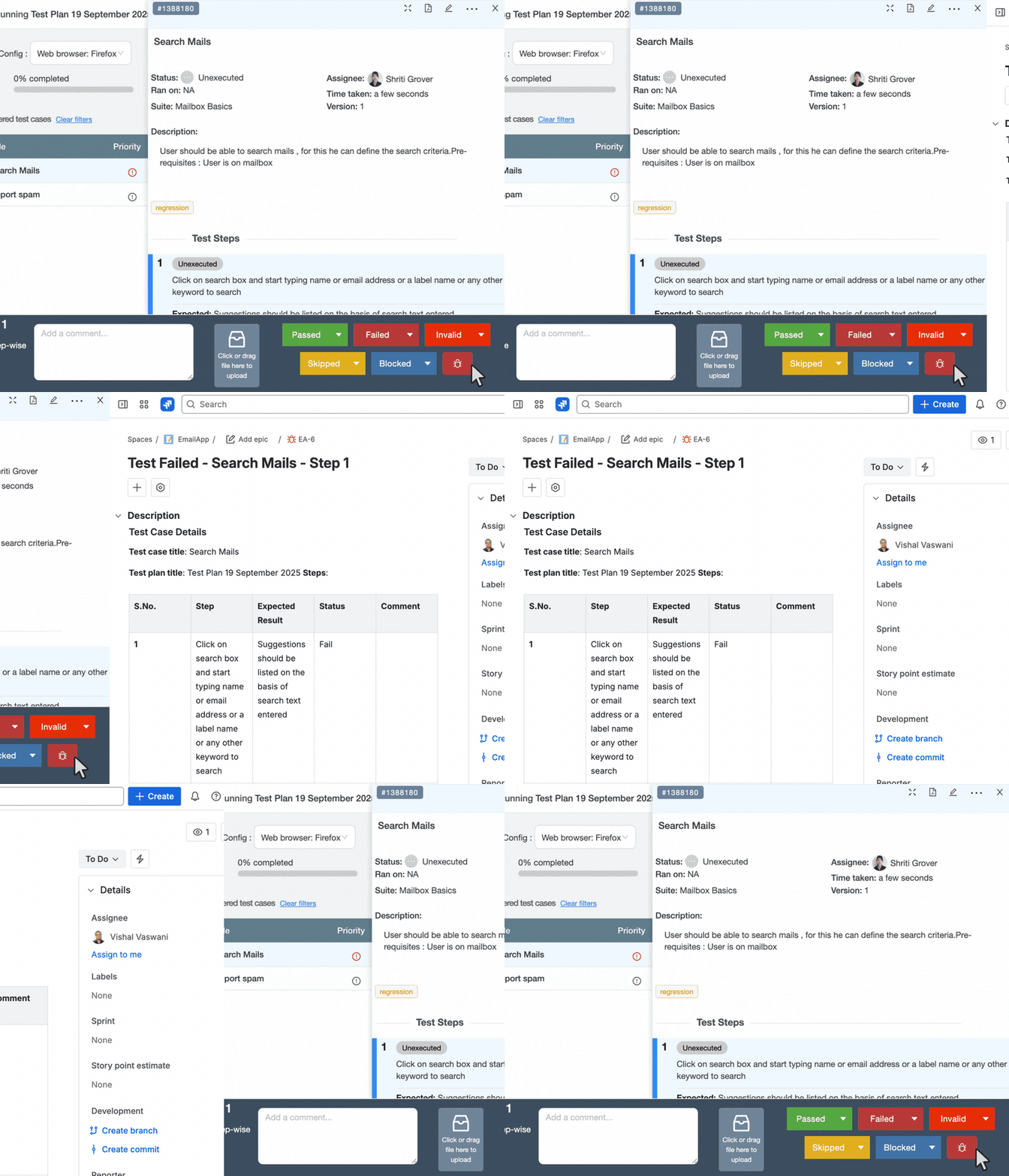
Report defects from TestCollab to Jira
One-click bug creation from runs.
- Attachments & executed steps auto-included
- Field mapping for custom or mandatory fields
- Optional board selection to populate Sprint/Epic
See the Jira bug reporting guide for setup steps.
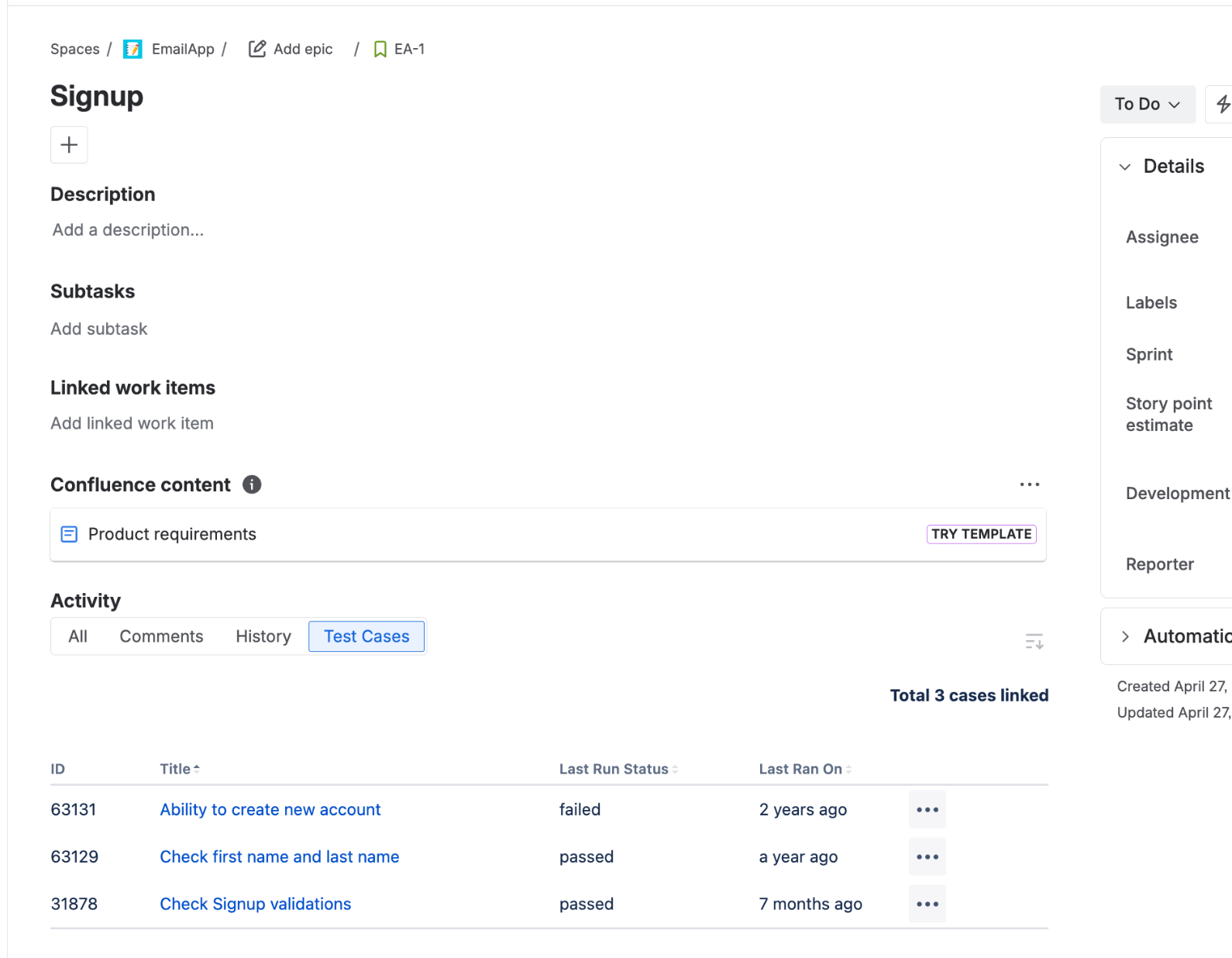
Manage test cases inside Jira (Forge app)
The TestCollab Forge app runs natively inside Jira - no iframes, no external loads.
- Add/edit/delete/link/unlink cases from a Jira issue panel or activity tab
- Build test plans and track execution progress right in Jira
- Project-level settings let project admins configure without Jira admin access
- Free on the Atlassian Marketplace
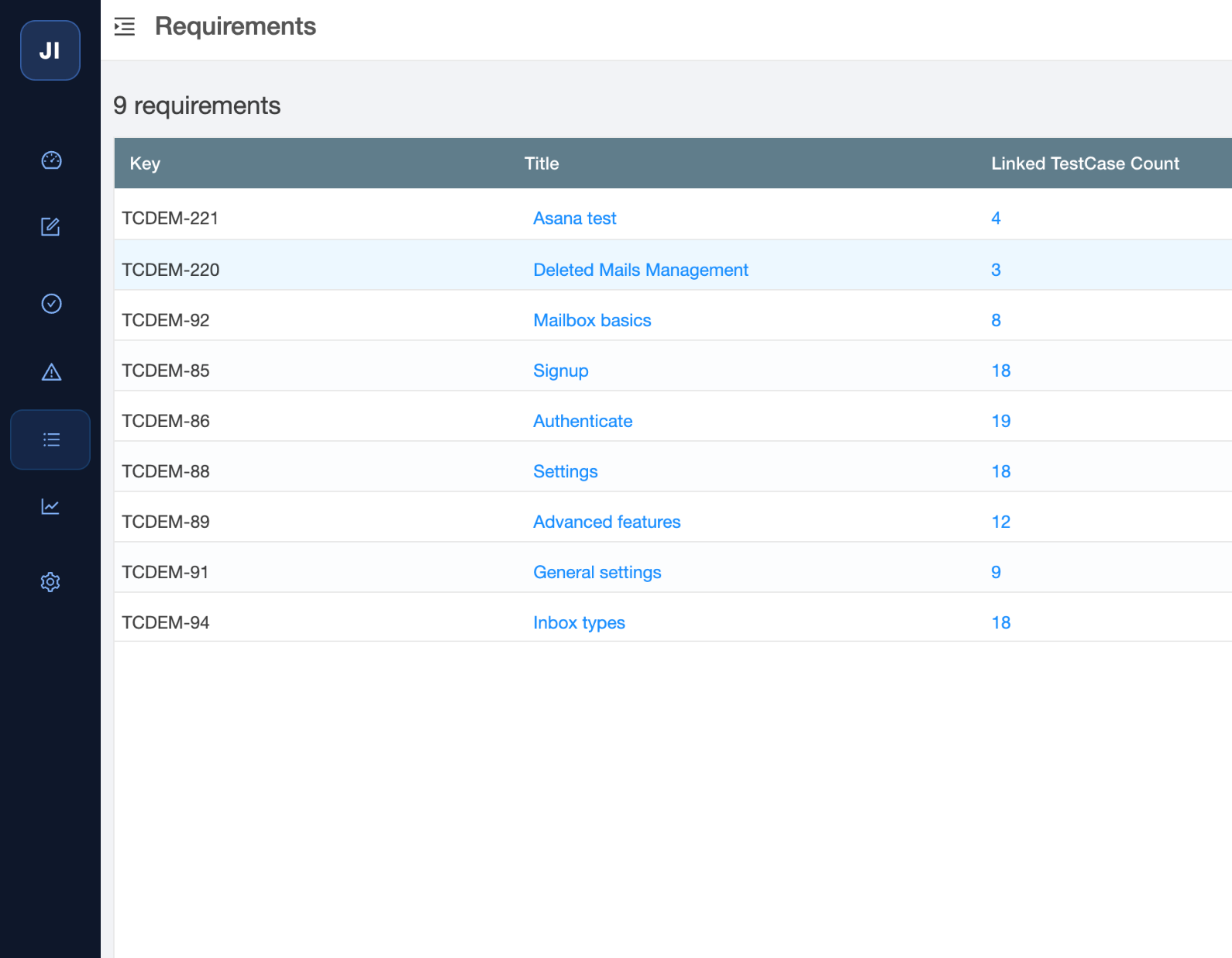
Jira as requirements inside TestCollab
Treat Jira projects and issue types as requirements.
- Pick the projects and types that matter
- Link from the test case editor or bulk actions
- Filter by requirement to find gaps instantly
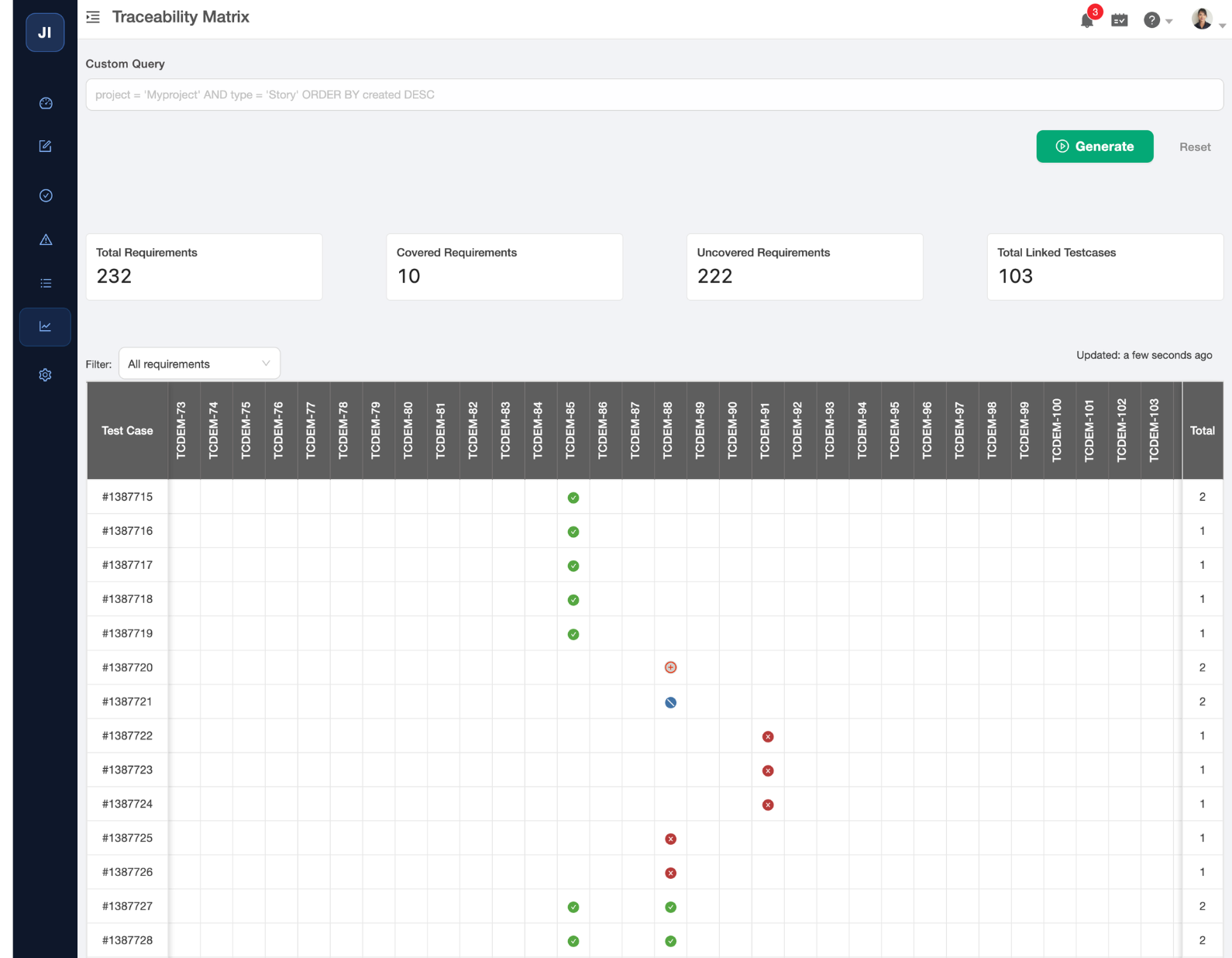
Requirements traceability matrix
Give stakeholders a live requirements traceability matrix.
- See coverage and test results per Jira item
- Filter with JQL-like controls
- Click through to Jira or TestCollab for details
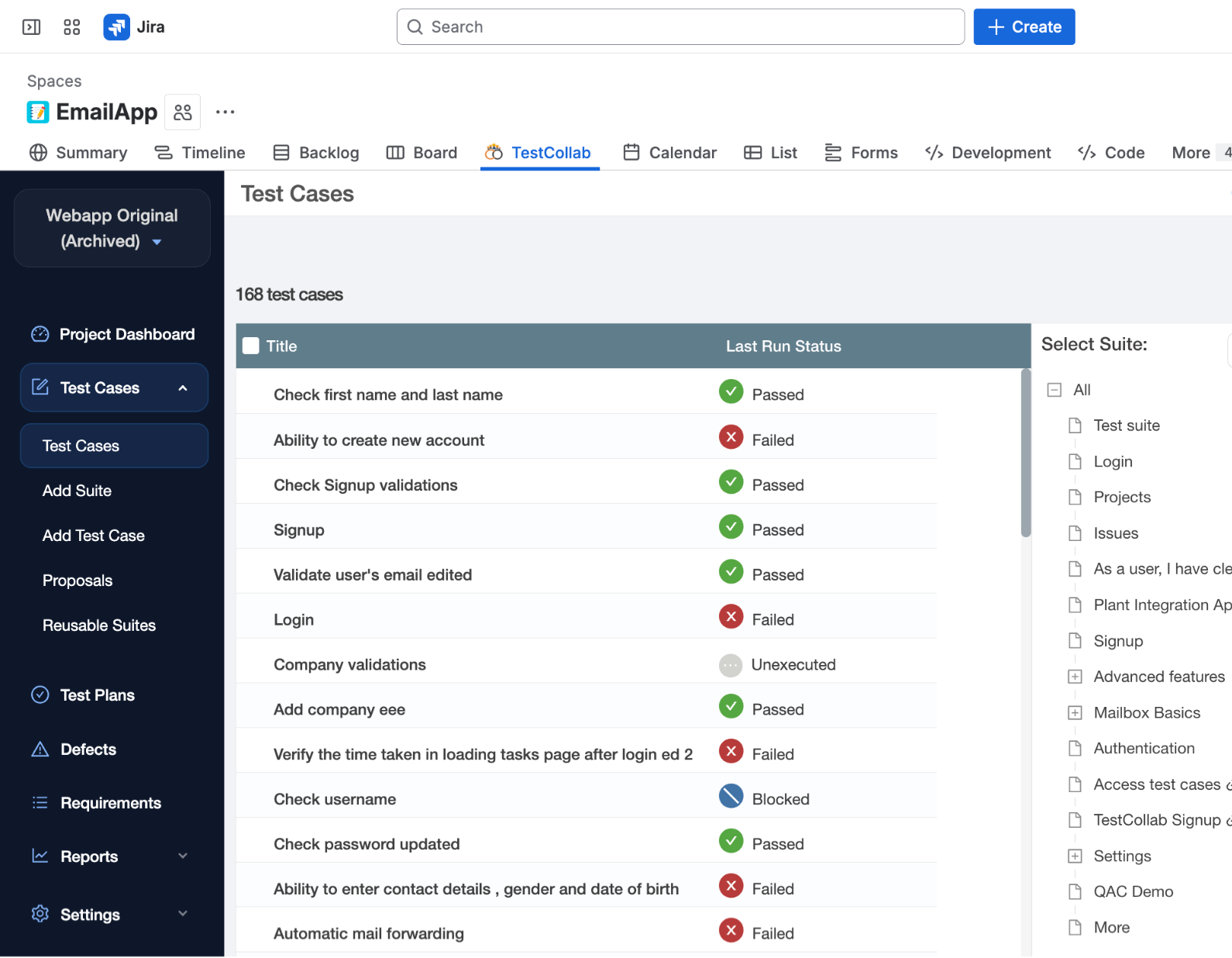
Full TestCollab app inside Jira
Access the entire TestCollab experience without leaving Jira - now rebuilt on Atlassian's Forge platform for faster load times and better security.
- Browse projects, suites, and test plans in a Jira panel
- Execute runs and log results without switching tabs
- Global admin page to manage connections across all projects
- Same permissions and roles as the standalone app
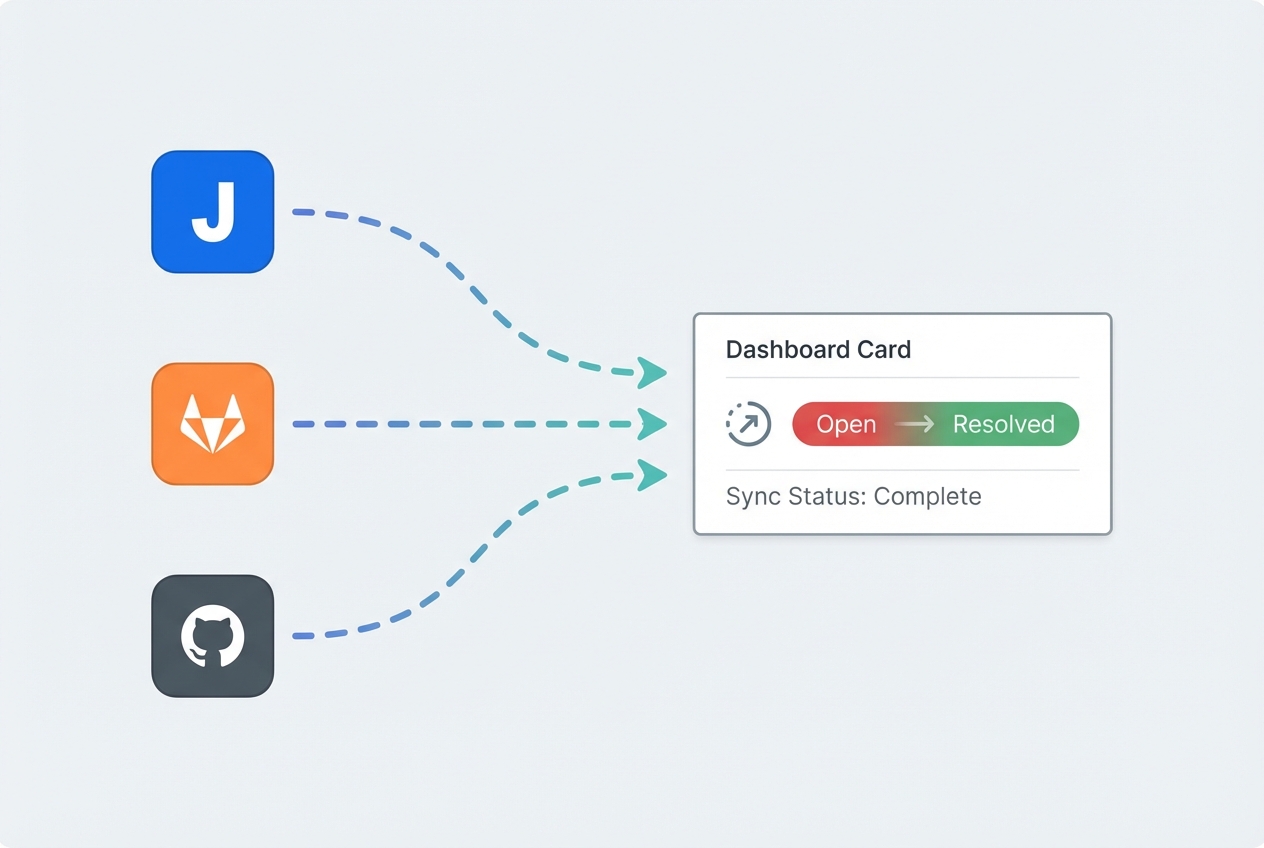
Defect status sync
Defect statuses sync back automatically from Jira.
- When a Jira issue moves to Resolved or Closed, TestCollab updates instantly
- The release readiness dashboard recalculates the GO/NO-GO verdict in real time
- No manual status checks - your readiness data is always current
For QA leads & managers
Outcomes teams feel each release
Faster triage
Defects already contain reproducing steps, attachments, and environment data so developers start fixing immediately.
Zero double entry
Write plans once and make them visible in both tools. Cases stay in sync whether you edit in Jira or TestCollab.
Confidence at release
See pass/fail coverage per story or epic, complete with linked defects, before signing off. The release readiness dashboard computes a live GO/NO-GO verdict from your Jira-synced defect data.
Security & governance
Enterprise-grade controls test teams expect
OAuth & least privilege
Connections use OAuth or secure tokens with scopes limited to the Jira projects you approve.
Respects Jira permissions
The integration mirrors Jira permissions, inherits Jira/TestCollab data residency, and never bypasses your role model.
Revocation & re-auth
Admins can revoke tokens anytime and users are prompted to re-authenticate before data sync resumes.
FAQ
Answers teams look for
What permissions are required?
Install or approve the integration per your Jira policy. Creating issues typically requires project level Create Issues permission plus API access for OAuth.
Can I map custom Jira fields?
Yes - during setup you can map any custom fields that are required in Jira so the integration fills them every time.
Who shows as the reporter in Jira?
The reporter is the Jira account linked to the user posting the bug (or the admin's mapped account, depending on your configuration).
Do I need the Jira Forge app?
Only for managing test cases inside Jira. The free Forge app adds issue panels, project pages, and test plan management directly in Jira. Posting defects from TestCollab runs works without the marketplace app.
Will Sprint/Epic populate automatically?
Yes - if you select a board during configuration, Sprint and Epic pickers appear so every issue lands in the right sprint.
What if a token expires?
You will be prompted to re-authenticate. No data is lost and pending sync jobs resume once the new token is issued.
Do Jira defect statuses sync back to TestCollab?
Yes. When a Jira issue linked as a defect moves to Resolved, Closed, or any other status, TestCollab picks up the change automatically. This keeps the release readiness dashboard accurate without manual status updates.
Bring your QA to Jira - without the busywork
Report bugs instantly, sync requirements, and keep leadership in the loop.