

Requirements Management
Requirements traceability matrix tool that stays live
Link requirements from Jira, GitLab, or Azure DevOps to test cases. View coverage gaps in real time. No more spreadsheet chaos.
No credit card required. Full access in under 2 minutes.
Trusted by QA teams at



Key advantages
What teams get with Requirements Traceability Matrix
End-to-end traceability
Link every requirement to test cases in one place. Know exactly what's tested and what's not - at a glance.
Real-time matrix updates
Unlike static spreadsheets, the requirements traceability matrix updates automatically as tests execute.
Works with your tools
Native integrations with Jira, GitLab, Azure DevOps, Asana, and Pivotal Tracker for seamless requirements traceability.
Audit-ready coverage
Stay compliant with clear requirement-to-test mapping. Ready for any compliance review or audit.
What is an RTM
What is a requirements traceability matrix?
A requirements traceability matrix (RTM) is a table that links each requirement to the test cases that verify it, and to the results of those tests. It shows which requirements are tested, which passed, and which have no test.
What an RTM contains
One row for each requirement. The columns hold the requirement ID and its text, the linked test cases, the last result of each test, and the defects that the tests found.
Forward, backward, and bidirectional
Forward traceability goes from a requirement to its tests. It shows that each requirement is tested. Backward traceability goes from a test to its requirement. It shows that no test is out of scope. A bidirectional matrix does both.
Why teams keep one
It shows the coverage gaps before a release. It shows which tests a changed requirement affects. It is also the proof of coverage that an auditor asks for.
Integrations
Requirements traceability across Jira, GitLab, Azure DevOps & more
Connect your existing issue tracker for seamless, end-to-end requirements traceability across platforms.
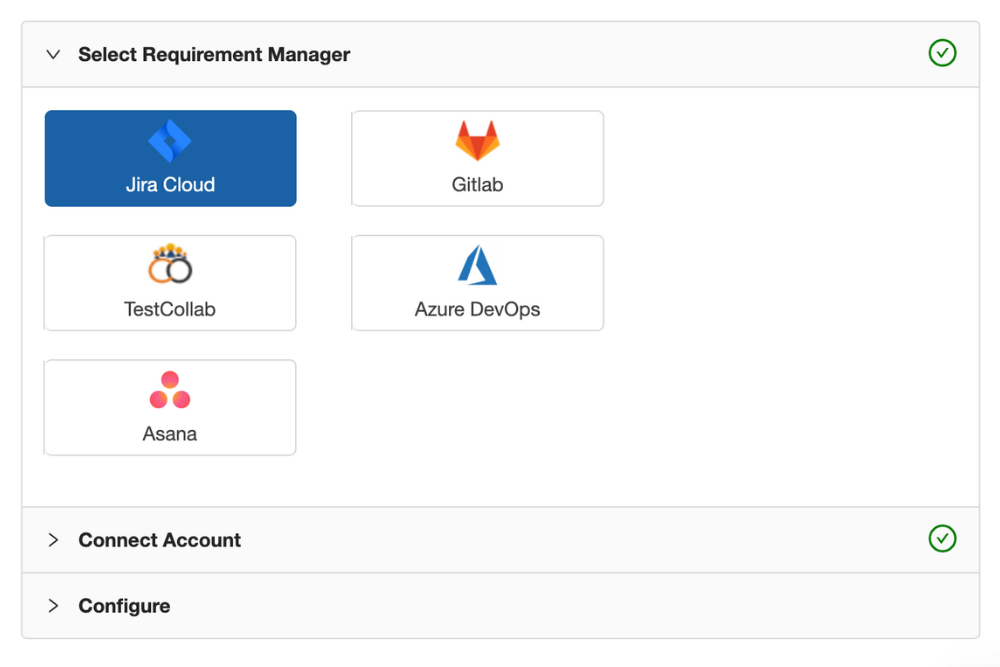
Link user stories directly
Connect stories from Jira, GitLab, or Azure DevOps to test cases with many-to-many linking. Build your Jira requirements traceability matrix without leaving TestCollab.
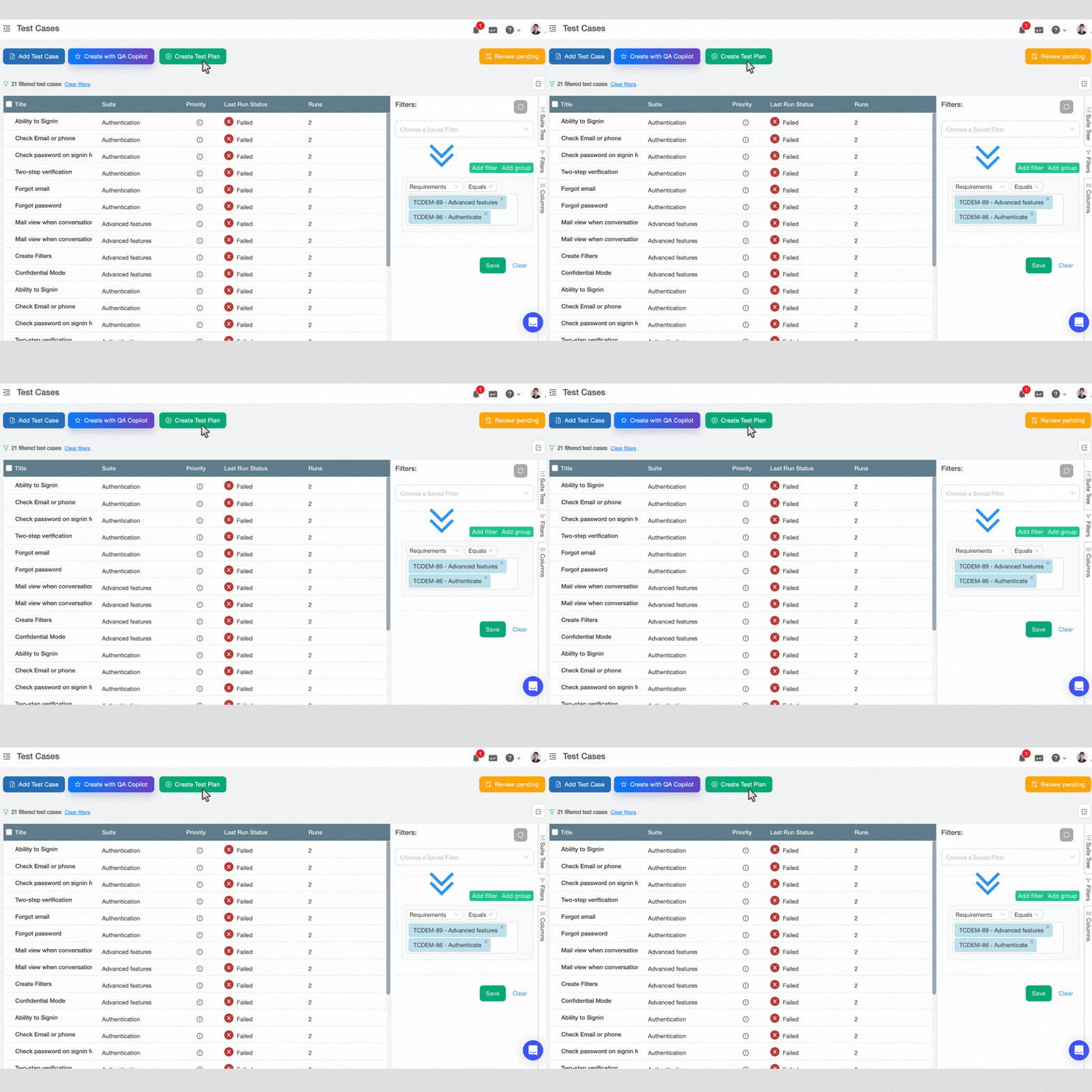
Create test plans from requirements
Select requirements and generate a test plan with all linked test cases - so nothing is missed during execution.
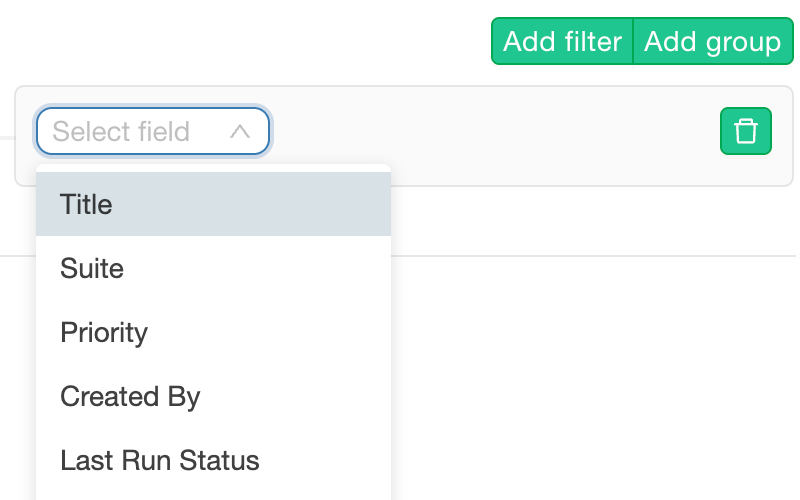
Filter by sprint, status, assignee
Advanced filters work across all integrated issue managers. Quickly pinpoint what needs attention in your requirements traceability matrix.
Live Matrix
A real-time requirements traceability matrix - not a spreadsheet
See coverage gaps instantly. No more manual updates or stale data.
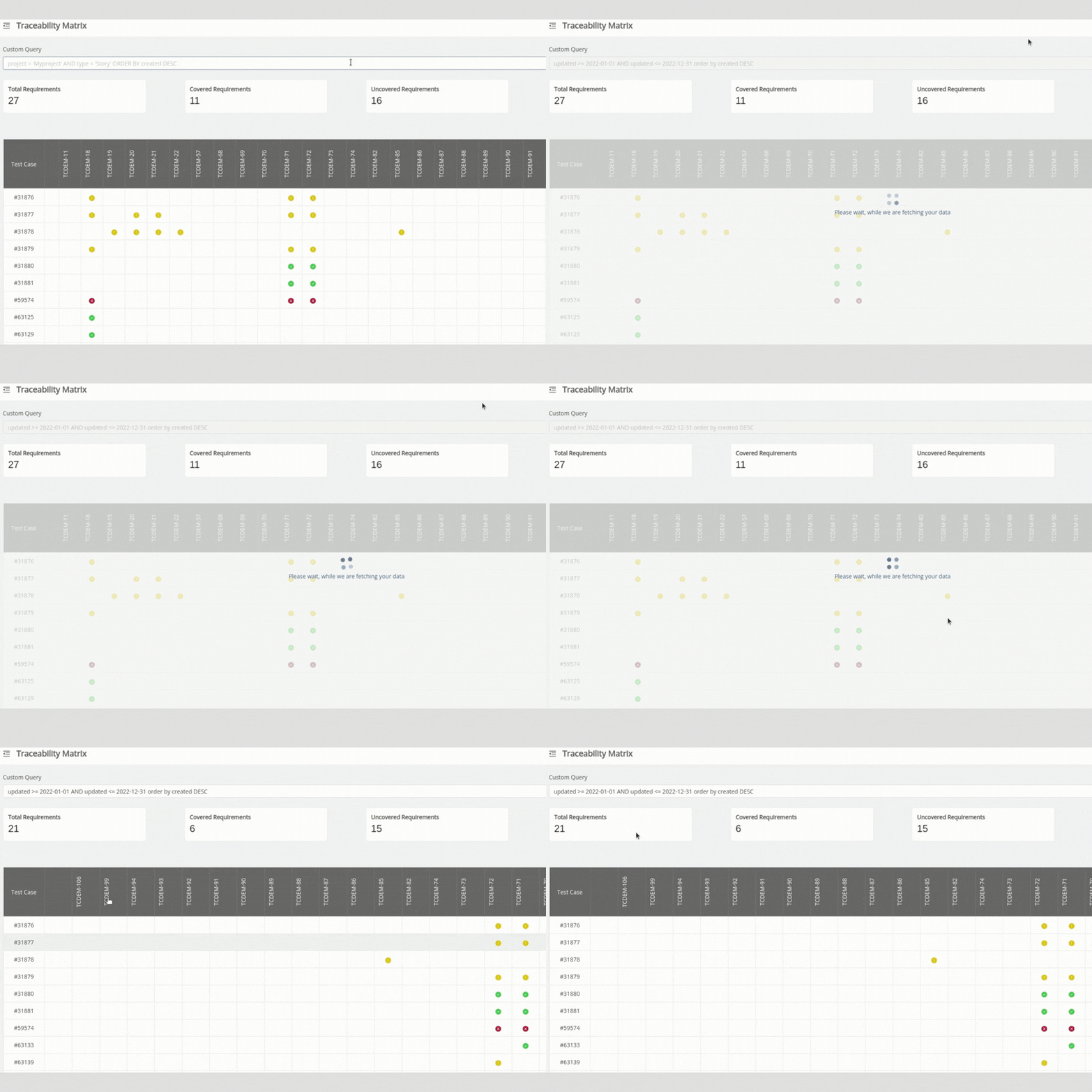
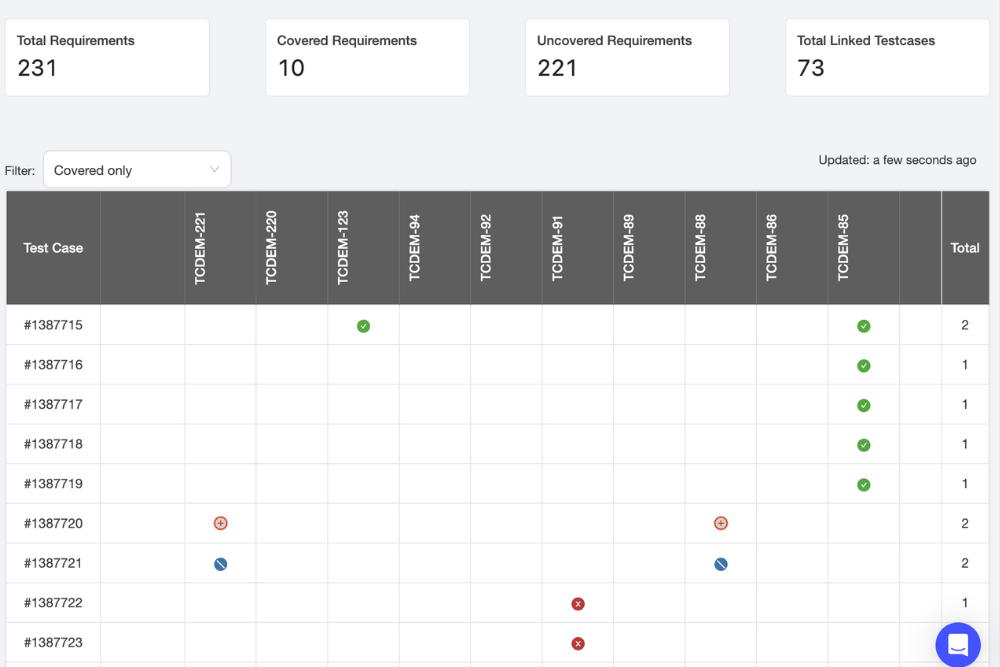
Dynamic coverage view
See which requirements have linked tests and which have gaps - instantly. No more guessing about coverage.
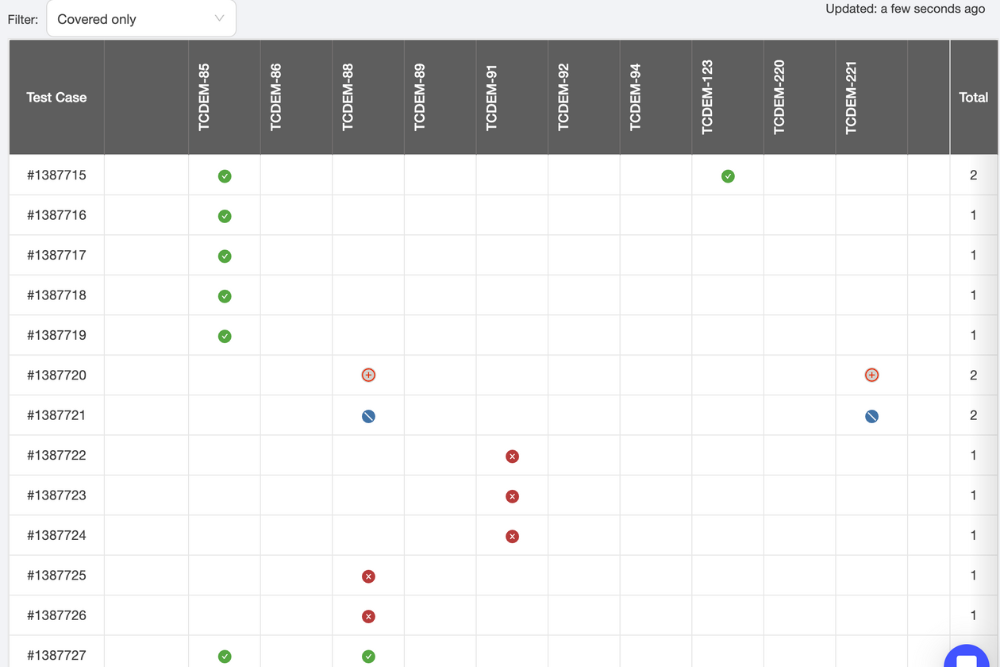
Last run status per test
Know not just what's covered, but when it was last run and whether it passed. Complete visibility into your test execution status.
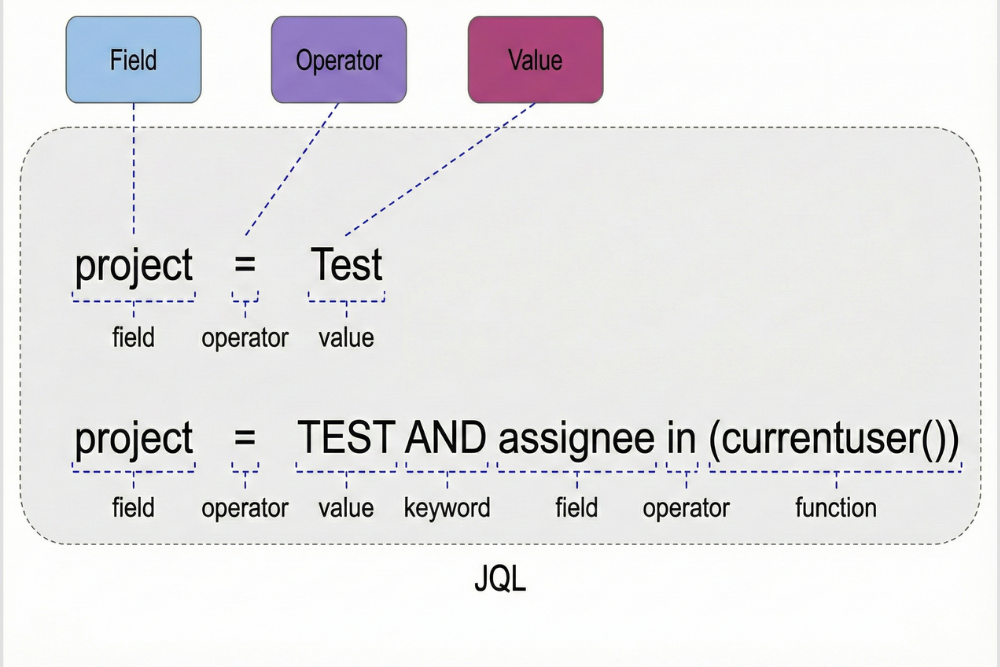
Filter and focus
Narrow by sprint, issue type, or status to isolate exactly what you need. Perfect for requirements traceability in agile environments. JQL support for Jira.
Requirements
Inbuilt requirements manager - no external tools required
Define, organize, and link requirements directly in TestCollab for end-to-end traceability.
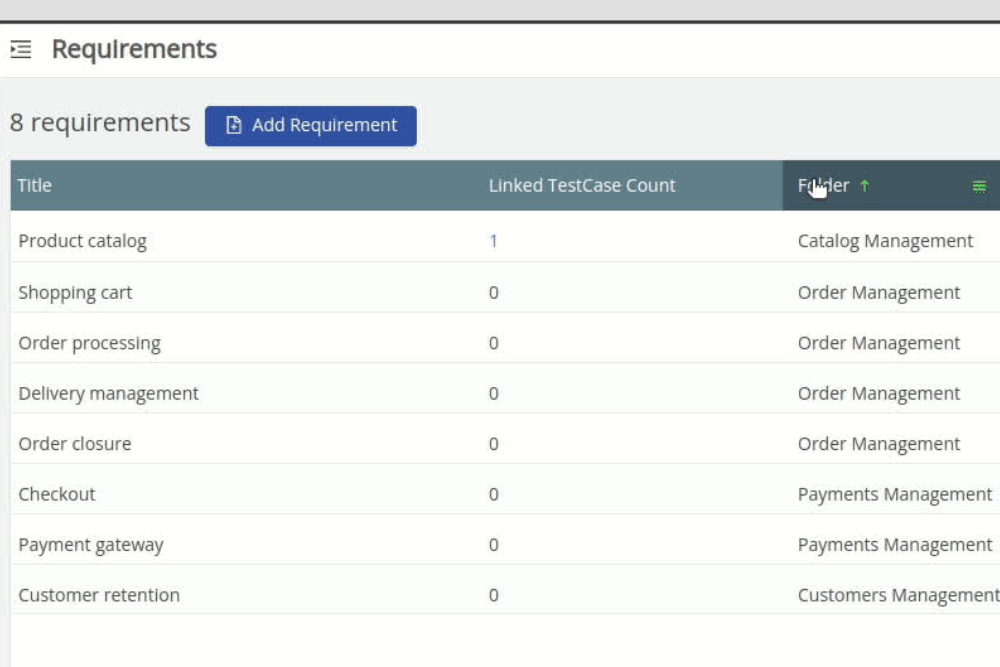
Define requirements natively
Add user stories or features directly in TestCollab. Organize with folders, custom fields, and priorities - use it as your requirements traceability matrix template.
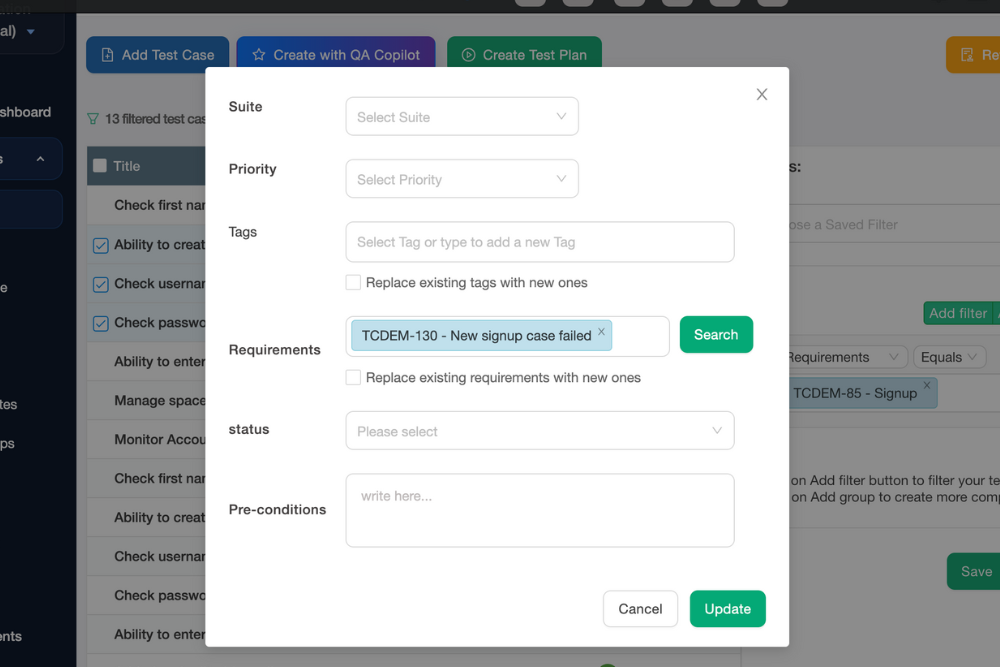
Link to test cases
Associate each requirement with one or more test cases from the same interface. Build complete traceability for software testing workflows.
Create test plans from requirements
Select requirements and pull linked test cases into a new test plan. Perfect for requirements traceability matrix in project management.
Template
Requirements traceability matrix template and example
A spreadsheet is enough for a small project. When the sheet is hard to keep in step with the test runs, TestCollab builds the same matrix from your requirements and updates it after each run.
Free RTM template for Excel and Google Sheets
Download the requirements traceability matrix template (XLSX) for Excel and Google Sheets, or the CSV file for other tools. Both have the standard columns and four example rows. The XLSX file also has formulas that count the coverage. No signup is necessary.
Requirements traceability matrix example
Req      Tests     Result
REQ-101  TC-12,13  Passed
REQ-102  TC-14     Failed
REQ-103  none      Gap
REQ-103 has no test case. The matrix shows that gap before the release, not after it.
How to create an RTM
- Give each requirement an ID
- Write or pick the test cases for it
- Link the test case IDs to the requirement
- Record the result after each test run
- Look for the rows with no test or a failed test
Compliance
Built for compliance, audits, and speed
Stay audit-ready with clear traceability. Follow requirements traceability matrix best practices without extra work.
One source of truth
All test-to-requirement links in one place for any audit. No more hunting through spreadsheets or scattered documents.
No manual report generation
Review traceability coverage anytime - without needing to generate reports manually. Real-time visibility into your RTM.
Export when needed
Use browser print-to-PDF to capture the matrix for offline compliance reviews or stakeholder sharing.
FAQ
Answers teams look for
What is a requirements traceability matrix?
A requirements traceability matrix (RTM) is a document that maps and traces requirements throughout the testing lifecycle. It links each requirement to its corresponding test cases, ensuring complete test coverage and helping teams identify gaps. TestCollab's RTM is dynamic and updates in real time - unlike static spreadsheet-based matrices.
Why is requirements traceability important in software testing?
Requirements traceability ensures that every requirement is validated through mapped test cases. It helps QA teams identify coverage gaps before release, stay compliant with audits, and quickly understand the impact when requirements change. Without traceability, bugs slip through and nobody knows which requirement they were tied to.
How do I create a requirements traceability matrix in Jira?
Jira doesn't have a built-in requirements traceability matrix. With TestCollab's Jira integration, you can link Jira user stories directly to test cases and view them in a real-time RTM. Stories sync automatically, and you can filter by sprint, status, or assignee to see coverage at a glance. The help article has the steps: requirements traceability matrix with Jira.
What are the types of requirements traceability?
There are three. Forward traceability goes from each requirement to its test cases and shows that each requirement is tested. Backward traceability goes from each test case to its requirement and shows that no test is out of scope. Bidirectional traceability does both in one matrix.
How do you create a requirements traceability matrix?
Give each requirement an ID. Write or pick the test cases that verify it, and link their IDs to the requirement. After each test run, record the result of each test. Then look for the requirements with no test or with a failed test. In a spreadsheet you do these steps by hand. In TestCollab you link the test cases one time, and the matrix updates after each run.
What's the difference between a static RTM and TestCollab's live matrix?
Static RTMs (typically spreadsheets) require manual updates and are often outdated by the time you need them. TestCollab's requirements traceability matrix updates automatically as tests execute, showing last run status, pass/fail results, and coverage gaps in real time - no manual syncing required.
Does TestCollab support requirements traceability in agile?
Yes. TestCollab is designed for agile teams. You can filter the RTM by sprint, link user stories as they're created, and create test plans from selected requirements. The matrix stays current as your sprints progress.
Is there a free requirements traceability matrix template?
Yes. This page has a template for Excel and Google Sheets with the standard columns, example rows, and formulas that count the coverage. In TestCollab you do not need a template: the inbuilt requirements manager, or your requirements from Jira, GitLab, or Azure DevOps, become the rows of a live matrix.
What integrations are available for requirements traceability?
TestCollab integrates with Jira, GitLab, Azure DevOps, Asana, and Pivotal Tracker for requirements management. You can also use the inbuilt requirements module if you prefer to manage everything in one place.
Is there a free trial?
Yes. You can start a free trial and evaluate TestCollab's requirements traceability matrix in your own workspace. No credit card required - full access in under 2 minutes.



