
Integration
Git-native BDD testing - sync and execute
Sync .feature files from any Git repo. No vendor lock-in. Your tests stay in code, execution happens in TestCollab.
Works with GitHub, GitLab, Bitbucket, and any self-hosted Git.
Trusted by QA teams at



Why Git sync
Why BDD teams choose Git-native test management
Zero vendor lock-in
Your tests live in your repository. Export anytime - it's just git clone. No proprietary formats, no migration headaches.
Works with your Git host
GitHub, GitLab, Bitbucket, Azure DevOps, or self-hosted - if it's Git, it works. The CLI runs anywhere Node.js runs.
CI/CD native
Add tc sync to your pipeline. Every push syncs your tests automatically. No manual imports, no stale test cases.
Open CLI, open format
Standard Gherkin syntax. Open-source CLI. Easy to audit, easy to extend, easy to trust.
How it works
How Git sync works
Three steps from feature file to executed test - no context switching required.
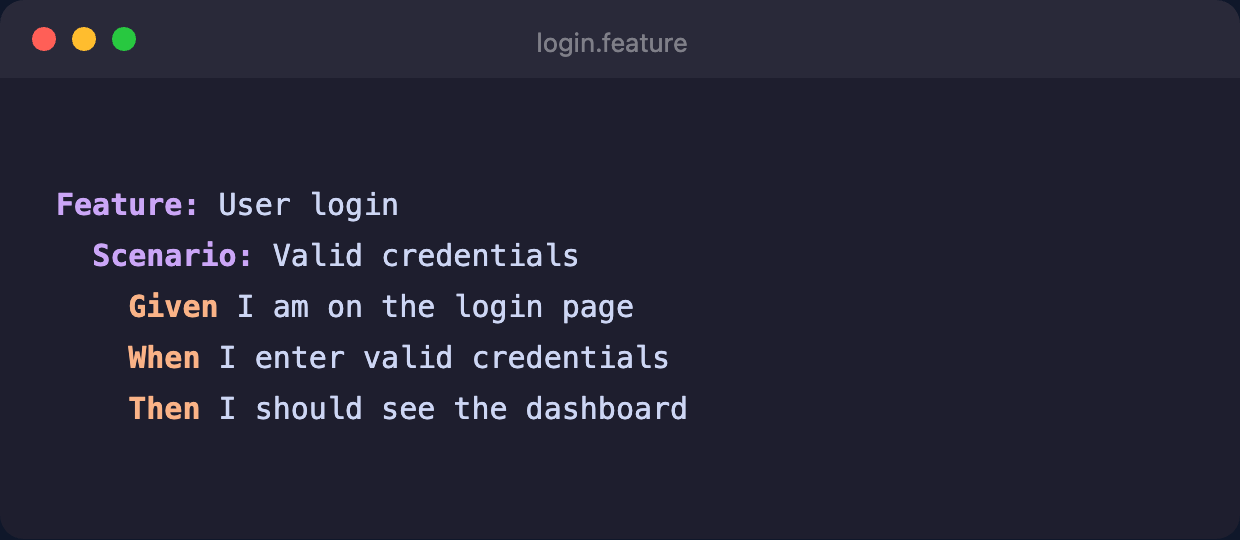
Write Gherkin in your IDE
Use VS Code, IntelliJ, or any editor you prefer. Write .feature files with standard Gherkin syntax and commit to your repository. To start from a working example, clone the BDD demo repo.
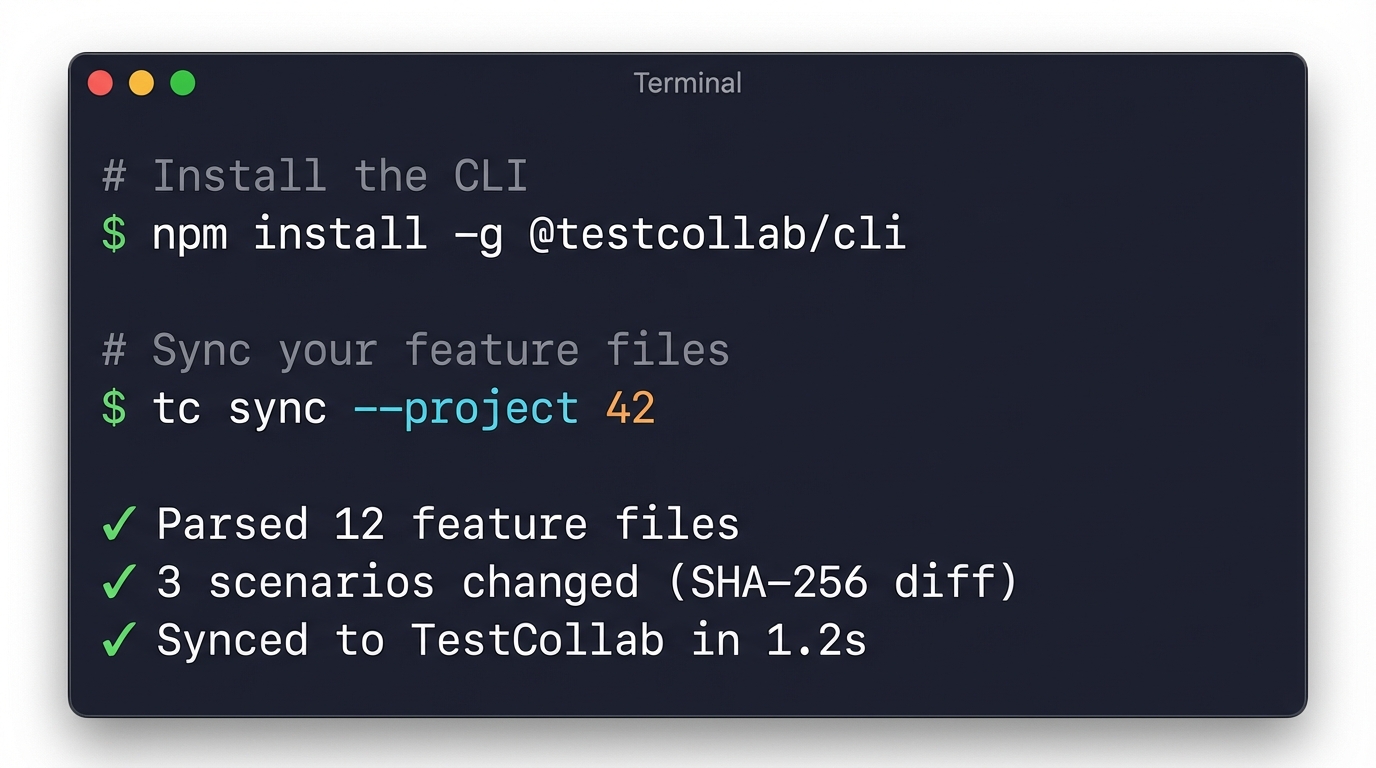
Run tc sync
The CLI parses all .feature files, computes content hashes, and sends only changed scenarios to TestCollab.
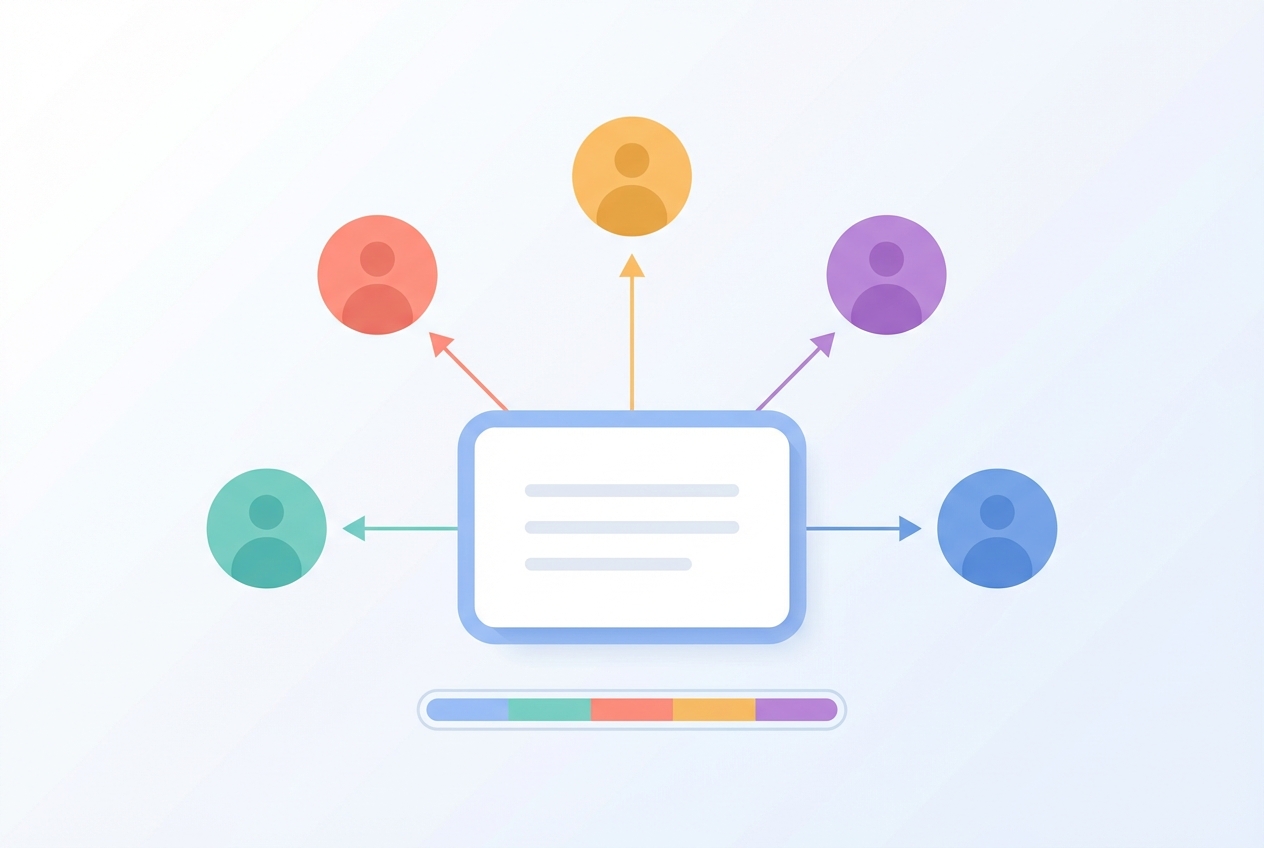
Execute in TestCollab
Scenarios appear as test cases in TestCollab. Assign them to team members, track pass/fail results, attach evidence, and link defects - all from the web panel.
CI/CD
Automate sync in your pipeline
Add one step to your CI/CD config. Tests stay in sync on every push to .feature files.
GitHub Actions
Trigger sync on every push that touches .feature files:
name: Sync BDD Tests
on:
  push:
    paths: ['**/*.feature']
jobs:
  sync:
    runs-on: ubuntu-latest
    steps:
      - uses: actions/checkout@v4
      - run: npx @testcollab/cli sync --project ${{ secrets.TC_PROJECT_ID }}
        env:
          TC_API_TOKEN: ${{ secrets.TC_API_TOKEN }}
GitLab CI
Add a sync job to .gitlab-ci.yml:
sync-bdd-tests:
  image: node:20
  only:
    changes: ['**/*.feature']
  script:
- npx @testcollab/cli sync --project $TC_PROJECT_IDBuilt for real team workflows
Built for real team workflows
Monorepos, selective sync, and smart rename detection for complex projects.
Monorepo support
Sync from any subdirectory. Map multiple directories to different TestCollab projects from a single repository.
Selective sync
Include or exclude paths. Sync only @smoke tagged scenarios for a quick pipeline check, or sync everything for full coverage.
Rename detection
Move or rename feature files without losing test history. Content hashing means TestCollab tracks the scenario, not the file path.
Security
Enterprise-ready security
Your source code stays on your infrastructure. Only parsed scenario data syncs.
API tokens with least privilege
Generate project-scoped tokens with only the permissions needed for sync. Revoke anytime from the admin panel.
No source code leaves your infra
The CLI runs locally or in your CI runner. Only parsed Gherkin scenarios - titles, steps, and tags - are sent to TestCollab. Never your source code.
SOC 2 Type-II certified
TestCollab is SOC 2 Type II certified. Enterprise plans include SSO, audit logs, and data residency options.
FAQ
Answers teams look for
Which Git providers are supported?
Any Git repository - GitHub, GitLab, Bitbucket, Azure DevOps, or self-hosted. The CLI reads your local clone, so if you can git pull, you can sync.
Does it work with private repos?
Yes. The CLI runs locally or in your CI pipeline. It reads files from your local clone, so private repo access is handled by your existing Git authentication.
What happens if I delete a feature file?
Deleted scenarios are detected during sync. They are marked as removed in TestCollab but preserved for historical reporting. You can configure automatic cleanup if preferred.
Can I sync multiple repos to one project?
Yes. Run tc sync from each repo pointing to the same TestCollab project. Scenarios are identified by content hash, so there is no conflict between repositories.
Can I use this alongside Cucumber automation?
Absolutely. Automate tests with Cucumber, SpecFlow, Behave, or pytest-bdd, then sync the same .feature files to TestCollab for manual execution tracking, exploratory testing, and cross-team reporting.
How do I handle merge conflicts?
Resolve conflicts in Git as usual. Once you have a clean working tree, run tc sync to push the resolved state to TestCollab.
What is the pricing for BDD sync?
BDD sync is included in all TestCollab plans at no extra cost. You pay for users, not for the number of synced scenarios or feature files.
Is there a GUI alternative to the CLI?
Currently sync is CLI-only, which is ideal for CI/CD automation. A web-based sync trigger is on our roadmap.
Your repo. Your tests. TestCollab for execution.
Zero vendor lock-in. Sync feature files and collaborate on test execution from any Git provider.