
Integration
GitHub test management
Create GitHub issues from failed test steps with labels, milestones, and assignees pre-filled. Report automation results from GitHub Actions. Keep QA and dev in sync.
OAuth-based connection. Works with GitHub.com and GitHub Enterprise.
Trusted by QA teams at



Why GitHub + TestCollab
Why QA teams connect GitHub with TestCollab
Report bugs instantly
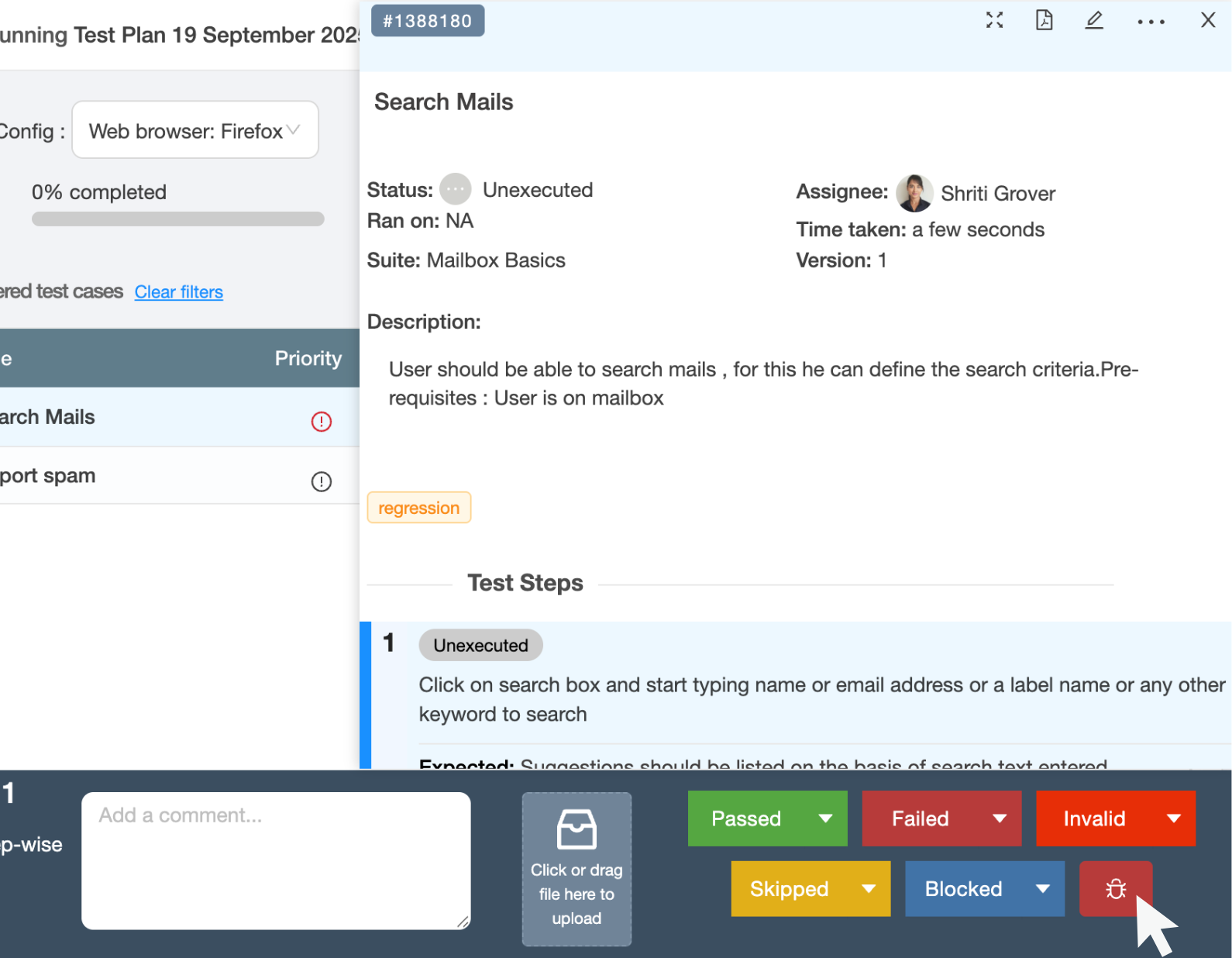
Create GitHub issues directly from failed test steps in TestCollab. Labels, milestones, assignees, and execution context are pre-filled so developers start fixing immediately.
GitHub Actions CI/CD
Add @testcollab/cli to your GitHub Actions workflow. Every push runs tests and reports results to TestCollab - the test automation dashboards update automatically.
Zero double entry
Stop switching between GitHub and your test tool. Failed steps flow into issues with full context. Developers get everything they need in one place.
Live test dashboards
Track pass rates, coverage, and defect trends across releases. Stakeholders see real-time data instead of stale spreadsheets.
Defect tracking
Create GitHub issues from failed tests
One-click bug creation with full execution context. No tab switching, no copy-pasting.
One-click issue creation
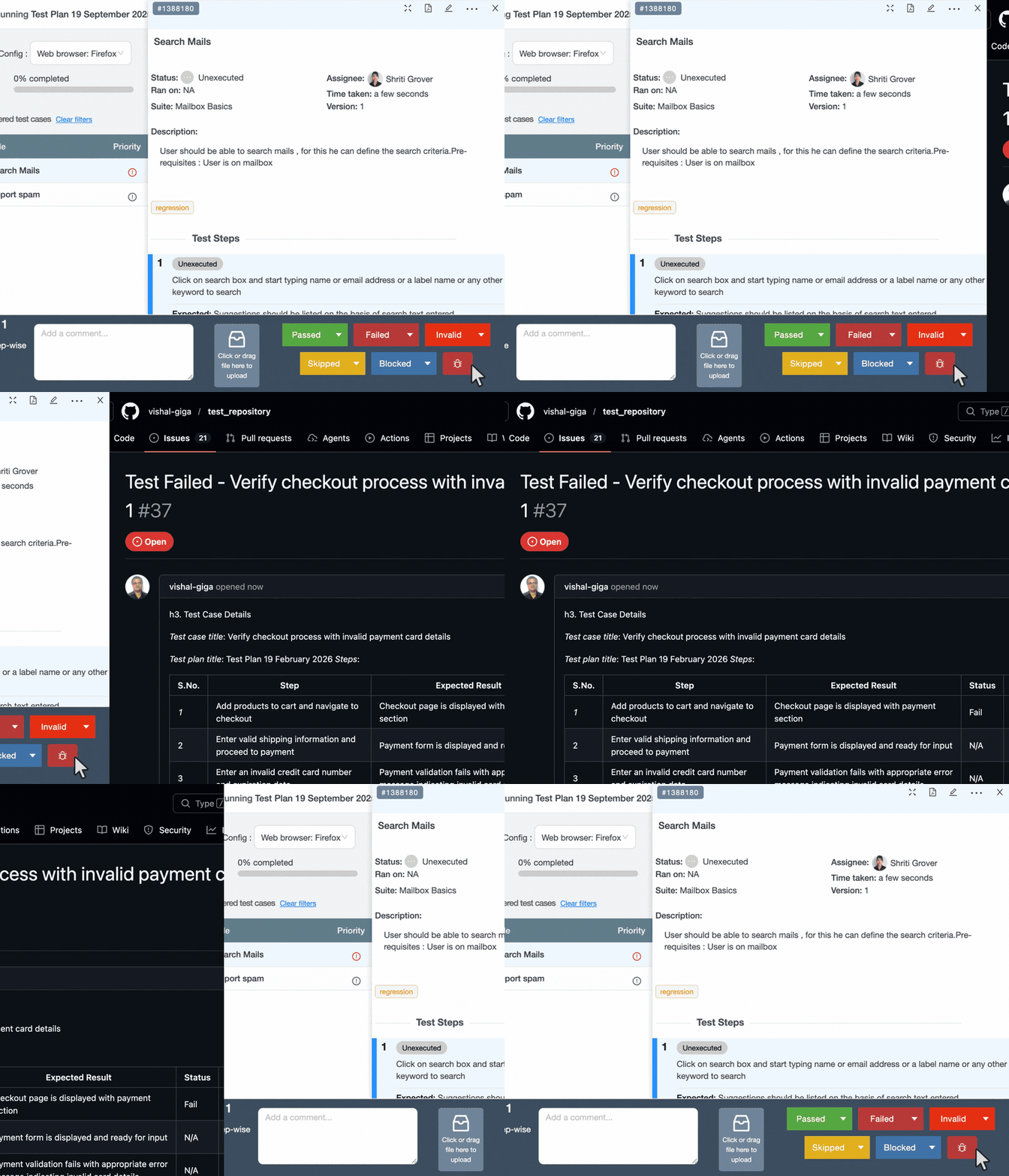
When a test step fails, click to create a GitHub issue. The issue is pre-filled with:
- Failed step details and expected vs. actual results
- Attachments and screenshots from the execution
- Labels, milestones, and assignees from your configuration
- Direct link back to the test run in TestCollab
Configurable field mapping
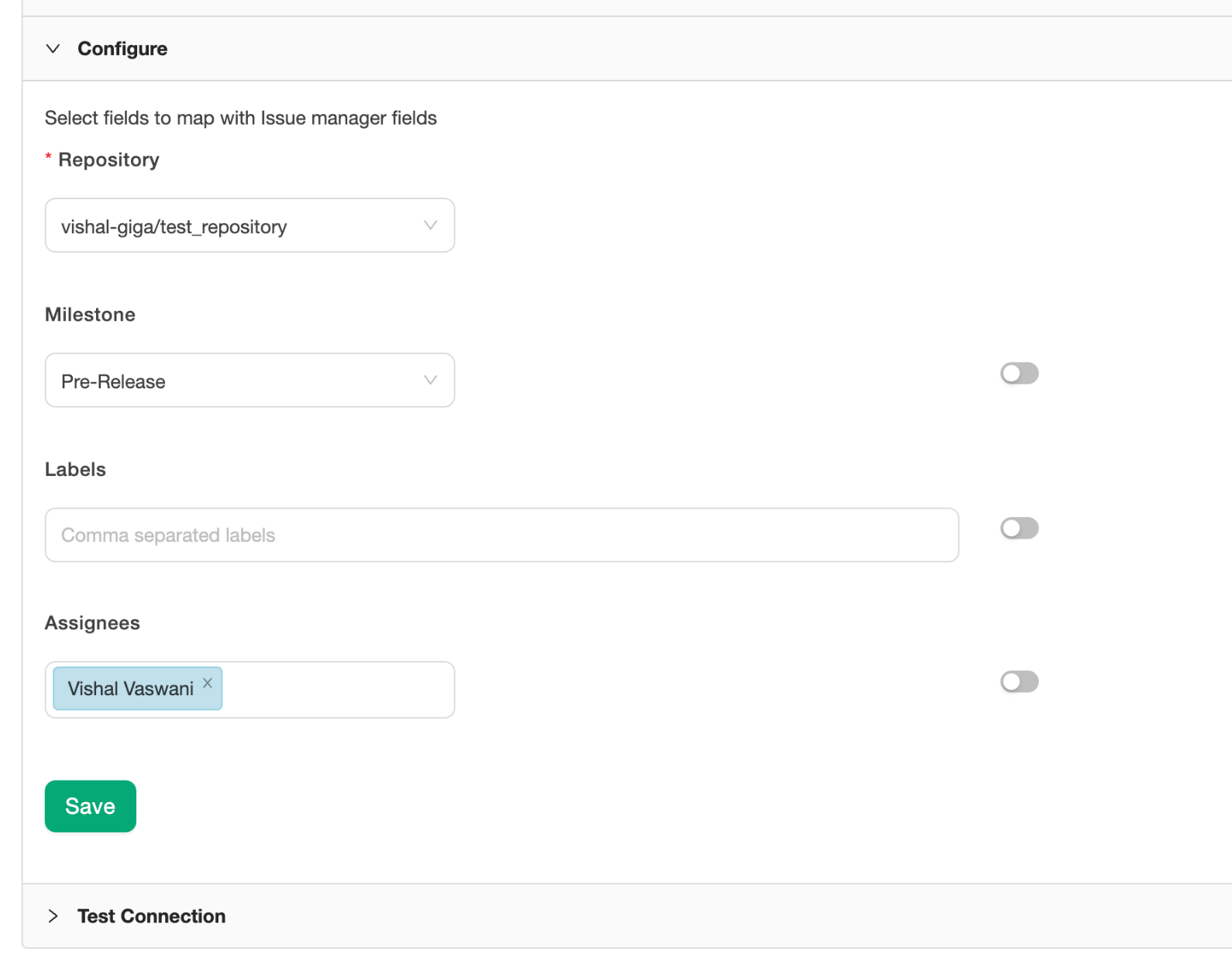
Choose which GitHub repository receives issues. Map labels, milestones, and default assignees so every issue lands in the right place with the right context.
Linked issues stay connected
GitHub issues created from TestCollab link back to the test case and execution. Filter test cases by linked defect status to see what is blocked and what is clean.
CI/CD
Report results from GitHub Actions
Use the TestCollab CLI in your GitHub Actions workflow to report test results automatically.
GitHub Actions workflow
Add @testcollab/cli as a step in your GitHub Actions workflow. After your test suite runs, the CLI creates a test plan, uploads results, and updates dashboards automatically. Works with any CI trigger - push, pull request, or scheduled runs.
Playwright, Cypress, Selenium
The CLI accepts Mochawesome JSON output. Cypress works out of the box with our reporter plugin. Playwright and Selenium results pipe in via the same format or the REST API.
BDD sync from GitHub repos
Use tc sync to push Gherkin .feature files from your GitHub repo to TestCollab. Scenarios become test cases automatically.
For QA leads & managers
Outcomes teams feel each release
Faster triage
Defects arrive in GitHub with repro steps, attachments, and environment data. Developers start fixing immediately instead of asking for more context.
Automated reporting from every PR
GitHub Actions runs tests on every push. Results flow to TestCollab automatically. No manual work between code merge and test dashboard update.
Release confidence backed by data
See pass/fail coverage per milestone or release. Linked defects show what is blocked. Stakeholders get data, not opinions.
Security & governance
Enterprise-ready security
OAuth authentication
Connections use OAuth with scopes limited to the repositories you approve. No passwords stored, no broad access.
GitHub Enterprise supported
Connect GitHub Enterprise instances (cloud or self-hosted) using custom app credentials. Your data stays within your network boundaries.
SOC 2 Type-II certified
TestCollab is SOC 2 Type II certified. Enterprise plans include SSO, audit logs, and data residency options.
FAQ
Answers teams look for
What permissions are required to connect GitHub?
The OAuth connection requests access to create issues in the repositories you select. It does not request access to your source code, private repos, or organization settings beyond issue management.
Can I create issues in multiple repositories?
Yes. During setup, select the repositories that should receive defect issues. You can change this at any time from the integration settings.
Does it work with GitHub Enterprise?
Yes. Connect GitHub Enterprise Cloud or Server instances using custom app credentials. Contact support if you need help with self-hosted setups.
How do automation results reach TestCollab from GitHub Actions?
Install @testcollab/cli in your workflow, create a test plan with tc createTestPlan, run your tests, and upload results with tc report. The CLI handles authentication via a secret stored in your repository.
Which test frameworks are supported?
Any framework that outputs Mochawesome JSON - Cypress (via our reporter plugin), Playwright (via Mochawesome reporter), and more. For Selenium or Katalon, use the REST API or JavaScript SDK.
Can I sync BDD feature files from GitHub?
Yes. Use tc sync from the TestCollab CLI to push Gherkin .feature files from your GitHub repo to TestCollab. Scenarios become test cases automatically.
Who appears as the issue author in GitHub?
The issue is created by the GitHub account linked during OAuth setup. Typically this is a service account or the admin who configured the integration.
What is the pricing?
The GitHub integration is included in all TestCollab plans at no extra cost. You pay for users, not for the number of issues created or results uploaded.
Bring your QA to GitHub - without the busywork
Report bugs instantly, automate test reporting from GitHub Actions, and keep stakeholders in the loop.