

⚠️ This article is deprecated. The testcollab-cypress-plugin package has been
replaced by the TestCollab CLI (@testcollab/cli), which supports Cypress
(Mochawesome), Playwright, JUnit XML, and all major test frameworks. Please refer to
Uploading Test Results Using TestCollab CLI
for the new approach, or see the CI/CD-specific guides for
GitHub Actions,
GitLab CI,
Jenkins,
Azure Pipelines, and
Bitbucket Pipelines.
With Cypress reporter plugin, you can automatically populate Cypress generated test results into your Test Runs in TestCollab.
How does it work?
-
You have test cases in a project in TestCollab which need to be automated
-
Test cases are added to a test plan and are assigned to their testers
-
You use Cypress for test case automation and have the Mochawesome Reporter
Using the node package testcollab-cypress-plugin, you can use the Mochawesome (JSON) report to automatically update the status of executed test cases in TestCollab.
Installation
In order to install the plugin, run the command:
npm install -g testcollab-cypress-pluginThe package is ready to use once it is installed.
Setting the environment variable
To use testcollab-cypress-plugin, set the environment variable NODE_ENV (in capitals) to 'production' (in lowercase).
Here is the command used in Linux :
export NODE_ENV=productionYou can later verify the set value using:
echo $NODE_ENVThe 'uploadTCRunResult' command syntax
Once the package is installed "uploadTCRunResult" command would be available for execution
uploadTCRunResult --apiToken=<> --projectId=<> --companyId=<> --testPlanId=<> --mochaJsonResult=<> Notes: Your JSON file must follow mochawesome format.
The arguments
|
Argument |
Purpose |
Additional information |
|---|---|---|
|
apiToken |
API token of the tester who is the assignee for testcases to be executed. |
To know how API tokens can be generated in TestCollab: |
|
companyId |
Id of the company registered with TestCollab |
Availability:
|
|
projectId |
Id of the project to which the testcases (and testplan) belong |
Accessible from web browser's address bar |
|
testPlanId |
Id of the testplan to which the testcases to be executed have been added |
Availability :
|
Mapping TestCollab test cases with cypress
In order for this package to map executed test cases with their corresponding Test Collab test cases ID, IDs should be appended to the 'title' property of your 'tests' array in JSON as follows:
{ "stats": { "suites": 1, "tests": 4, "passes": 3, .......... .......... }, "results": [ { "uuid": "dda20e6a-1473-4084-90b0-f1eb99f78e96", ............. ............. "suites": [ { "uuid": "ab6e0113-f0f1-45fe-9a95-fc72eb1a5a5b", "title": "", ............. ............. "tests": [ { "title": "id-389440", ⬅ We parse testcase ID from here "fullTitle": "Sample test", }, Download above sample file here
If you are using multiple configurations in your test run, then test plan configuration ID should be specified in a similar way in 'suites' array under title property like this:
{ "stats": { "suites": 1, "tests": 4, "passes": 3, .......... .......... }, "results": [ { "uuid": "dda20e6a-1473-4084-90b0-f1eb99f78e96", ............. ............. "suites": [ { "uuid": "ab6e0113-f0f1-45fe-9a95-fc72eb1a5a5b", "title": "TestSuite-1", ⬅ :information_source: Test plan configuration ID ............. ............. "tests": [ { "title": "id-5381", ⬅ :information_source: Test case ID "fullTitle": "Sample test", }, Download above sample file here
A Use Case
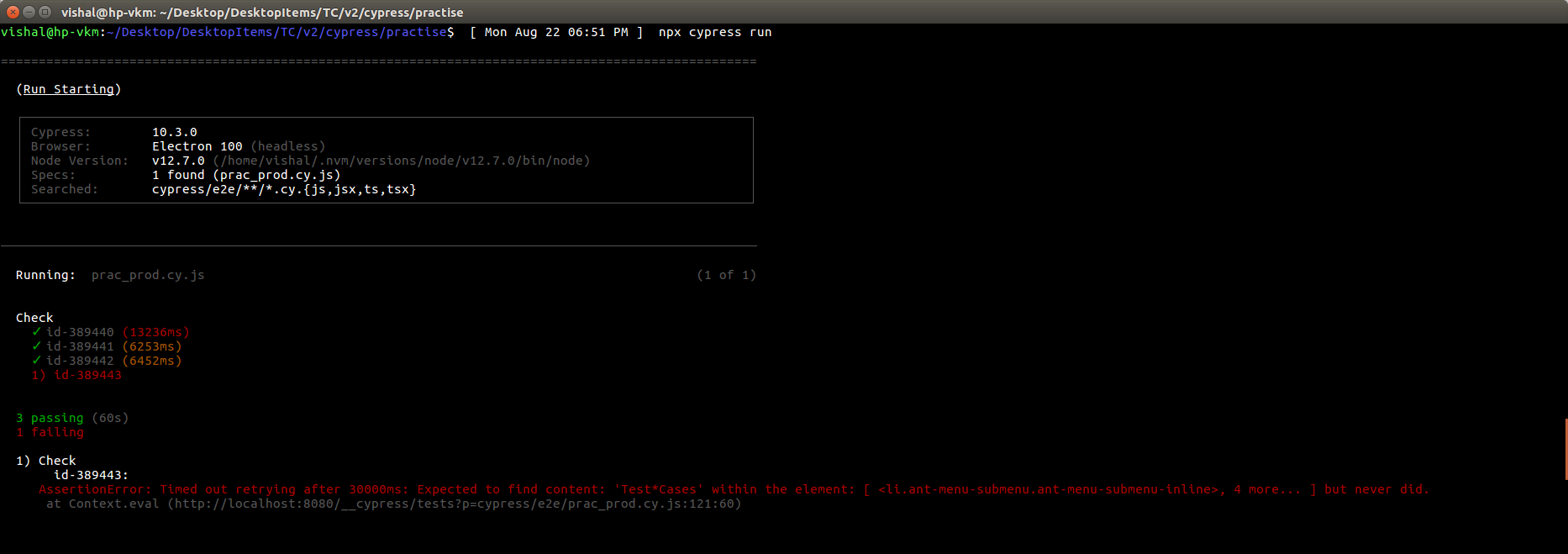
Run the Cypress script:
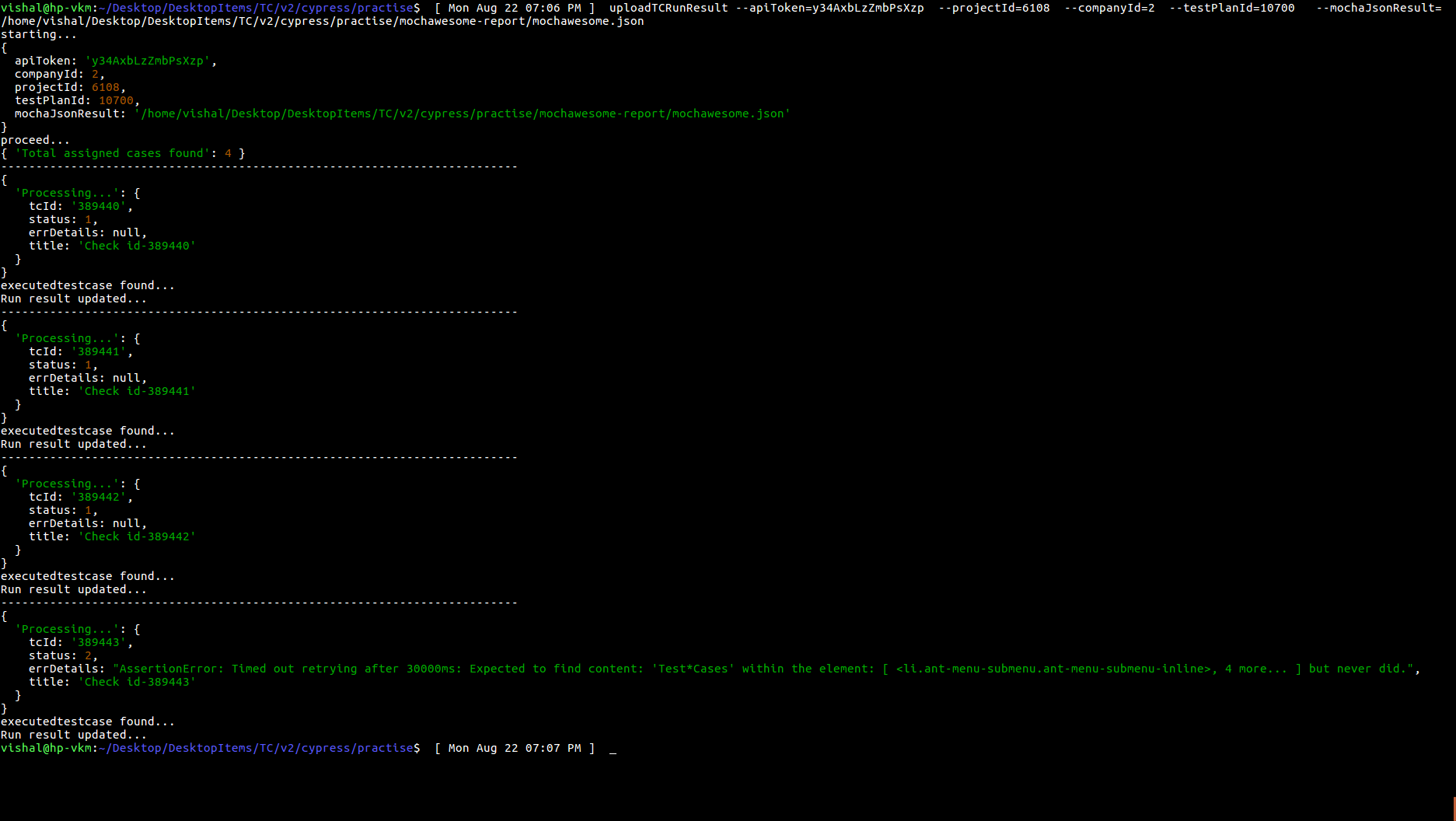
Next, uploadTCRunResult is run:
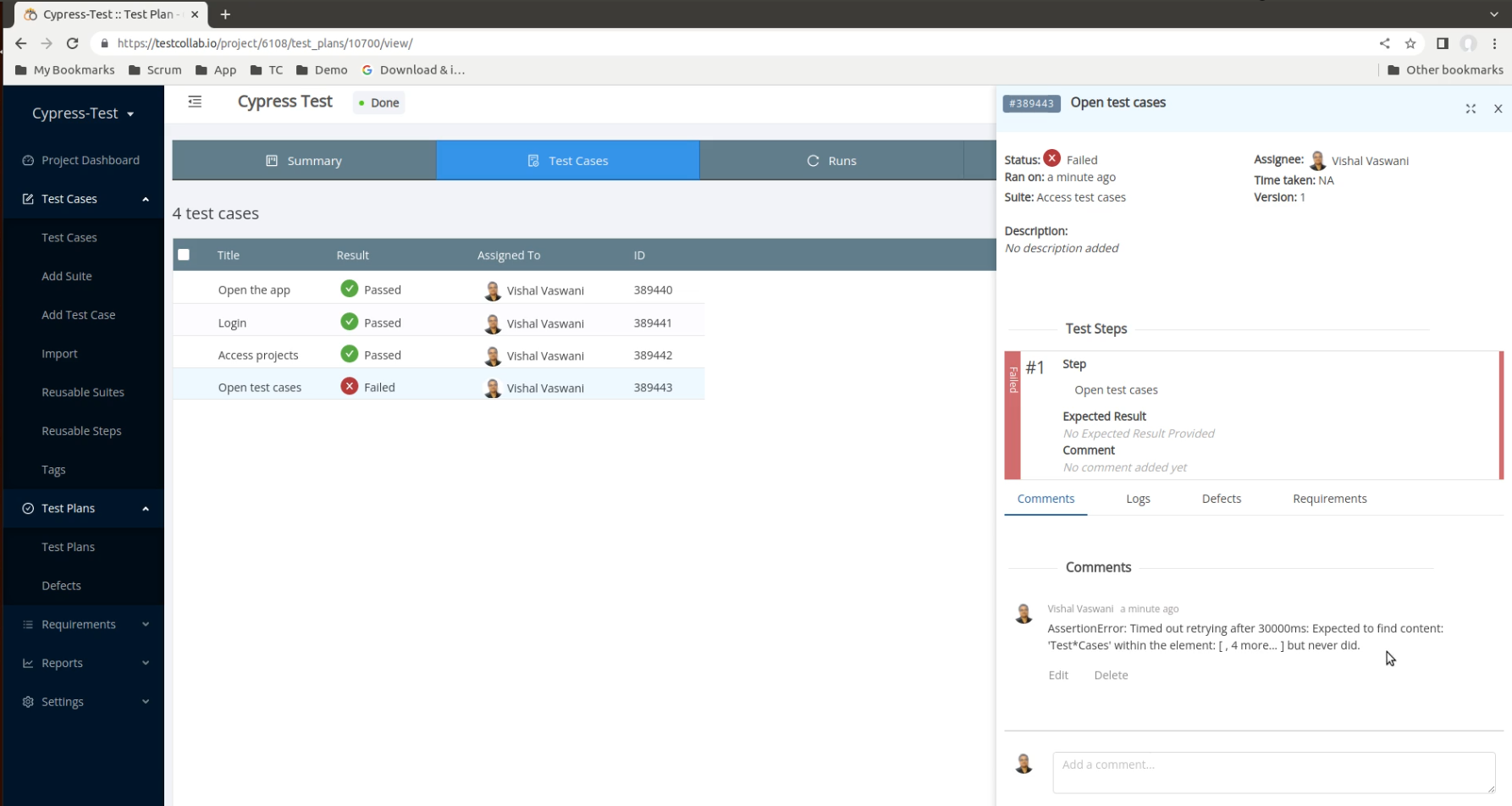
The results are meanwhile populated in TestCollab, the same can be checked by accessing the testcase execution details for the testplan.
See the legacy integrations section for related migration guides.
For any queries/suggestions please feel free to contact us at support@testcollab.com



