
A hobbyist with AI accidentally owned 7,000 robot vacuums. Here's the test suite that would have caught it.
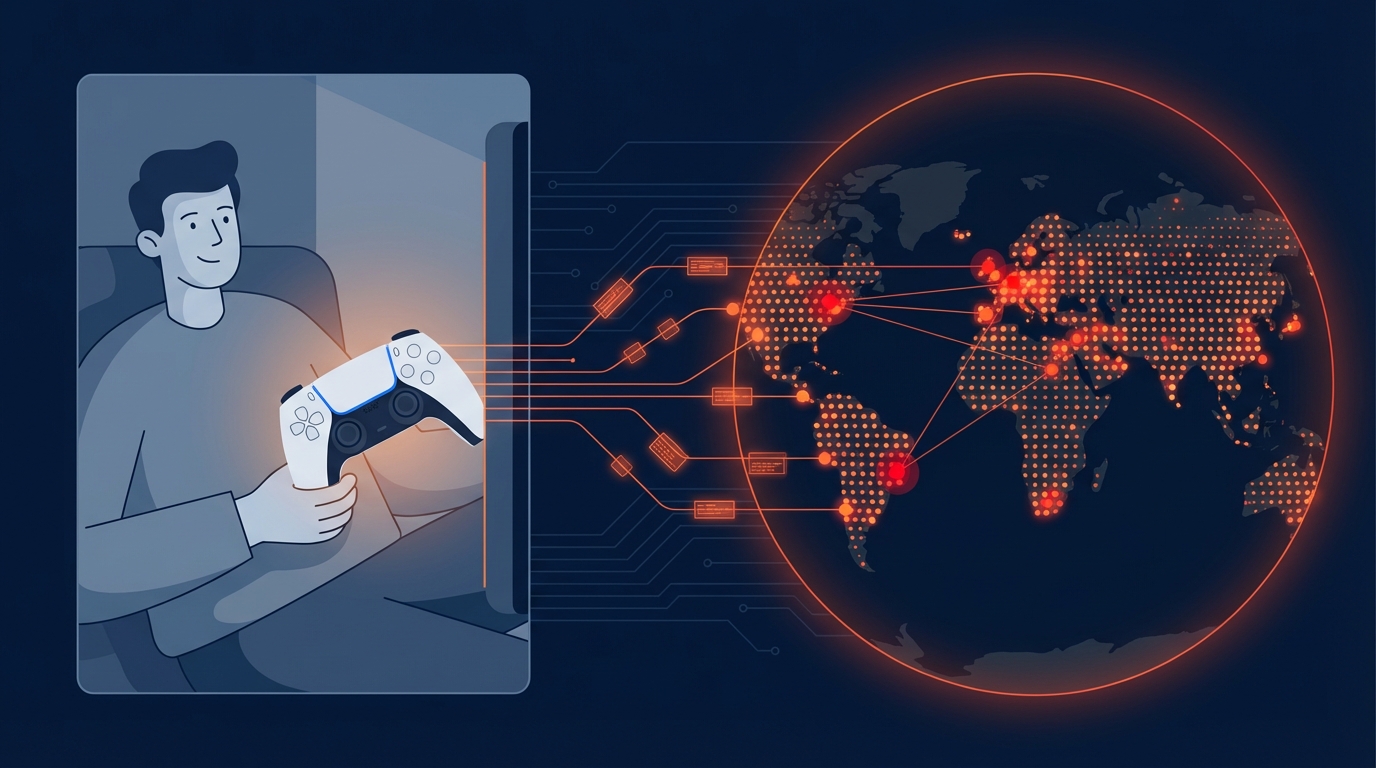
Sammy Azdoufal didn't set out to compromise 7,000 robot vacuums. He just wanted to steer his new DJI Romo with a PS5 controller because, well, it sounded fun.
Using an AI coding assistant, he reverse-engineered how the DJI app communicates with the company's servers. Within minutes, his homemade controller app wasn't just talking to his vacuum. It was talking to every DJI Romo on the planet. Live camera feeds. Microphone audio. 2D floor plans of strangers' homes. IP addresses revealing approximate locations. Over 10,000 devices across 24 countries, all streaming data to his laptop like he owned them.
The scariest part? He didn't hack anything. No brute forcing, no exploits, no bypasses. He used his own legitimate authentication token, and DJI's servers simply handed him the keys to the entire fleet.
This wasn't a sophisticated attack. That's exactly what makes it a story every QA team needs to read.
What Actually Failed: An IoT Security Testing Breakdown
Let's break down the DJI Romo incident not as a security postmortem, but as a list of test cases that nobody wrote.
Authentication tokens were not scoped to individual devices. When Azdoufal extracted his Romo's private token and connected to DJI's MQTT broker, the server didn't verify that this token should only access one specific vacuum. It treated any valid token as a master key. A single test case checking "Can Token A access Device B's data?" would have flagged this immediately.
The MQTT broker accepted wildcard topic subscriptions. MQTT is a publish/subscribe messaging protocol common in IoT. Devices publish data to "topics," and clients subscribe to receive it. MQTT security depends entirely on the broker enforcing which clients can see which topics. DJI's broker performed no such enforcement. Azdoufal subscribed to the wildcard topic (#) and received real-time telemetry from every device on the network. Testing whether a client can subscribe to topics outside its authorized scope is IoT security testing 101.
Camera PIN verification happened client-side only. The DJI app asks for a PIN before showing your vacuum's live camera feed. Sounds secure. Except the PIN was validated by the app on your phone, not by the server. Bypass the app, and the feed is wide open. This is the equivalent of putting a lock on a screen door while leaving the back wall missing. Any test that attempts to access the camera feed directly via the API, skipping the app layer, would have caught this.
Production and pre-production environments shared credentials. Azdoufal reported being able to access DJI's pre-production server alongside live servers for the US, China, and the EU, all with the same credentials. Environment isolation is a fundamental infrastructure test. If your staging environment accepts production tokens, you have a ticking time bomb in your deployment pipeline.
Every single one of these is a test case. Not a penetration test. Not a security audit. A functional test case that belongs in a regression suite and runs before every firmware release.
AI Just Changed the Threat Model for Every IoT Company
Here's the part of this story that should keep IoT product teams up at night: Azdoufal is not a security researcher. He's not a penetration tester. He used an AI coding assistant to decompile a mobile app, understand an undocumented protocol, and build a custom client that accidentally demonstrated a fleet-level compromise.
The barrier to discovering IoT vulnerabilities just dropped to "anyone with curiosity and access to an AI assistant."
This isn't an isolated incident, either. In 2024, hackers took over Ecovacs robot vacuums across US cities, using the devices to chase pets and shout through speakers. The root cause was identical: authorization enforced by the app, never by the server. In 2025, South Korea's consumer protection agency tested six major robovac brands and found that three Chinese-manufactured models had serious MQTT security vulnerabilities enabling remote camera access.
The pattern is consistent. Connected devices ship with encryption as a substitute for access control. They are not the same thing. And now AI tools make it trivially easy for non-experts to discover what used to require deep protocol knowledge.
If your QA process relies on the assumption that your IoT protocols are too obscure for most people to analyze, that assumption is already obsolete.
Why This Belongs in QA, Not Just Security
Most organizations treat authorization testing as a security team concern. Penetration tests happen quarterly or annually. Security audits are periodic events. But IoT products ship firmware updates constantly, and each update can reintroduce authorization flaws that were previously patched, or introduce entirely new ones.
Security teams catch vulnerabilities at a point in time. QA catches regressions across every release.
The DJI Romo vulnerability wasn't some exotic zero-day. It was a basic authorization boundary failure, the kind of thing that a well-written test suite catches automatically before code ever reaches production. The problem is that most QA teams simply don't have IoT-specific API authorization test cases in their suites. They test whether the vacuum cleans properly, maps rooms correctly, and responds to app commands. They don't test whether Device A's token can access Device B's data stream.
That gap is what this post is here to close. If your team is still building its software testing strategy, these IoT device security testing cases should be part of it.
The IoT Authorization Test Suite
Below is a starter test suite designed specifically for connected device products. Each item is written as an executable test case, not a vague checkbox. Adapt it to your product's architecture, add it to your regression suite, and run it every release.
Token and Session Scoping
| # | Test Case | Expected Result |
|---|---|---|
| 1 | Authenticate with Device A's token, then request Device B's telemetry data | Request denied; server returns 403 or equivalent |
| 2 | Authenticate with Device A's token, then attempt to send commands to Device B | Command rejected; no state change on Device B |
| 3 | Generate two tokens for two different devices under different user accounts; verify each token only returns its own device data | Each token returns data exclusively for its associated device |
| 4 | Use an expired or revoked token to request any device data | Request denied; token recognized as invalid |
| 5 | Extract a token and attempt to use it from a different IP/region than the originating device | Access denied or flagged for review, depending on security policy |
MQTT / Pub-Sub Security
| # | Test Case | Expected Result |
|---|---|---|
| 6 | Subscribe to wildcard topic (#) with a single device token | Subscription rejected or limited to authorized topics only |
| 7 | Subscribe to another device's specific topic using your own credentials | Subscription rejected; no messages received |
| 8 | Publish a command to another device's command topic | Publish rejected; target device state unchanged |
| 9 | Monitor broker for message leakage by subscribing to incrementally guessed topic names | No messages from unauthorized devices received |
| 10 | Connect to broker with fabricated/malformed client ID | Connection rejected |
Client vs. Server-Side Enforcement
| # | Test Case | Expected Result |
|---|---|---|
| 11 | Request camera/video feed directly via API, bypassing app-layer PIN prompt | Server requires PIN validation or denies access |
| 12 | Submit incorrect PIN via API five consecutive times | Account/device locked or rate-limited |
| 13 | Modify app-side permission flags and attempt privileged operations via API | Server independently validates permissions; request denied |
| 14 | Replay a previously valid session after user has changed their password | Session invalidated; request denied |
Environment Isolation
| # | Test Case | Expected Result |
|---|---|---|
| 15 | Use production authentication credentials against staging/pre-production server | Authentication fails; environments do not share credential stores |
| 16 | Use staging credentials against production server | Authentication fails |
| 17 | Verify that device telemetry from production does not appear on staging broker | No production data visible in staging |
Data Exposure Surface
| # | Test Case | Expected Result |
|---|---|---|
| 18 | Request floor plan/map data for a device not owned by the authenticated user | Request denied |
| 19 | Request IP address or geolocation metadata for unauthorized devices | Request denied; no location data returned |
| 20 | Verify that device status/diagnostics are not broadcast to unauthorized subscribers | Only authorized subscribers receive device status |
| 21 | Check whether audio/microphone streams are accessible without explicit user consent per session | Stream access requires fresh per-session authorization |
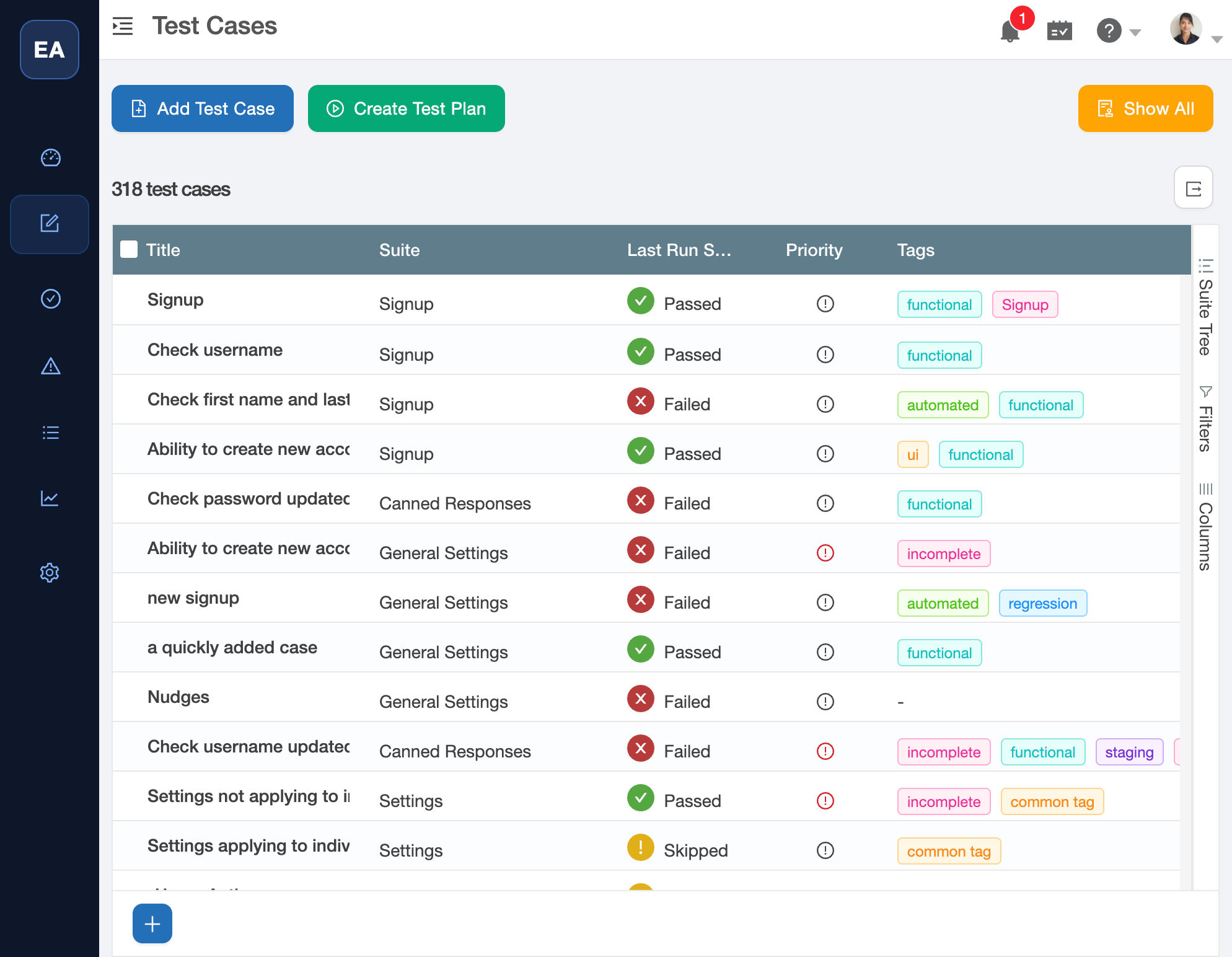
TestCollab's test case view with suite organization, last-run pass/fail status, and tags. Import the 21 IoT authorization test cases above and they slot right into your existing suite structure.
Making This Part of Your Release Cycle
A test suite only has value if it runs. These 21 test cases need to execute before every firmware release, every API change, and every infrastructure update. They need to track pass/fail history across versions so your team can spot regressions the moment they appear.
This is exactly the kind of evolving, cross-release test suite that test management tools are built for. We designed TestCollab to handle this workflow: import the suite, assign it to your IoT release cycles, and track authorization boundary coverage alongside your existing functional tests. If you prefer another tool, that works too. What matters is that these tests exist somewhere persistent and run consistently.
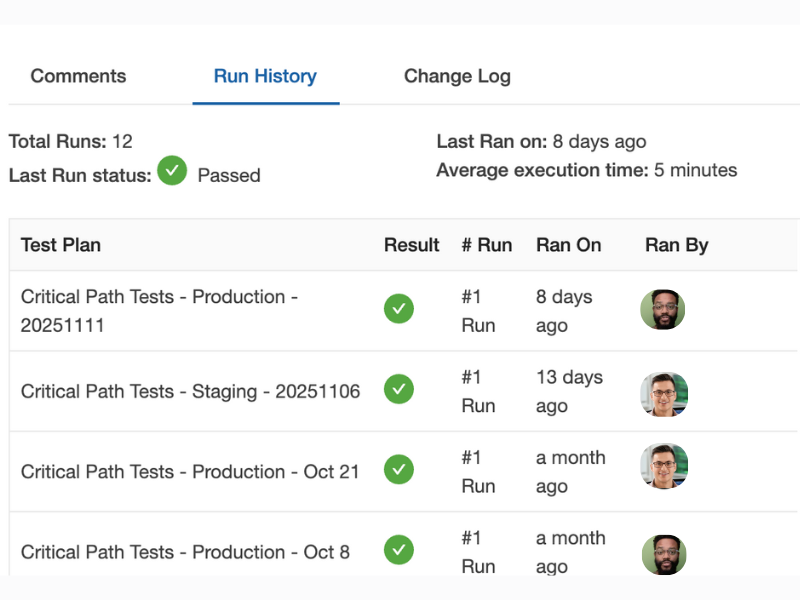
Run history for a single test case across multiple releases. Each row is a test plan execution - you can see at a glance whether authorization checks passed on production, staging, and across release dates.
The Next 7,000 Devices
The DJI Romo incident will not be the last fleet-level IoT compromise. The economics are moving in the wrong direction: more devices shipping, more AI tools lowering the barrier to discovery, and the same authorization mistakes repeating across manufacturers and product generations.
The question for every IoT product team isn't whether someone will probe your device's authorization boundaries. It's whether your QA process will catch the failure before they do, or after a hobbyist with a gaming controller does it for you.
TestCollab is a test management platform that helps QA teams build, manage, and execute test suites across releases. Learn more at testcollab.com