
Your release readiness checklist is a spreadsheet. Your defect status lives in Jira. Your test results are in a third tool. Every release meeting starts with 20 minutes of copying numbers between tabs. Here is a better way.
What a Release Readiness Checklist Actually Needs
Every release readiness checklist, whether it lives in a Google Sheet or a Confluence page, boils down to a handful of questions:
- Have enough tests been executed?
- Is the pass rate above our threshold?
- Are there open defects that block shipping?
- Do we have evidence for every failure?
- Has quality improved since the last release?
The checklist itself is not the problem. The problem is that answering these questions requires pulling data from three or four different systems, every single time. By the time the data is compiled, it is already stale.
From Manual Checklist to Live Dashboard
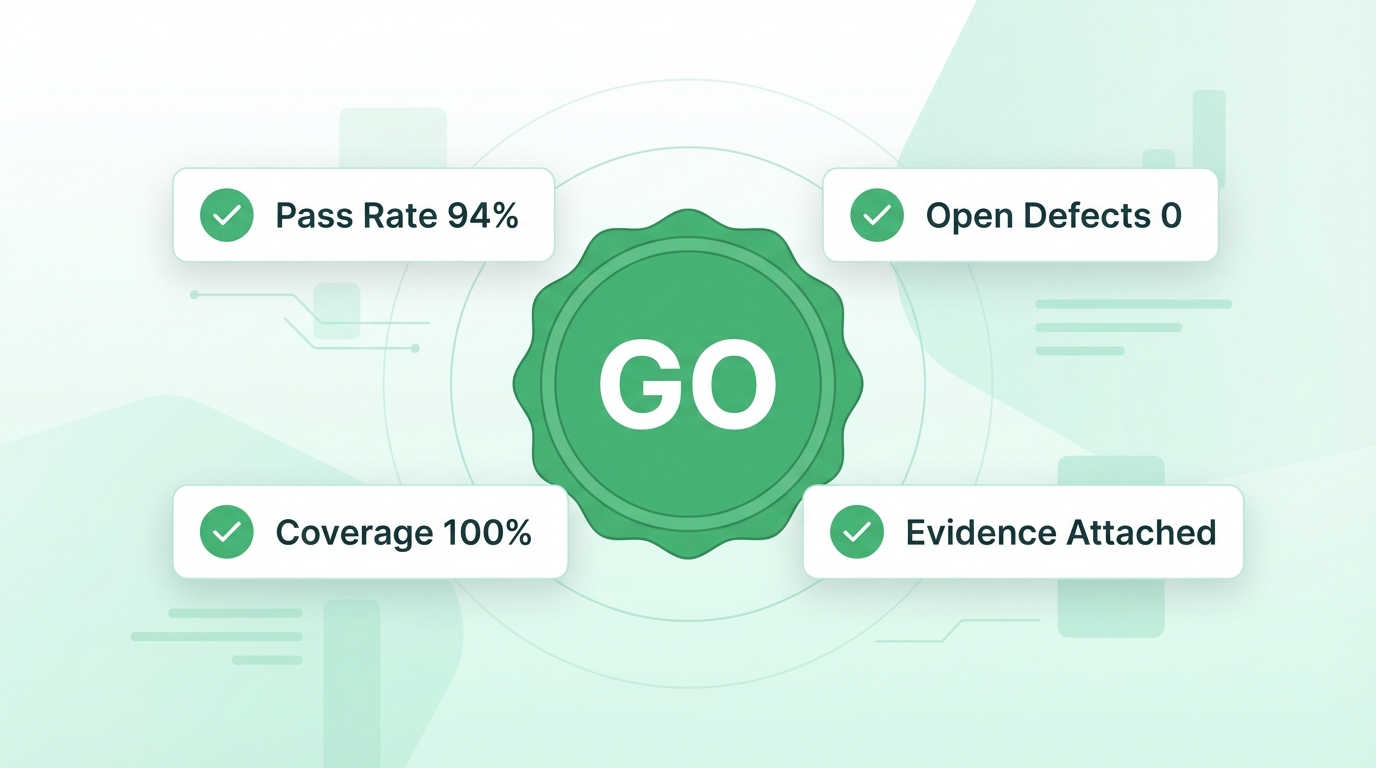
TestCollab's release readiness dashboard answers all five questions automatically, in real time.
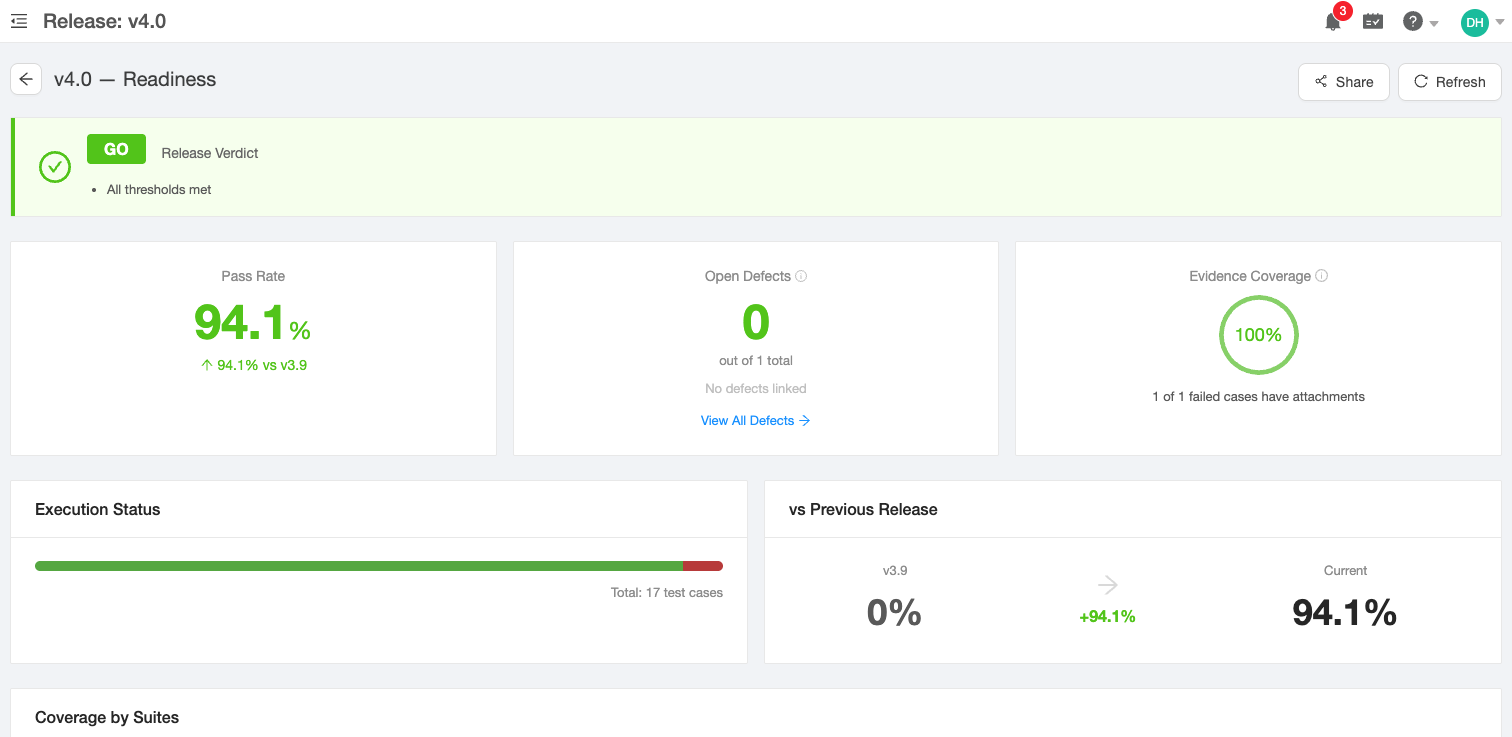
The release readiness dashboard: GO/NO-GO verdict, pass rate, open defects, evidence coverage, execution progress, and release-over-release comparison - all computed live from your test plans.
Here is what you get:
GO / NO-GO Verdict - Set your thresholds (minimum pass rate, maximum open defects) and the dashboard computes the verdict automatically. No more subjective calls in release meetings. The same idea inside a pipeline is a quality gate.
Pass Rate with Trend - See the current pass rate and how it compares to the previous release. A number going from 72% to 94% tells a clearer story than any status update.
Open Defects at a Glance - The dashboard pulls defect counts directly from your linked issue manager, broken down by severity. Click through to see the full filtered defect list for that release.
Evidence Coverage - Know exactly how many failed test cases have attachments (screenshots, logs, recordings). This is the metric that separates a useful bug report from a useless one.
Execution Status - A stacked bar showing passed, failed, blocked, and unexecuted tests. At a glance, you know if testing is 90% done or 40% done.
Coverage by Suite, Environment, and Configuration - Drill down into which test suites, environments, or configurations still have gaps. This is where you find the blind spots that manual checklists miss.
Defect Status Sync: One Less Tab to Keep Open
The most fragile part of any release readiness checklist is the defect count. Someone files a bug in Jira, someone else closes it, and the spreadsheet is already wrong.
TestCollab now syncs defect statuses automatically from your issue manager. When a Jira issue moves from "Open" to "Resolved", the defect status in TestCollab updates to match - and the release readiness verdict recalculates immediately.
This means:
- No manual defect status updates before release meetings
- The readiness dashboard always reflects the current state of your bug tracker
- Verdict changes happen in real time as defects are resolved
Combined with the existing two-way Jira integration, this closes the loop between test execution, defect tracking, and release decisions.
Setting Up Your Release in TestCollab
Getting started takes less than five minutes:
- Create a release - Give it a name and version number
- Link your test plans - Assign existing test plans to the release. The dashboard computes key test metrics from their execution data
- Set thresholds - Define your minimum pass rate and maximum open defects
- Open the readiness dashboard - Everything computes automatically
There is no configuration for defect sync. If you have an issue manager integration set up, defect statuses sync automatically.
Why This Matters for Your Release Process
A release readiness checklist is only as useful as it is current. Static checklists go stale the moment someone commits a fix or closes a bug. An automated dashboard stays current because it reads directly from your test execution data and bug tracker. Of course, that data is only as meaningful as the prioritization behind it - risk-based testing ensures the right tests ran before the release verdict is computed.
For QA leads, this means walking into the release meeting with a single URL instead of a spreadsheet. For engineering managers, it means a GO/NO-GO decision backed by live data, not last Tuesday's numbers. That pressure gets sharper as AI coding agents raise your merge volume, which is why we put together a wider set of release management best practices for teams shipping AI-written code.
The release readiness dashboard is the summary view. The underlying composability - defect velocity by department, exec trends by day, coverage by suite - is what separates real QA management software from a glorified test runner. We walk through composing those widgets in detail in the QA management system guide.
If your team still copies test results into a spreadsheet before every release, try TestCollab free and see what an automated release readiness dashboard looks like.
TestCollab is a test management software that helps QA teams plan, track, and ship releases with confidence.