

TestCollab vs qTest
Best qTest Alternative
TestCollab is a test management tool: your team keeps its test cases there, runs them, and reports the results. It is one product with no add-on modules: reporting, BDD support and screen recording come with every plan from $29 per user, and AI test generation and a built-in requirements manager with Elite at $39.
No credit card required. 14-day trial, ready in under 2 minutes.
Trusted by QA teams at




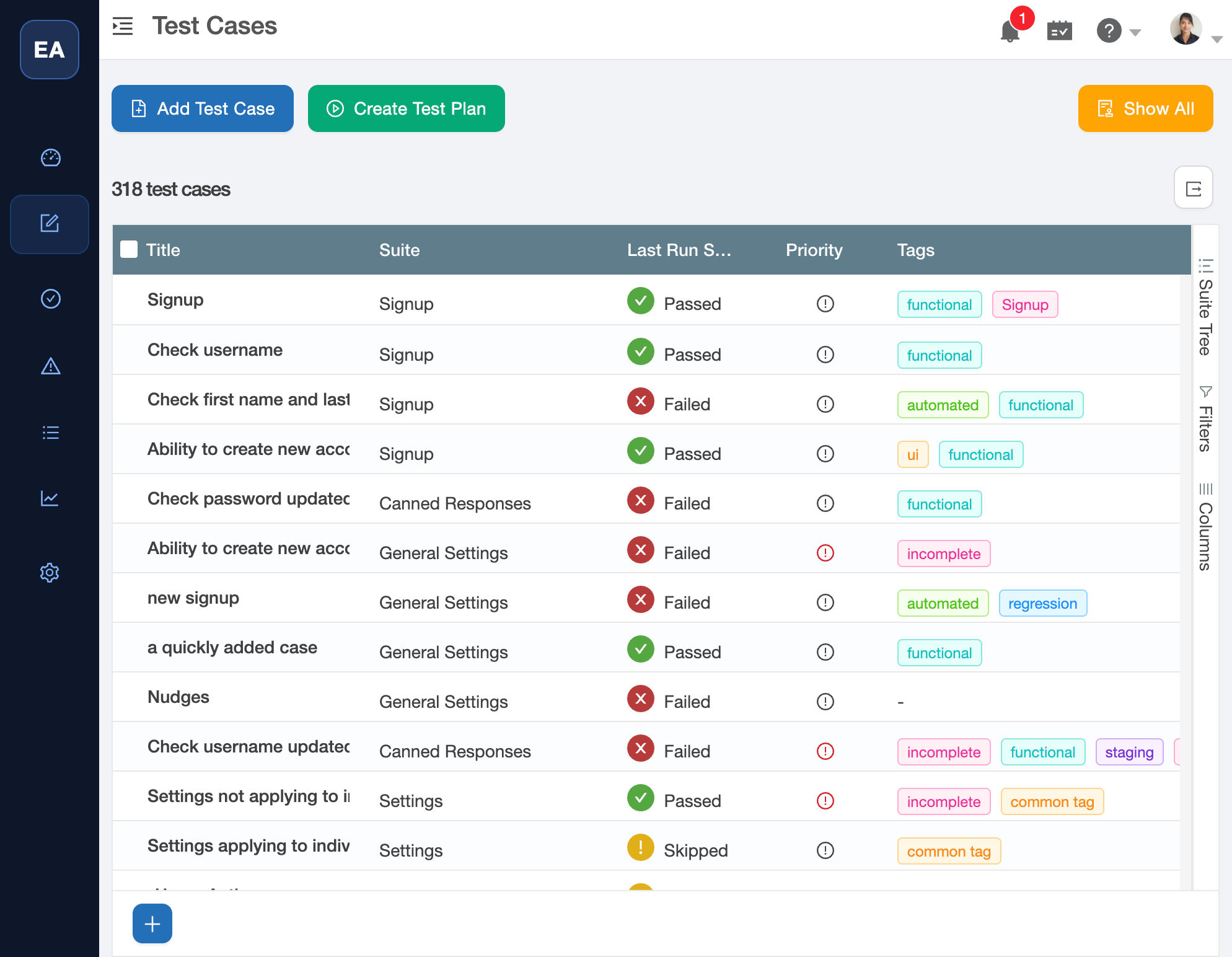
Feature comparison
TestCollab vs qTest
See how TestCollab compares to qTest across the features that matter most to QA teams. Where a TestCollab feature is not on every plan, the cell names the plan where it starts; Elite+ means Elite and Enterprise.
| Feature | TestCollab | qTest | Why it matters |
|---|---|---|---|
| Pricing & Packaging | |||
| Published Pricing | Know what you'll pay before engaging with sales | ||
| Pricing Model | Premium $29, Elite $39 per user per month, billed yearly | ~$1,000/user/year (base module only) | Premium costs about a third of the qTest Manager estimate per user, and Elite, with AI, about half |
| Packaging | One product in three plans, no add-on modules | 6+ separate paid modules | No modules to buy; AI starts at Elite and SSO at Enterprise |
| Free Trial | 14 days, up to 10 users, no credit card | 14 days, 4 users max, business email only | Both trials last 14 days; TestCollab's allows more users |
| Self-Hosted Option | Enterprise: in your own AWS account | Both can run on infrastructure you control; TestCollab self-hosting runs on AWS | |
| AI & Automation | |||
| AI Test Case Generation | Elite+ | Via qTest Copilot (extra module) | Generate test cases from screenshots, text, or uploaded Jira/spreadsheet requirements automatically |
| AI Test Automation | Elite+: QA Copilot runs plain-English tests for you | QA Copilot turns plain-English test cases into automated tests and runs them | |
| BDD / Gherkin Support | Via qTest Scenario (extra module, requires Jira) | Write and sync feature files without depending on Jira | |
| Test Automation Integration | Via qTest Launch (extra module) | Connect with CI/CD pipelines and automation frameworks | |
| Requirements & Traceability | |||
| Built-in Requirements Manager | Elite+; Jira, GitLab and Azure DevOps items on Premium | Requirements tab in qTest Manager | Both keep requirements in the tool itself; in TestCollab the built-in manager starts at Elite |
| Requirements Traceability Matrix | Built in; exports without Jira | Both trace requirements to test results and export the matrix for audits | |
| Test Management | |||
| Test Case Management | Organize, version, and manage test cases effectively | ||
| Test Plans & Runs | Plan and execute test cycles | ||
| Exploratory Testing | Via qTest Explorer (extra module) | qTest Explorer records exploratory sessions; TestCollab has no exploratory session mode | |
| Screen Recording | Via qTest Explorer (extra module) | Capture test evidence with built-in screen recording | |
| Reusable / Shared Steps | Create step libraries to avoid duplication | ||
| Test Data / Parameters | Elite+: datasets run a case once per row | Parameterize test cases with data-driven testing | |
| Custom Fields | Extend test artifacts with custom metadata | ||
| Time Tracking | Track time spent on testing activities | ||
| Coverage-Gap Tracking | Uncovered requirements + never-assigned test cases | Traceability matrix shows linked/unlinked coverage | Surface requirements with no linked test case and test cases nobody has run, so nothing ships untracked |
| Built-in Defect Manager | Elite+: comments and a field-level activity timeline | Internal Defects module (disabled when Jira/Rally is connected) | Track defects with full audit history right where you test - qTest's built-in defect module switches off the moment you connect Jira |
| Security & Compliance | |||
| SOC 2 Type-II Certification | Enterprise-grade security certification | ||
| SSO / SAML Support | Enterprise: Okta and Entra ID, with SCIM | Single sign-on for enterprise identity management | |
| Role-Based Access Control | Granular permissions for team members | ||
| Audit Trail | Enterprise: audit log | Track changes for compliance; on Elite each built-in issue also keeps a field-level activity timeline | |
| Integrations | |||
| Jira Integration | Connect with the most popular issue tracker | ||
| GitHub Integration | Via qTest Pulse (extra module) | Native integration, not through a separate workflow engine | |
| Azure DevOps | Via qTest Pulse (extra module) | Native integration with Microsoft's DevOps ecosystem | |
| Slack Notifications | Via qTest Pulse webhooks | Get test updates in your team's channels natively | |
| External Stakeholder Email Notifications | Email test plan updates and reports to external stakeholders without requiring paid seats | ||
| Test Management Inside Jira (Forge App) | Jira Forge app 2.0 | Both live inside Jira; TestCollab does not split BDD, reporting and CI results into separate add-ons | |
| Reporting & Data | |||
| Test Reports & Dashboards | Via qTest Insights (extra module) | Visualize test progress with shareable public dashboards and date-trend charts, without purchasing another module | |
| Custom Reports | Premium ($29/user) | Via qTest Insights (extra module) | Configurable widget layout and execution date-trend charts on every plan, not in a separately purchased Insights module; the issue dataset needs the built-in issue manager on Elite |
| API Access | Programmatic access to your test data | ||
| SQL Data Export | Enterprise | Full database backup for complete data ownership | |
| Public Read-Only Dashboards | Shareable public dashboard link | Via qTest Insights (extra module, admin-gated) | Give execs and clients a live status link with no login - included, not in a separately purchased Insights module |
| Migration & Onboarding | |||
| Native importers from other tools | qTest Excel and TestRail CSV importers; Xray and Azure Test Plans over the API | TestLink importer; other tools via Excel/CSV templates or services | The qTest importer reads the qTest Manager Excel export with suites, steps and requirement IDs, so you leave qTest without paid services |
Updated on June 11, 2026. Comparisons like this can fall out of date as products change. We research each point carefully and do our best to keep it accurate and current.
Easy migration
Switch from qTest, your test cases come with you
Bring your existing test assets across with guided native importers, or map any tool's CSV export in minutes. No multi-week services engagement like a typical qTest rollout.
Export from qTest Manager
Export your test cases from qTest Manager to Excel and upload the file to TestCollab's qTest importer. Suites, steps and custom fields come across, and requirement IDs become links; past runs stay in qTest.
Or import via CSV
Coming from qTest, TestRail, Zephyr, or anything else? Export to CSV or Excel and use our import wizard with drag-and-drop field mapping for test cases, steps, and custom metadata.
Start testing the same day
No enterprise onboarding, proof-of-concept phase, or contract negotiation. Most teams are running real test cycles within a day.
Why teams choose TestCollab
What you get with TestCollab
One Platform, No Add-on Modules
TestCollab sells one product in three plans, and each plan includes the one below it. Test management, reporting, BDD and screen recording come with every plan; AI and the built-in requirements manager start at Elite. qTest splits functionality across Manager, Insights, Launch, Pulse, Scenario, Explorer, and Copilot - each potentially an extra purchase.
Transparent, Affordable Pricing
TestCollab Premium is $29 and Elite $39 per user per month billed yearly, with published prices; Enterprise is quoted. qTest has no public pricing, starts at roughly $1,000/user/year for just the base module, and requires contacting sales.
AI Test Automation
On Elite, TestCollab's QA Copilot generates test cases and turns plain-English test cases into automated tests that it runs for you. qTest Copilot only generates manual test case descriptions - no automated test generation.
Built-in Requirements Manager
On Elite, capture requirements and link them to test cases for full traceability - all within TestCollab. qTest Manager has a Requirements tab too; requirements it imports from Jira are read-only.
Built-in Screen Recording
Record your screen during test execution natively in TestCollab. qTest requires the separate Explorer module for screen recording.
Fast Setup, No Enterprise Sales
Sign up in 2 minutes and start testing immediately. qTest requires contacting sales, demos, proof-of-concept phases, and contract negotiations before you can get started.
FAQ
Frequently Asked Questions
How does TestCollab pricing compare to qTest?
TestCollab Premium is $29 and Elite is $39 per user per month billed yearly ($35 and $45 billed monthly), and Enterprise is quoted. qTest has no public pricing and starts at roughly $1,000/user/year for just the base Manager module. Additional modules like Insights, Launch, Explorer, Scenario, and Copilot each add more cost. TestCollab has no add-on modules: each plan includes the one below it, AI starts at Elite, and SSO at Enterprise.
What is qTest's modular pricing?
qTest splits its functionality across 6+ separate modules: Manager (core test management), Insights (reporting), Launch (automation management), Pulse (DevOps workflows), Scenario (BDD), Explorer (exploratory testing), and Copilot (AI). Each module is typically an additional purchase. TestCollab has no add-on modules: reporting, BDD and CI results come with every plan and AI with Elite. It has no exploratory session mode.
Does TestCollab have AI test generation like qTest Copilot?
Yes, on Elite and Enterprise. TestCollab's QA Copilot generates test cases from screenshots, text descriptions, or requirements. It also turns plain-English test cases into automated tests that it runs for you - something qTest Copilot cannot do. qTest Copilot only generates manual test case descriptions, not executable automated tests.
Can TestCollab manage requirements?
Yes. On Elite, TestCollab includes a built-in Requirements Manager that lets you capture requirements, link them to test cases, and generate traceability matrices. On Premium, you link requirements from Jira, GitLab or Azure DevOps. qTest Manager also has a Requirements tab where you create requirements; requirements that qTest imports from Jira are read-only.
Does TestCollab support exploratory testing and screen recording?
Screen recording, yes: on every plan, a tester can record a browser tab, a window or the whole screen while running a test case, and the video attaches to the result. TestCollab has no exploratory session mode. qTest records exploratory sessions in the separate Explorer module (additional cost).
How easy is it to migrate from qTest?
Export your test cases from qTest Manager to Excel, then upload the file to TestCollab's qTest importer: suites, steps and custom fields come across, and requirement IDs become links. Past runs and results stay in qTest, so export the results you must keep before you cancel. Our support team assists with larger migrations at no extra cost. Most teams are up and running in a day - compared to qTest's typical multi-week enterprise onboarding.
Does TestCollab support BDD without Jira?
Yes. TestCollab has built-in BDD/Gherkin support with Git sync that works independently. qTest's BDD support comes through qTest Scenario, which is a separate Jira app - meaning it requires both an additional purchase and a Jira subscription.
Is TestCollab suitable for enterprise teams?
Yes. TestCollab is SOC 2 Type-II certified, and role-based access control comes with every plan. Enterprise adds SSO/SAML with Okta or Entra ID, SCIM, audit trails, two-factor authentication, US or EU data residency, and a self-hosted deployment in your own AWS account. Enterprise is quoted, so these features start with a call with our team.
Ready to simplify your test management?
Get reports, BDD sync and screen recording without add-on modules, at published per-user prices.



