

In this article, we explore the steps to export test cases from qTest in a format compatible with TestCollab, and import the data into the TestCollab project.
Note: This article focuses on qTest data import and is an extension of Importing Test Cases that covers the import process in detail.
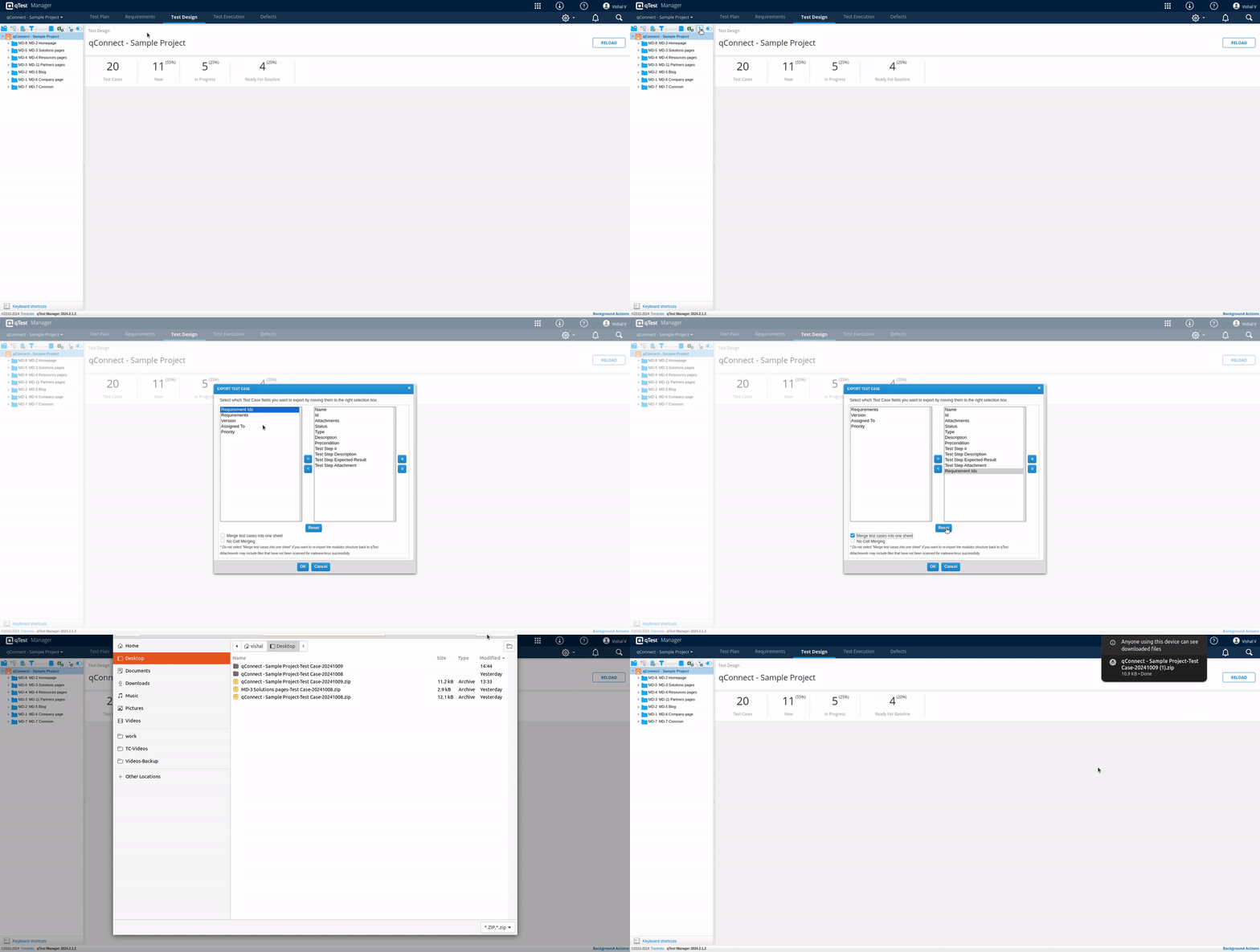
Export test cases from qTest
While exporting the 'Test Case Detail report' from your qTest project, please make sure that you have
-
selected 'Merge test cases into one sheet' option, and
-
left 'No Cell Merging' unchecked.
If test cases are linked with the requirements in qTest, then same association can be maintained in TestCollab after import. For this Requirement Ids, either single or multiple (separated by comma) can be included.
Importing the data in TestCollab
Once you have the XLS, you can get the data imported in TestCollab.
Here are the steps that can be followed :
-
If there are requirements linked with test cases in qTest and the same link is to be maintained in TestCollab also, then make sure that the Requirements management settings are correctly configured for the TestCollab project. More details on requirements management feature are available here - TestCollab's Inbuilt Requirements Manager
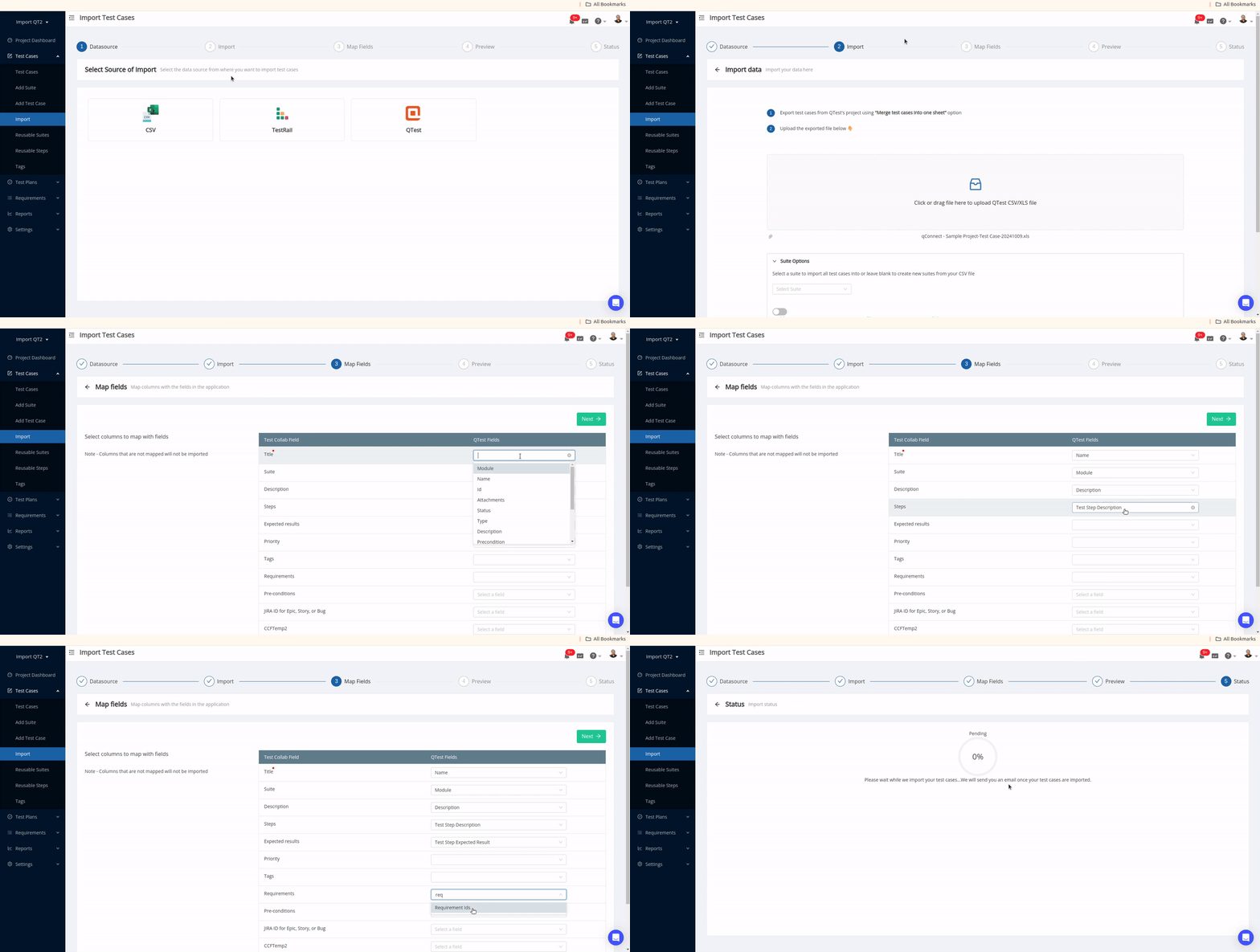
Open the target project and navigate to the 'Import' page
-
Select 'qTest', and you should see the option to upload the file along with the steps
-
Opt to upload the XLS file you got from qTest. The test suites will be created in TestCollab on the basis of modules' data in the uploaded file, we do not need to change anything on the first step of the import wizard. Click on 'Upload'
-
On the next screen, you would map the fields in TestCollab with columns in the XLS. Please make sure the mapping is correct.
Column mapping conventions to be followed during the migration process:
|
qTest |
TestCollab |
|---|---|
Name |
Title |
|
Module |
Test suite |
|
Test step description |
Step(s) |
|
Test step expected result |
Expected result(s) |
|
Requirement Ids |
Requirements |
In addition to these, the other default fields and the custom fields used to add more properties to the test cases, can also be mapped.
Click on 'Next'
Map the values in file with the values present in TestCollab
Click on 'Next' again
-
Before the data gets imported you would be shown a preview of how it would look after import. You can click on 'Finish Import' if everything looks good.
More details on columns and values mapping while importing test cases.
After the import, you can switch to the test cases manage page to start using the imported test cases.
If you have any questions, please email us on support@testcollab.com



