

Presenting the feature that helps you use the project requirements (work items) that have been managed in Azure DevOps, to get them linked with test cases, arranged and searched on requirements list and to get traceability matrix generated in TestCollab.
Configuring Azure DevOps as source of requirements
To start using work items from Azure DevOps, we would first configure the requirements management settings for our TestCollab project.
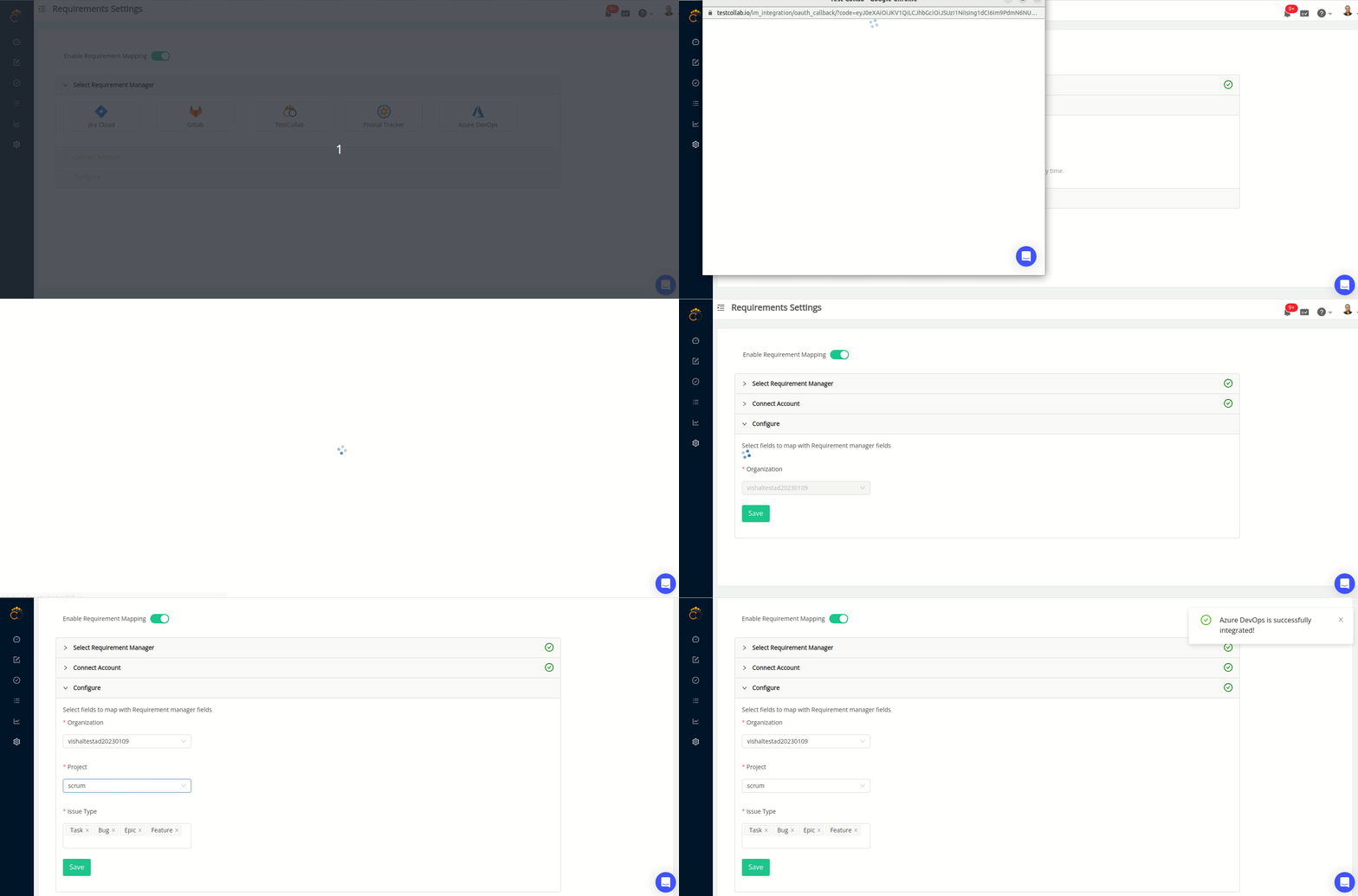
Steps to configure:
Select Azure DevOps as the source of requirements
Connect your Azure DevOps account to be used
-
Select Azure DevOps project and work item types that are to be used as requirements in TestCollab Project
Save the settings
Linking requirements with test cases
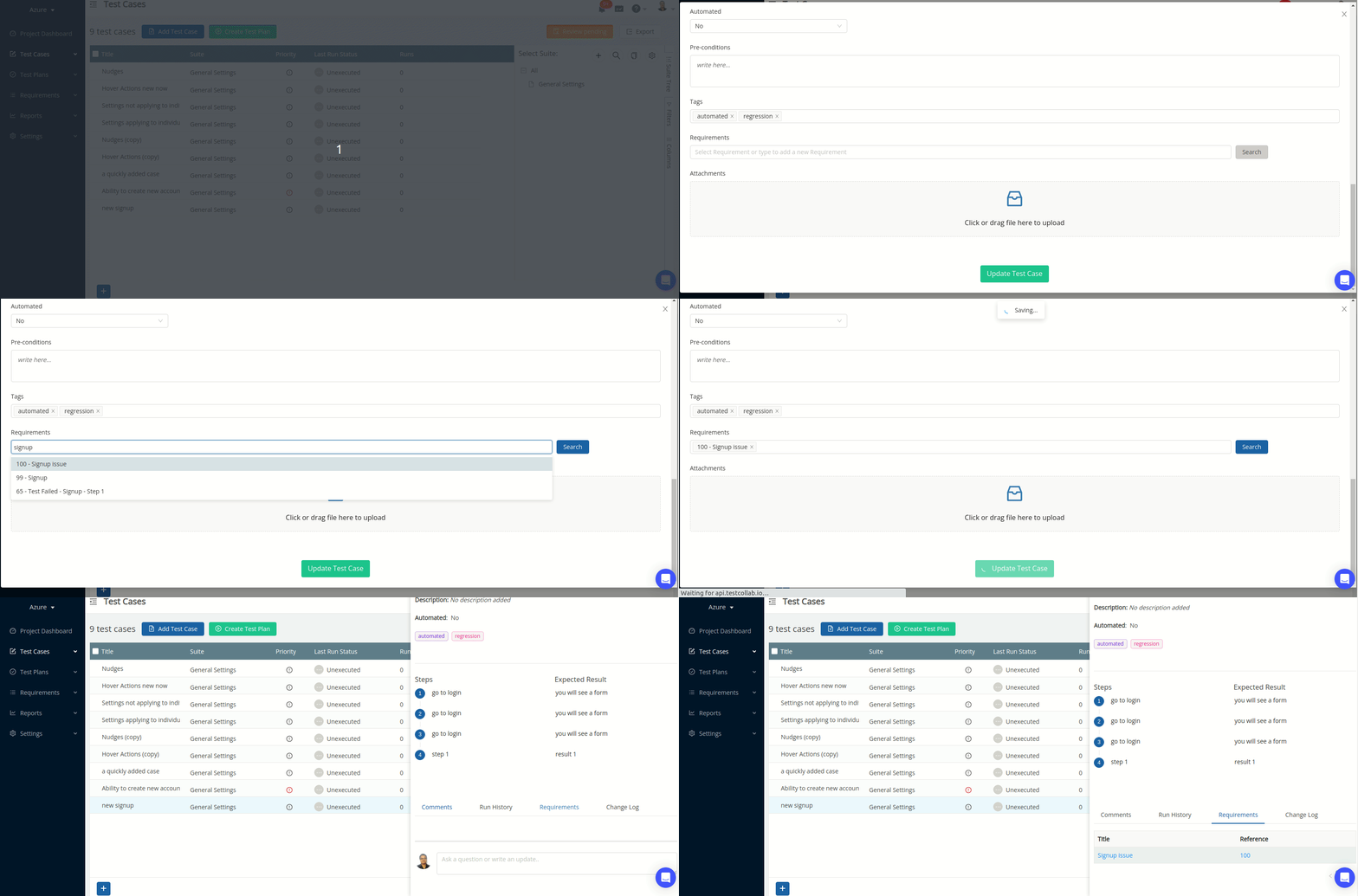
Once requirements mapping has been enabled for current project then linking work items from Azure DevOps with test cases is simple. The work items are to searched by their title either at the time time of adding test case or editing test cases (this includes bulk update action also)
Requirements index
The requirements present in project can be accessed on requirements index.
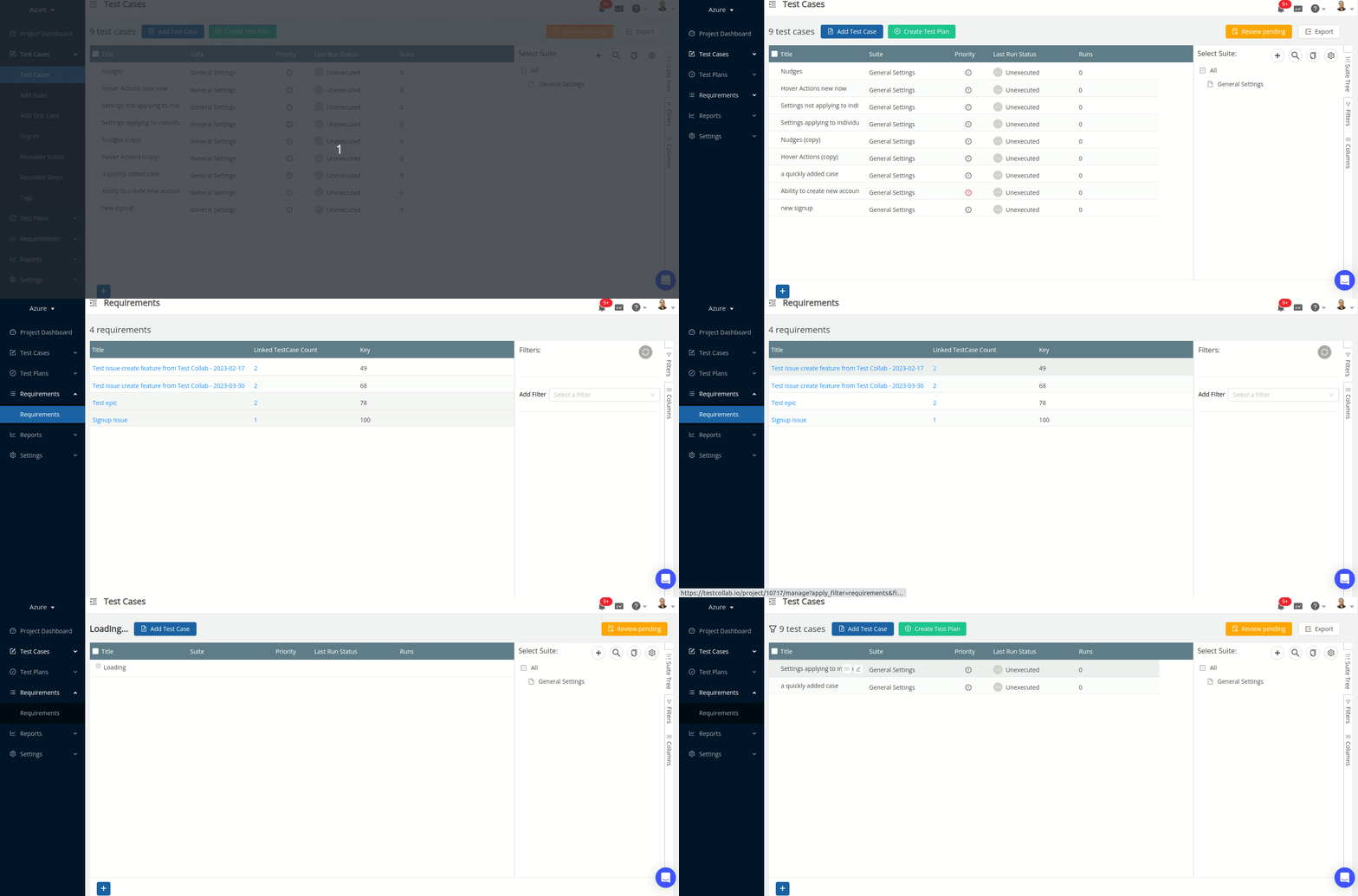
On requirements index:
All requirements are listed
They can be arranged in the order of any of the columns
They can be filtered on their properties
-
The values on "Linked test cases count" count allow you to automatically navigate to test cases manage page to see the test cases filtered on the basis of linked requirement
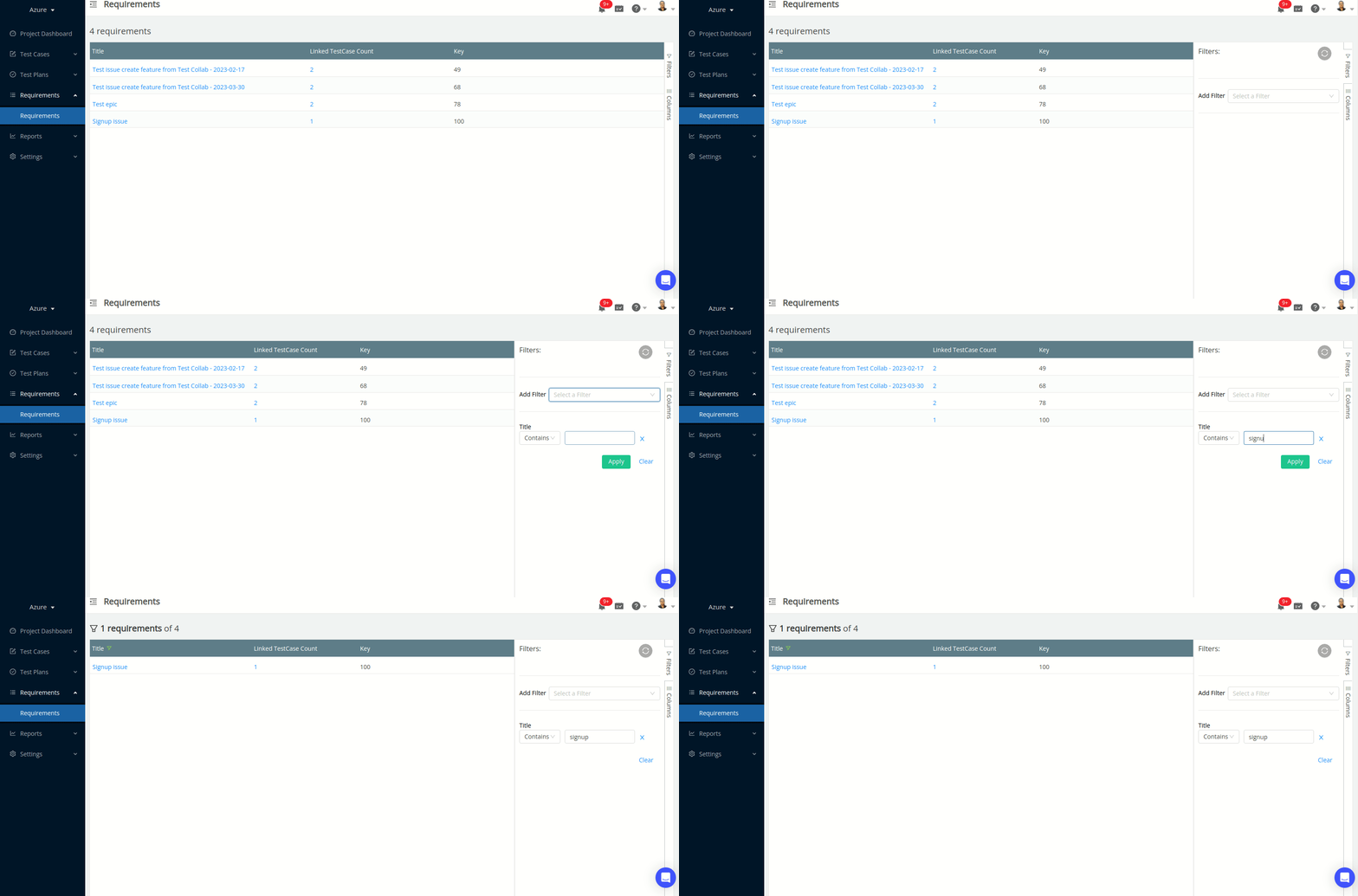
Filtering requirements
Removing a synced requirement
Some items in Azure DevOps are not in your testing scope, for example a marketing task. To remove one from TestCollab, open the ... menu at the end of its row on the Requirements page and choose Delete. TestCollab removes the requirement from this project for good, and future syncs do not import it again, also when it changes in Azure DevOps. The item in Azure DevOps does not change.
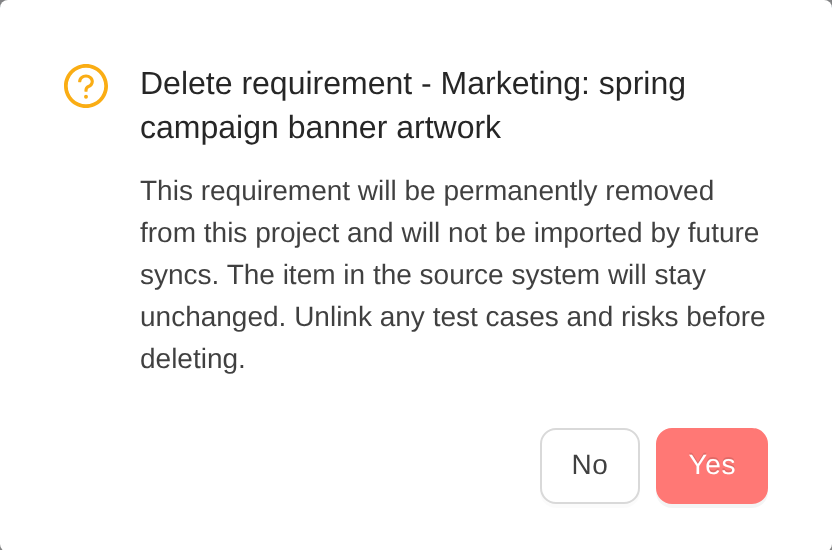
A requirement that is linked to test cases or risks cannot be deleted: unlink them first. The deletion is recorded in the project's activity.
Traceability matrix for requirements
Please see the user guide article that explains the report in detail



