

To have your current password changed, follow these steps:
-
Click on the profile picture or your initials shown on top right corner of the page
-
Select "My Profile Settings"
-
Click on
Password -
Enter
Your current password
New password, and
Confirm the new password
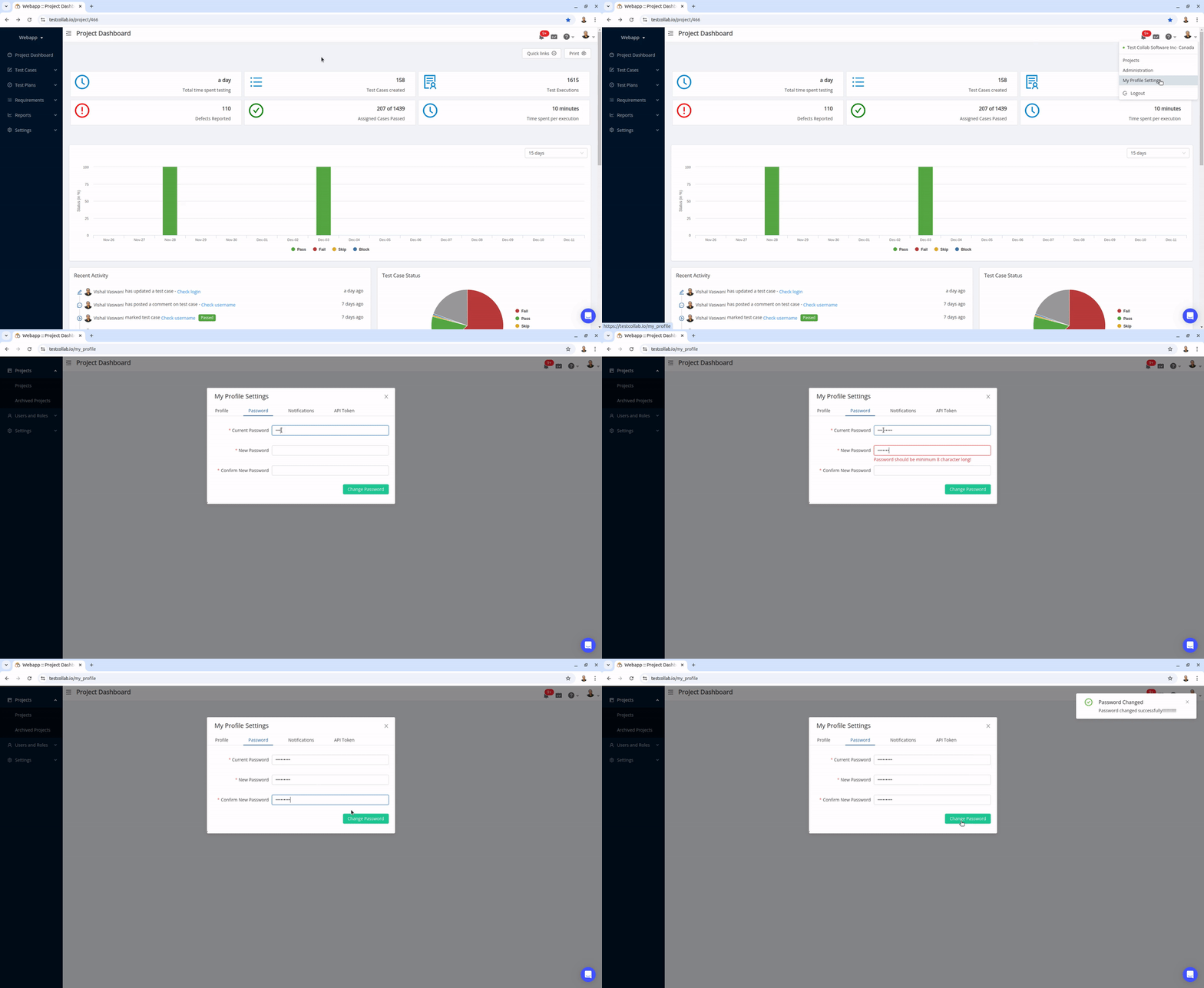
By default, the password should have a minimum length of 8 characters. If your company has a password strength policy, then the length and strength of the password would depend on that policy.
Use a unique passphrase and a password manager. A minimum length or composition rule does not by itself guarantee that a password is secure.



