

TestCollab provides configurable minimum password rules. The default preset requires at least eight characters, and administrators can select a stricter preset for the company.
Password Policies
While setting the password strength policy, the options available are:
|
Password Strength Policy |
Minimum number of characters |
Allowed characters (at least) |
|---|---|---|
|
Default |
At least 8 characters long |
- |
|
Secured |
At least 8 characters long |
|
|
Strict |
At least 10 characters long |
|
Default, Secured, and Strict are product preset names, not security guarantees. Encourage unique passphrases and a password manager, and use single sign-on and multi-factor authentication where available.
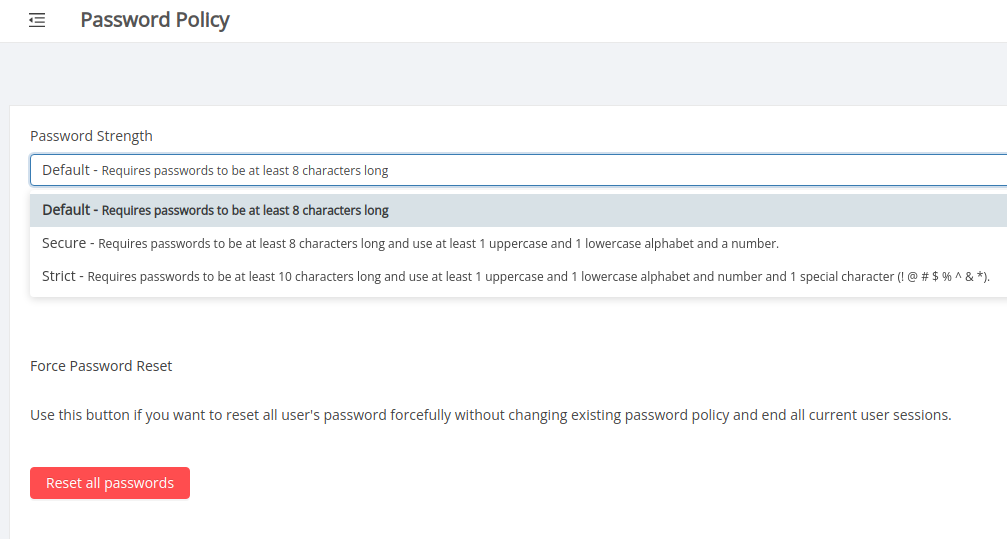
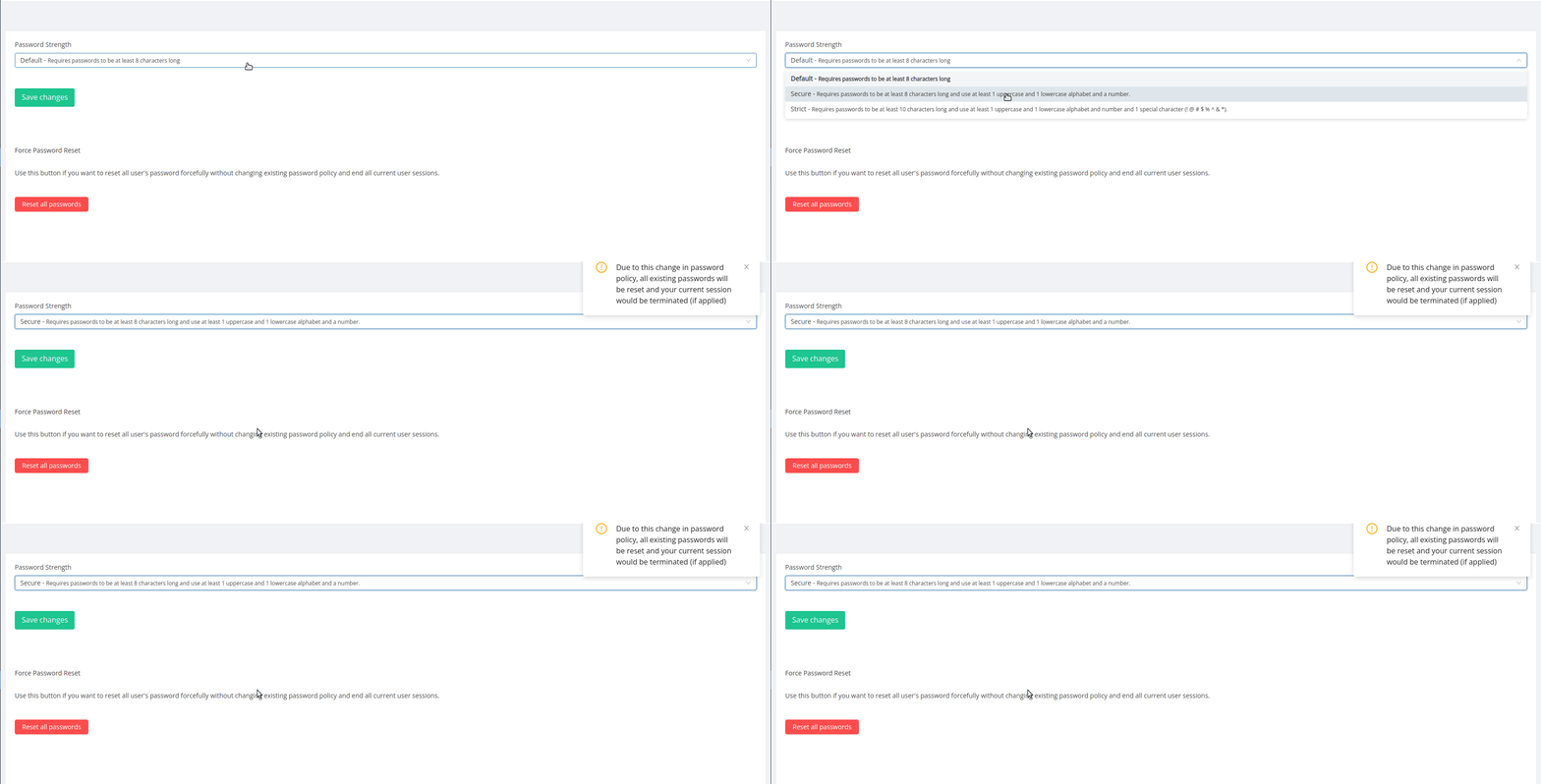
What happens while upgrading from Default to Secured and from Secured to Strict password strength policy?
-
The existing passwords for all the users in company would be reset,
-
The current session for super administrator making these changes would be terminated,
-
TestCollab sends password reset links by email to all the users in the company,
-
Users will be required to use the reset password links to set their password as per the new password strength policy,
-
If a user tries to login to the application without using reset password link then he/she will not be allowed to do so
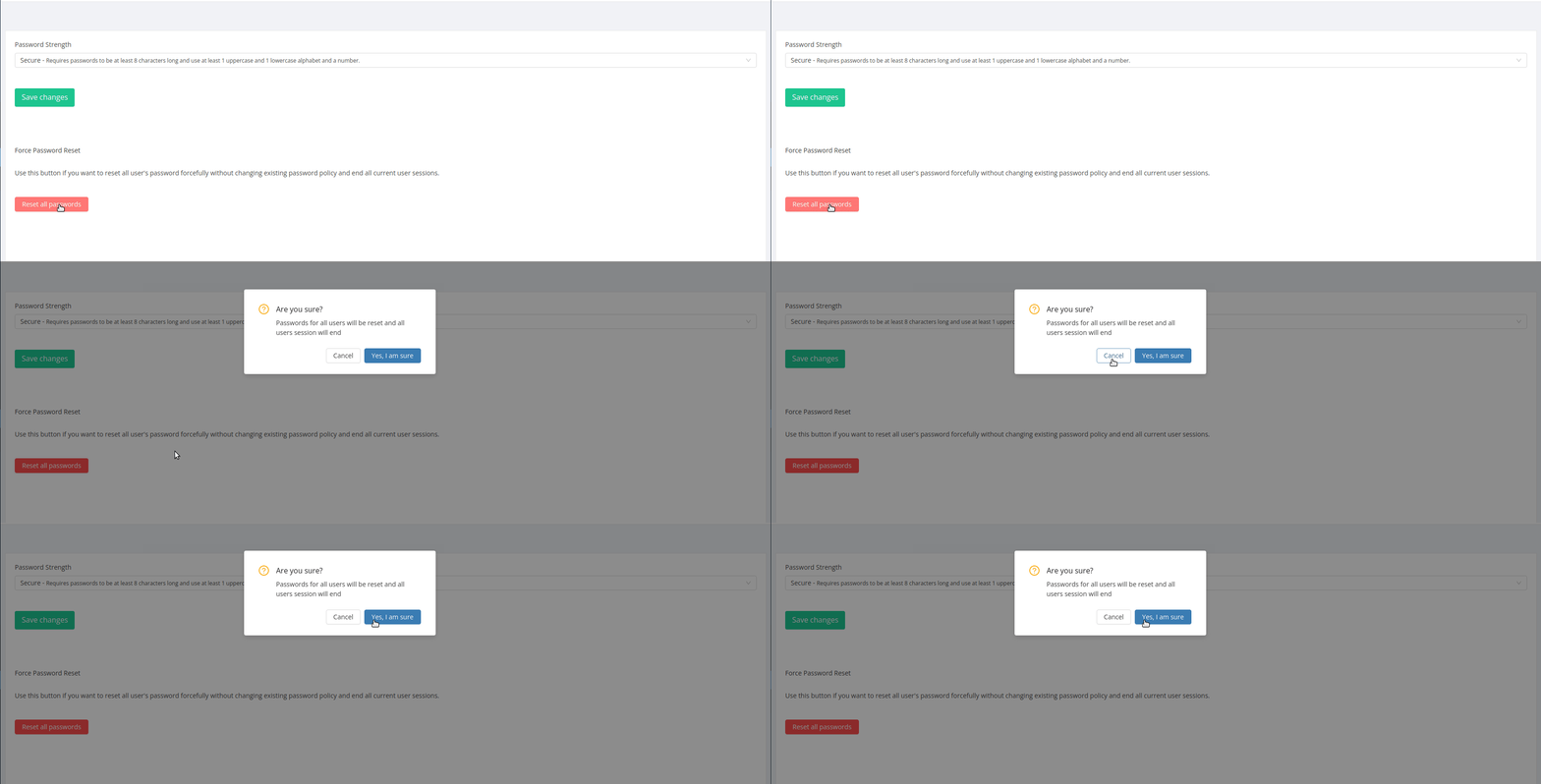
Reset All Passwords
The super administrator, irrespective of change in the password strength policy; has an option of resetting the password for all users (including his/her account).
What happens when "Reset all passwords" option is used?
All the operations mentioned in previous section would be performed except for a difference that the session for all the currently logged-in users would be terminated.
Note:
-
The password strength policy feature is available for companies that have subscribed for enterprise plan.
-
The feature can be used by the user who is of super administrator rank



