

Security has always been a major concern amongst organizations, thus as developers it has been the key focus area for us.
To provide a secured access to their TestCollab account you can enable two factor authentication for all the users of your company.
Logged in as super administrator navigate to "Settings" > "General" page, check "Enable Multi Factor Authentication"
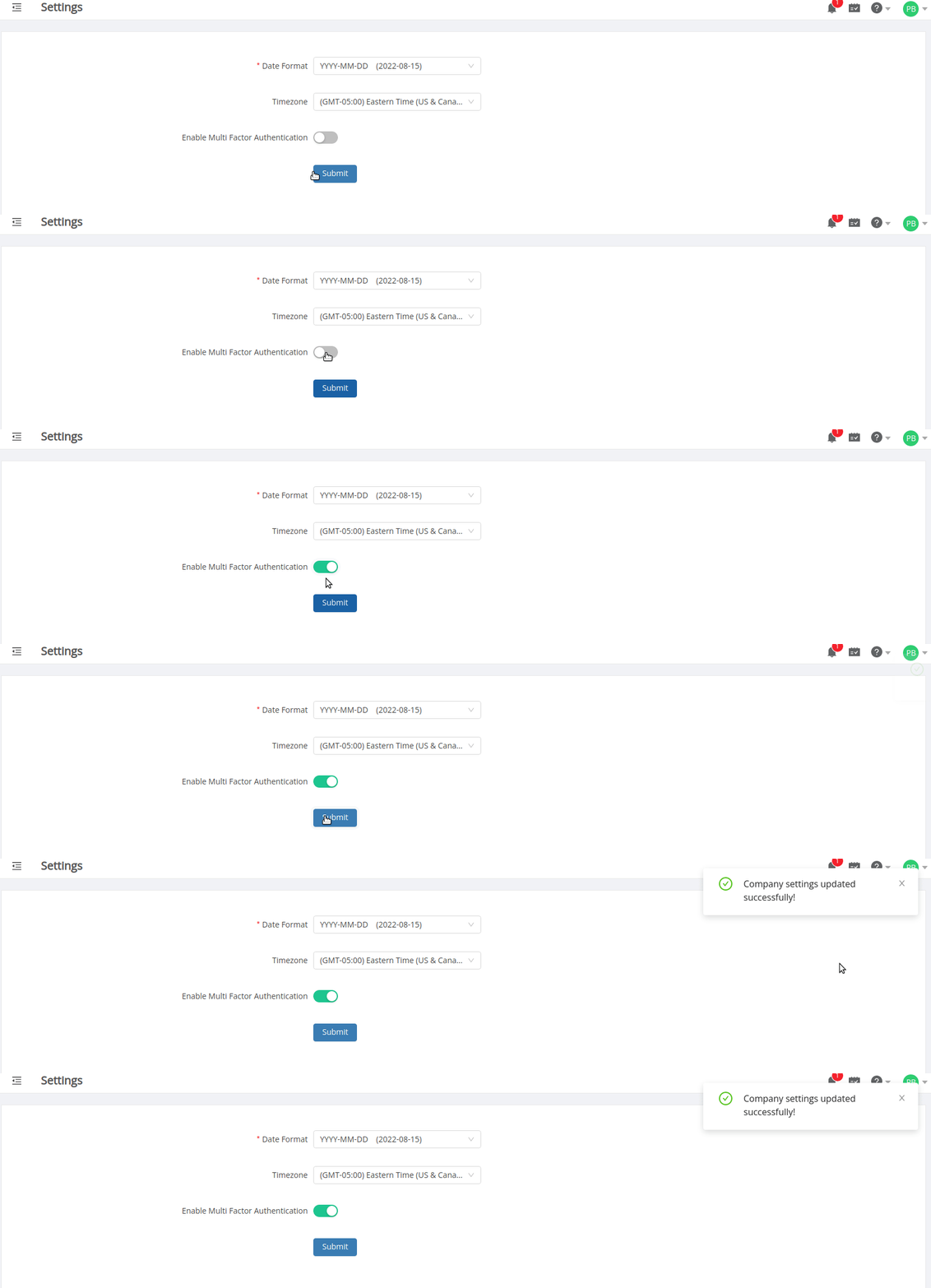
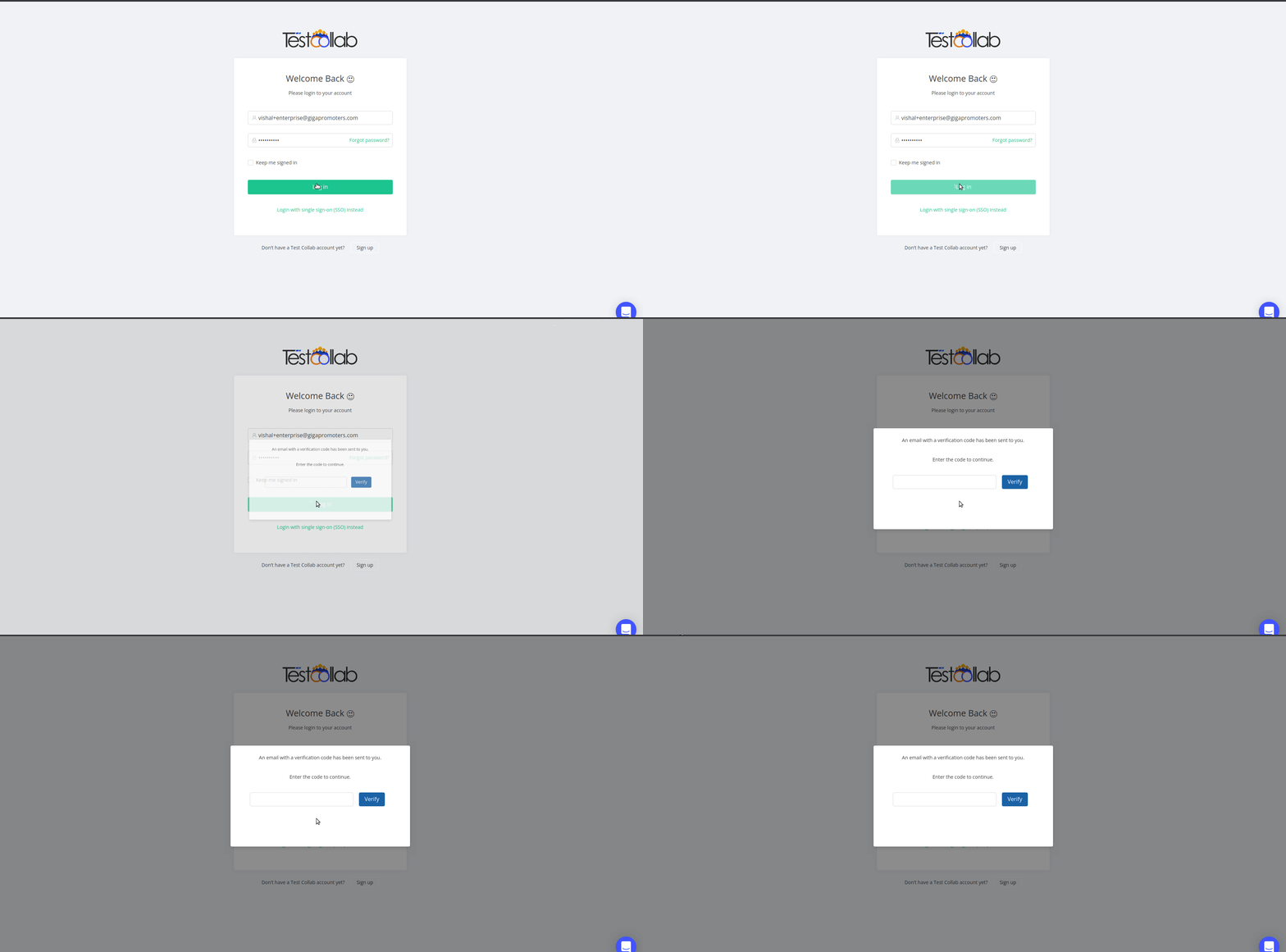
Once enabled any user from your company who needs to login to TestCollab app will have to go through a two-step authentication process, first using login credentials such as the email and password, followed by the access code they would receive in their mailbox on submitting the login form.
Please send your queries, concerns and feedback to support@testcollab.com



