

To use test case review system for your project, go to "Settings" menu and select "General".
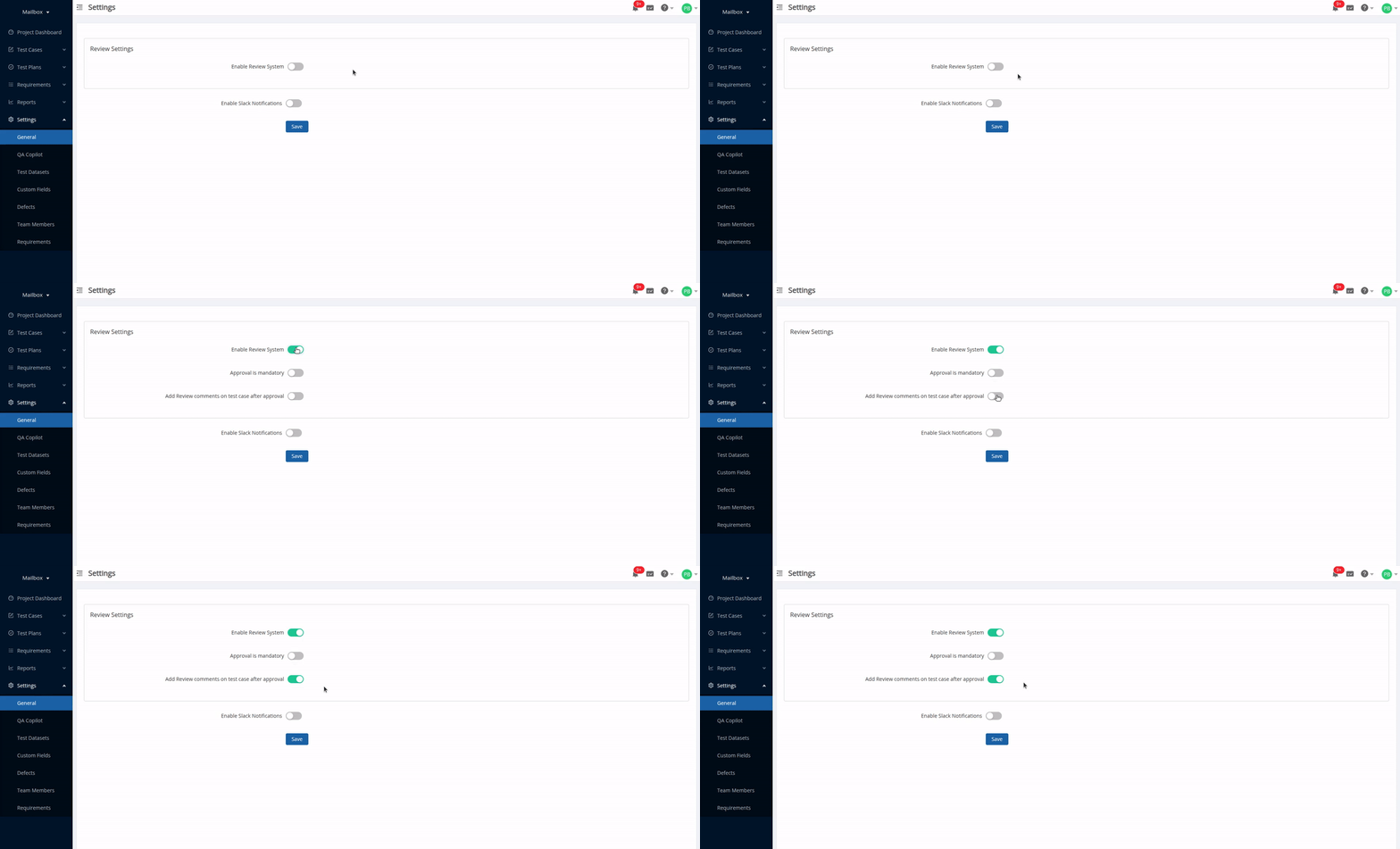
On general settings page, use the toggle button "Enable Review System". This will provide an option to users adding a new test case or editing existing ones to get their work approved by a reviewer. But it would not be mandatory for them to get test cases approved after every add or edit operation.
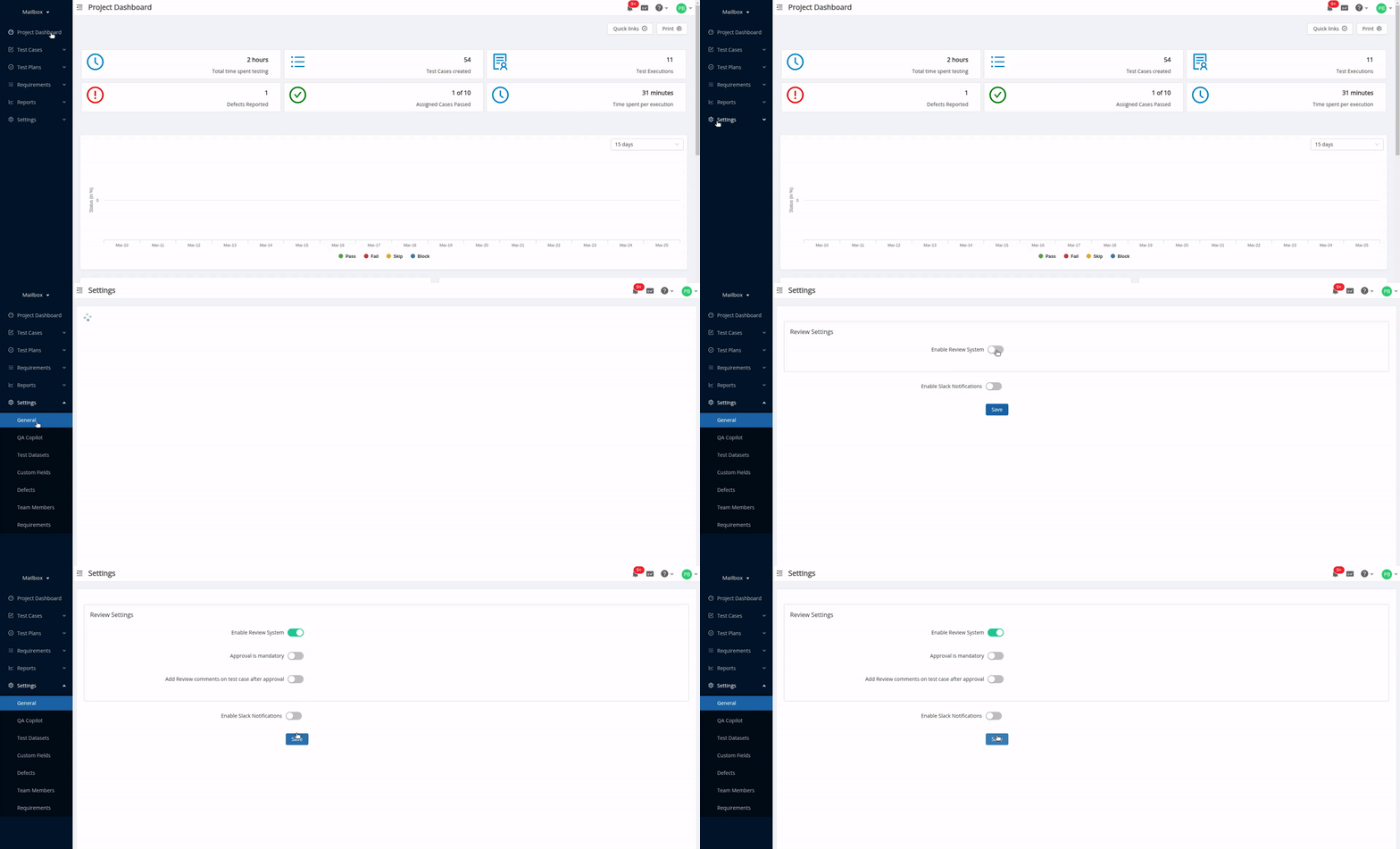
Whether to make approval mandatory?
Once the review system is enabled, you would notice that the second checkbox "Approval is mandatory" would be made available for selection, that means with this you can set whether all the add and edit operations on test case would need to be compulsorily approved by a reviewer or not.
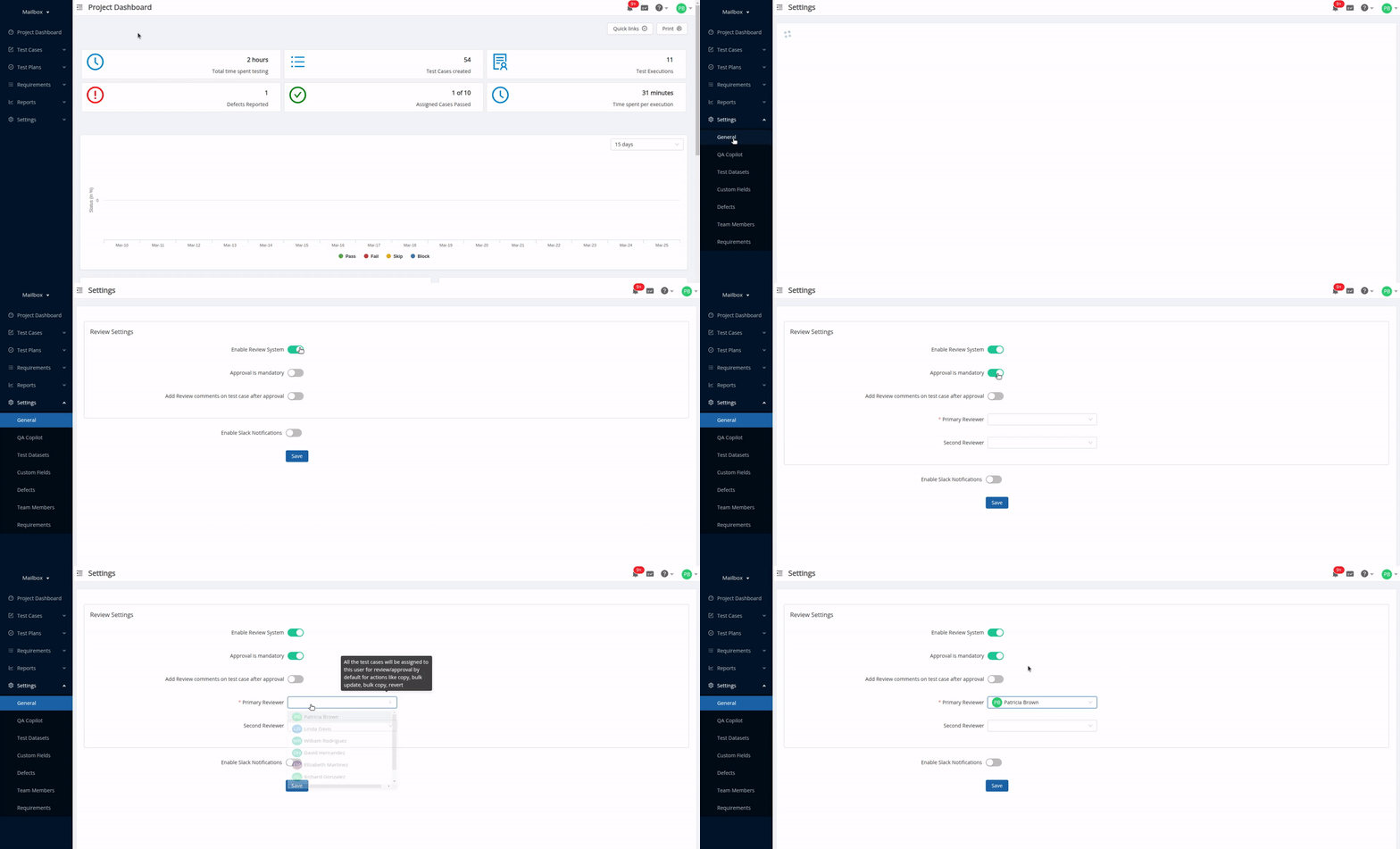
When approval is made mandatory, you would be required to select the user who will be the primary reviewer for the test cases in the project. This means whenever there is an operation (like bulk update, bulk copy, copy and revert) where user performing the operation cannot specify the reviewer for test cases being affected then the user selected here will be considered as the default reviewer.
Optionally you can also select a secondary reviewer, the user who will be considered as reviewer if the above mentioned operations are being performed by primary reviewer.
You can see the key difference while adding a new test case:
Approval is mandatory
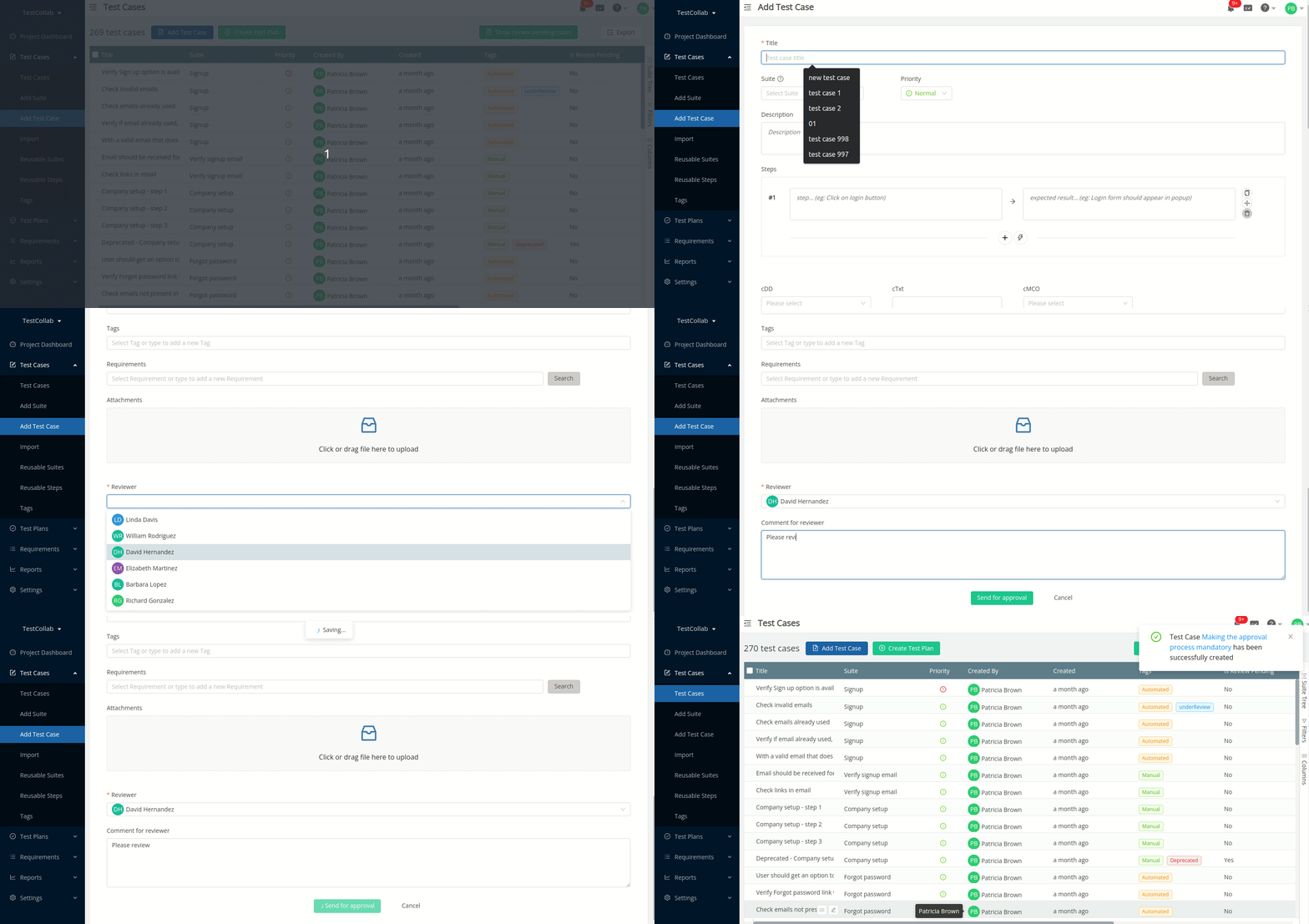
Here you can see that selection of a Reviewer is mandatory.
Approval is optional
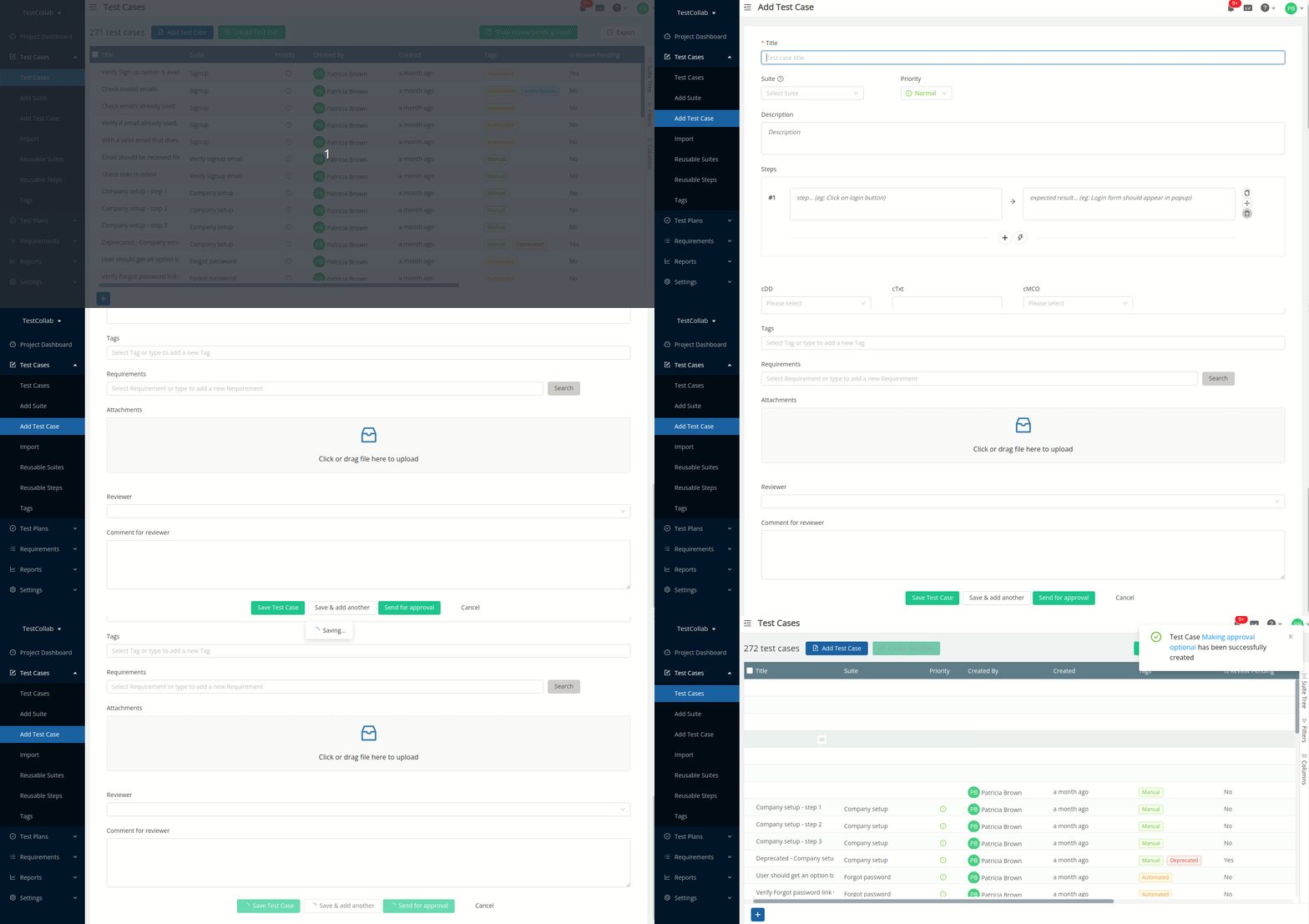
The Reviewer field is available on add test case form but user has option to not to send the test case for approval.
Making review comments available after test case approval
If you want the comments posted during the review process to be made available after the review is done, enable the "Add Review Comments on Test Case after Approval" option. This will merge the review comments with the comments added for the test case, and they will be shown in the test case comments section of the test case view pane.
Enabling reviewer groups
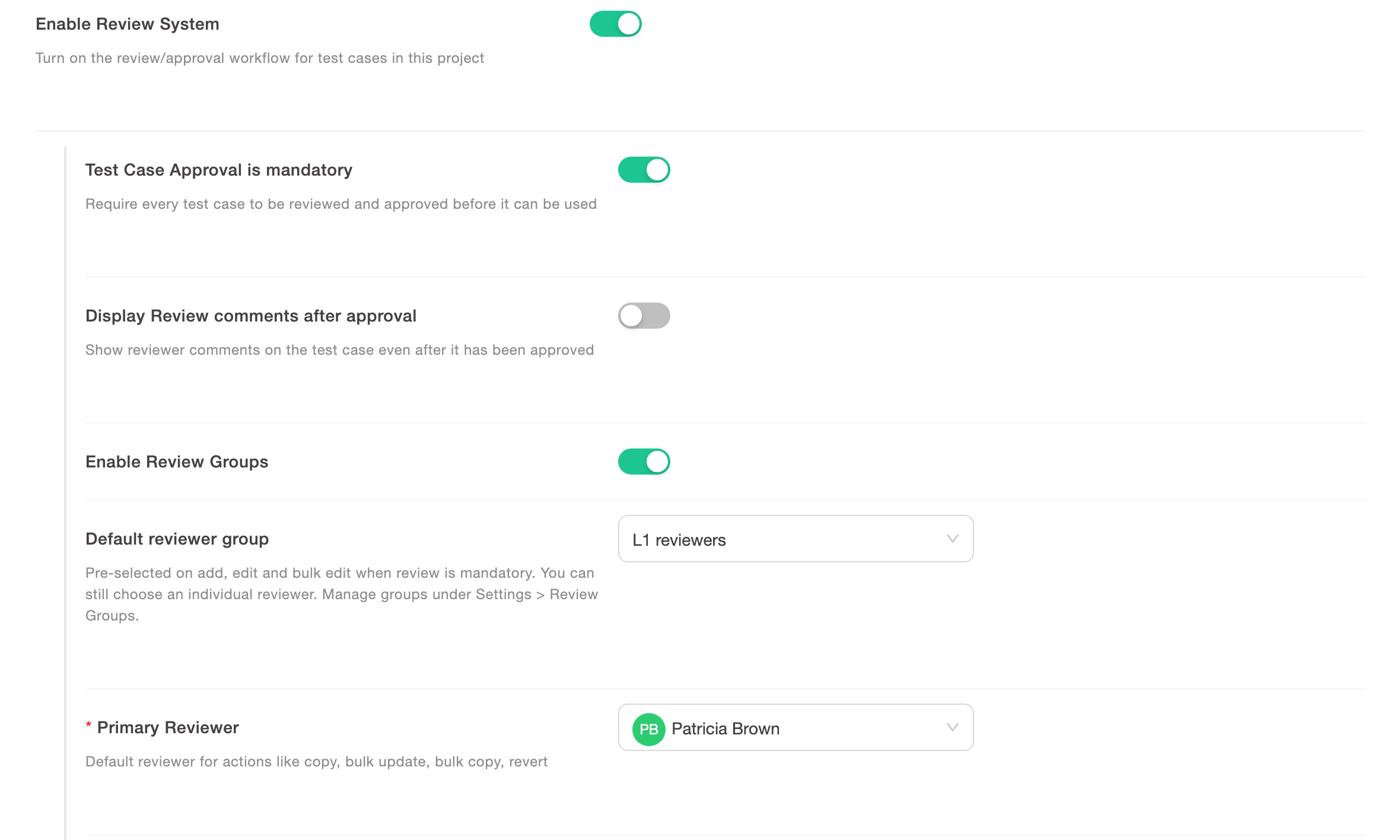
A reviewer group is a saved list of reviewers. The author sends a test case to the group, and any eligible member of the group can start the review. When the review system is enabled, the "Enable Review Groups" toggle is available. It is off by default.
When you enable it, you can also select a "Default reviewer group". If approval is mandatory, this group is pre-selected on the add test case, edit test case and bulk edit pages. The user can still select a different group or one reviewer. Bulk update uses the reviewer or reviewer group selected in the form. When approval is mandatory and neither is selected, it falls back to the primary or secondary reviewer from project settings. Copy and revert continue to use those individual defaults.
To create groups and send test cases to them, see Using Reviewer Groups for Test Case Review.
Based on whether you want a review system to be available for the current project and how the approval process would work, all the above-mentioned options can be set.
Note:
-
The review system is available for companies that are either on Elite plan or Enterprise plan
-
Only users of administrator rank can change settings for the project