

On this page
A test case can be in any one of the following state as far as review status is concerned:
Approved
Review pending
Update requested
Rejected
Approved state
Scenario 1: When approval is not mandatory for the project: a test case after creation or after
being updated acquires the Approved status by default.
Scenario 2: When approval is mandatory for current project: a test case attains approved status after it has been reviewed and approved by its reviewer.
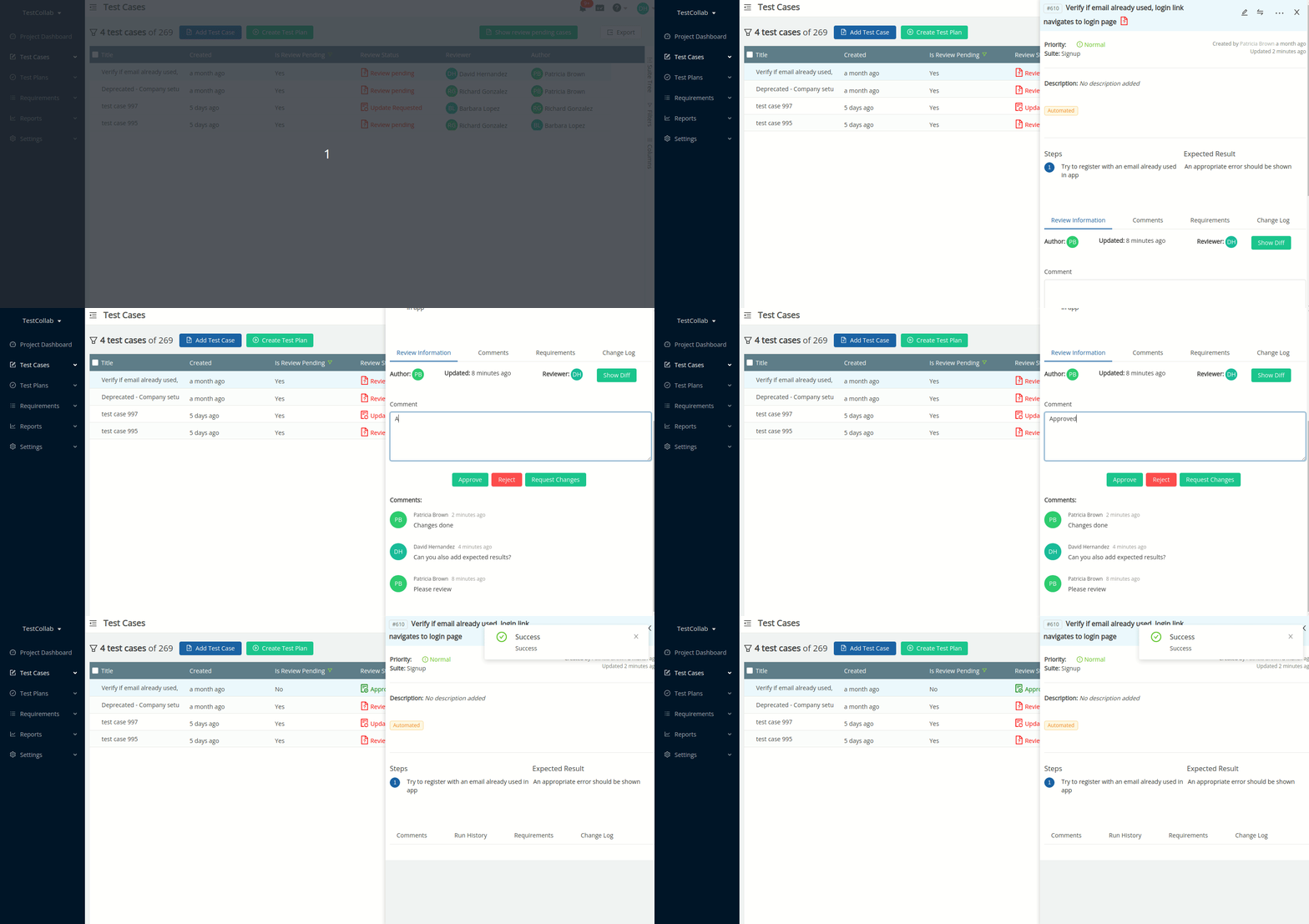
All operations can be performed by an authorized user on test cases individually or in bulk that are in approved state.
Review pending state
If approval is mandatory for the current project, then a test case after creation or after being
updated acquires the status of Review Pending, and the author who performs the
add/edit operation on test case is required to select the reviewer for test case. Author also has
option to leave comments for reviewer. After test cases are
updated in
bulk, the
primary reviewer
will automatically be assigned as reviewer.
Update requested state
If a
reviewer
finds any anomaly in the test case being reviewed then he can request the author to make certain
changes. For this he has to select the option Request Changes and optionally leave
comments to let the author know about the changes requested.
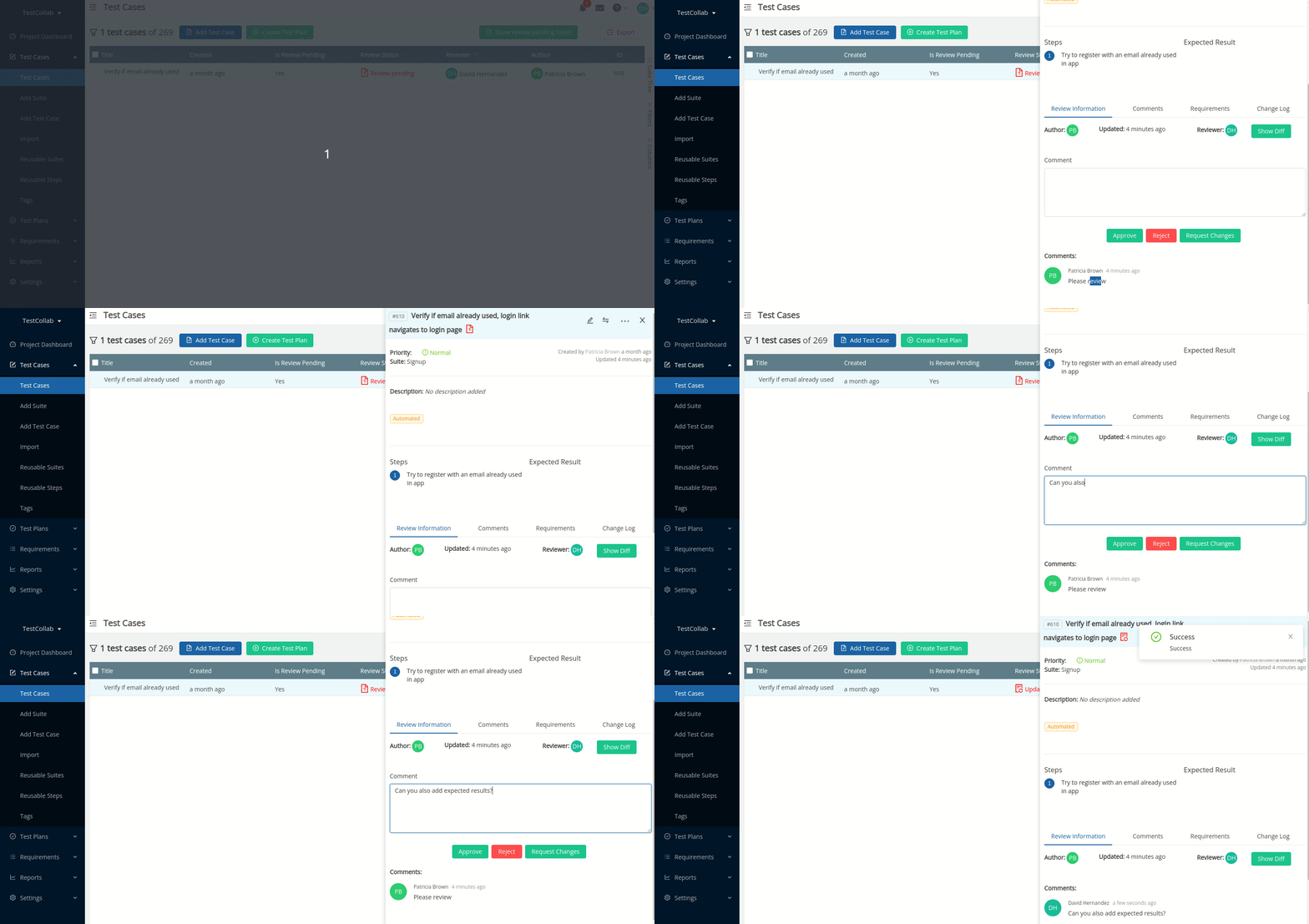
There can be a sequence of any number of change requests by reviewer and updations by author before the test case is either approved or rejected by reviewer.
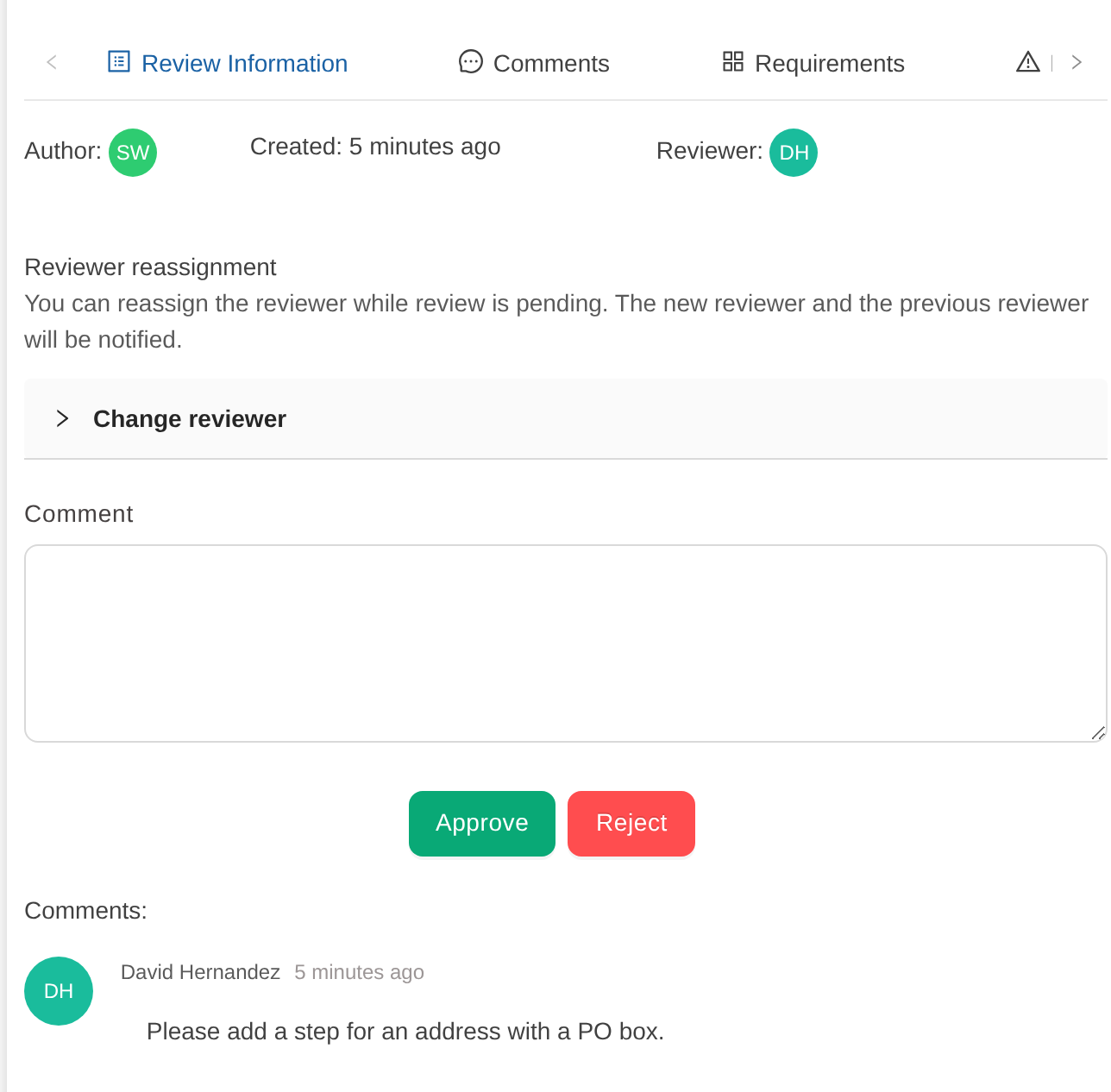
The reviewer does not have to wait for the author. If the author cannot make the changes, for example because they are away, the assigned reviewer can open the test case and, under Review Information, Approve or Reject it directly. Approve accepts the test case as it is now. Reject works as described in the next section. Request Changes is not shown in this state, because changes are already requested.
Rejected state
If reviewer is of an opinion that the test case newly added or the changes done after last approval, are not acceptable, then he can reject the changes, and here are the scenarios:
New test case: If a new test case was added and sent for review, then selecting
Reject will mark the test case as Rejected , although it will be listed
on test case index but no operations can be performed on it (see next section for more details)
and it will auto deleted from system after 7 days of rejection.
Updated test case: If a test case was earlier in Approved state and it has
been edited and sent for review, first it will acquire the Review Pending state but
if the reviewer opts to Reject then the test case would be reverted back to
the previously Approved state (revision) that means all the changes done in the mean time will be removed.
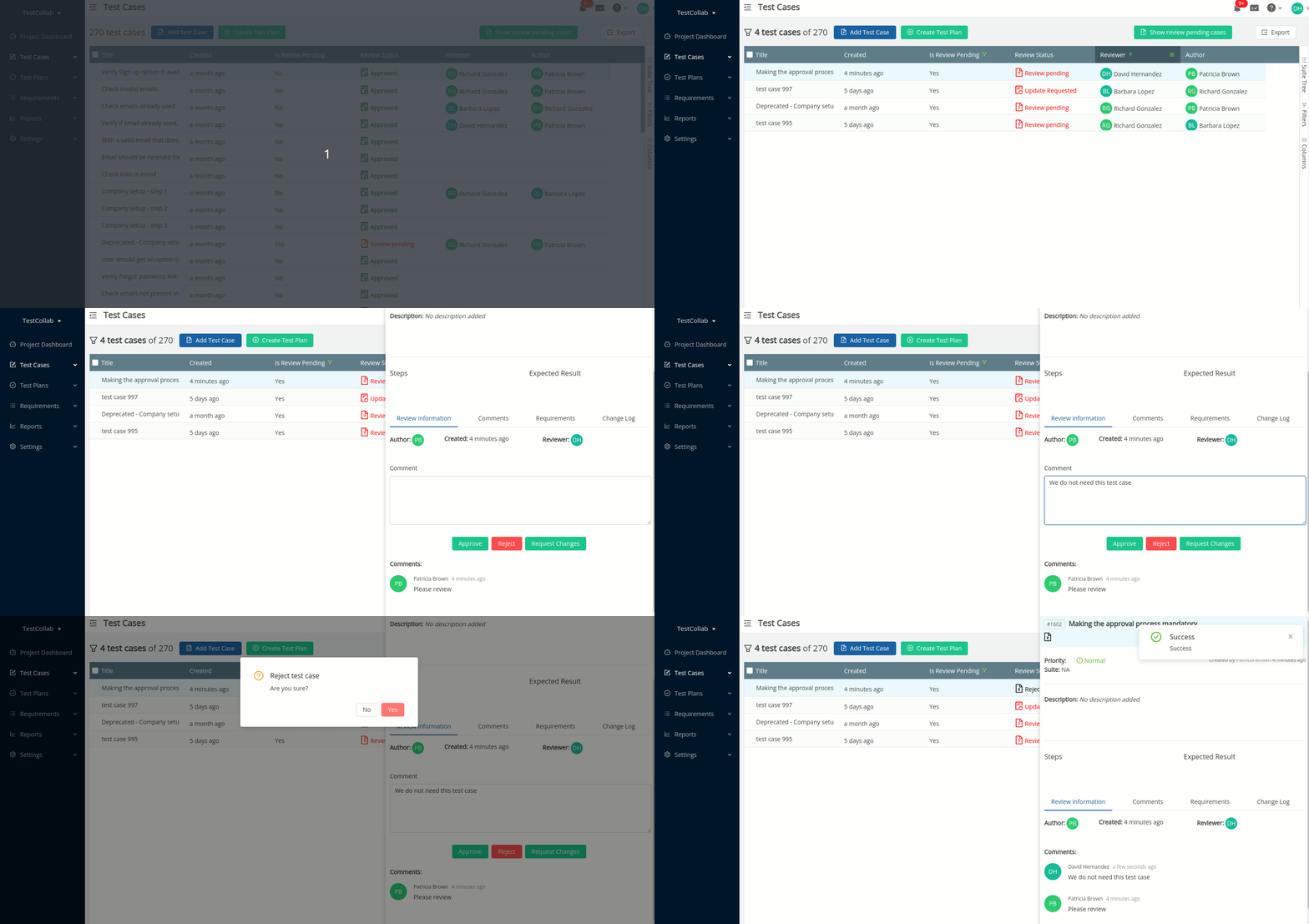
Note: For all the above changes in state of test case, the concerned author and reviewer will get in-app notifications and will also be notified by email.
Change the reviewer
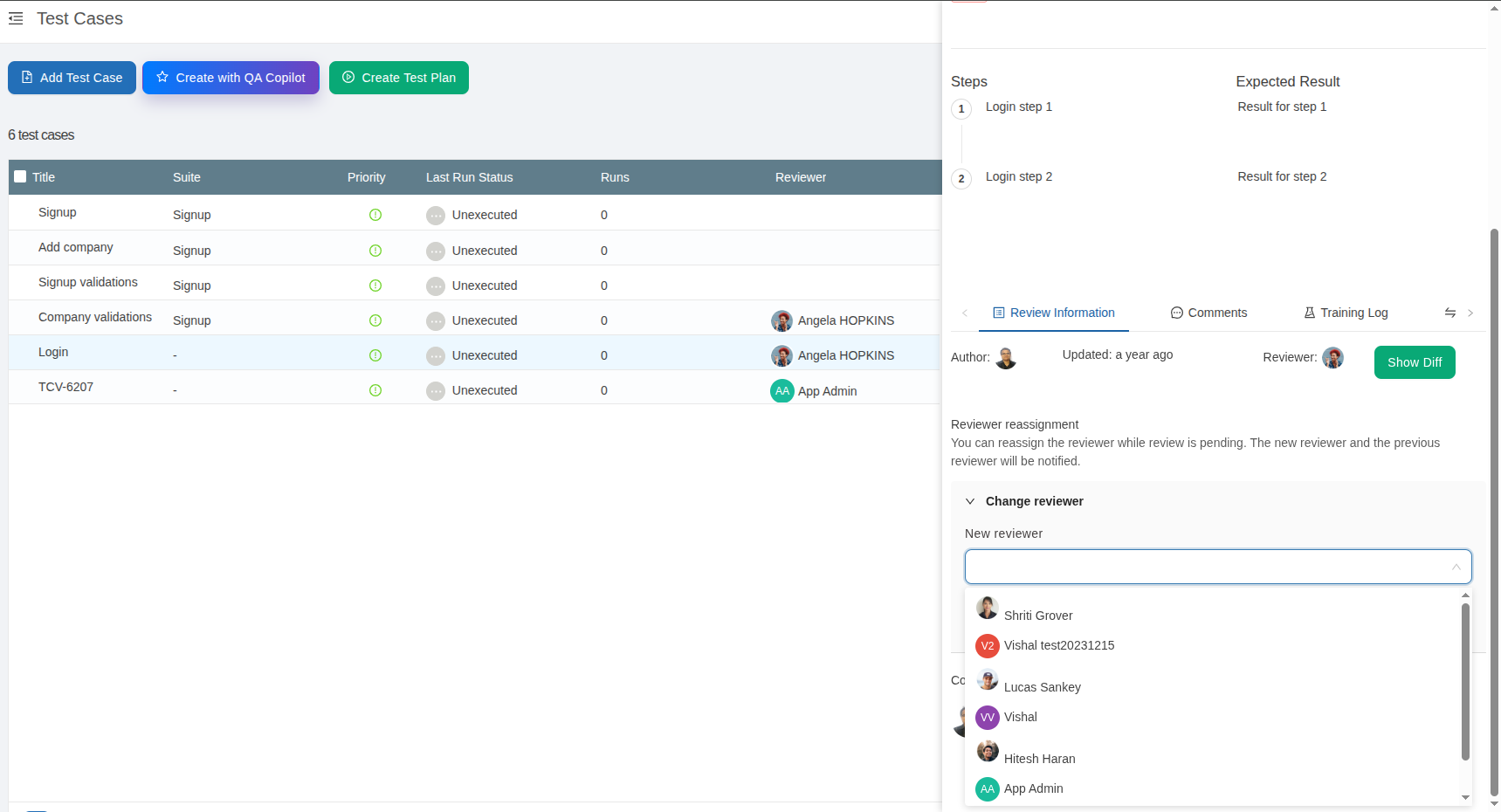
For a test case in Review Pending status, the assigned reviewer can be changed if necessary. The project administrator, the test case author, or any user whose role includes the “Can change reviewer” permission is allowed to update the reviewer. Eligible users will see a “Change reviewer” section within the test case, along with a dropdown list to select and assign a new reviewer.
What happens with a test case that is not in Approved state?
Unless a test case has been approved by its reviewer most of the operations are restricted for the test case. Here are the details:
Operations Restricted
-
Only the author can edit the test case individually, that too when changes are requested by reviewer
-
No actions can be performed individually or when a bulk selection consists one or more test cases that are not in approved state:
The test case cannot be edited
The test case cannot be copied
The test case cannot be added to a test plan
The test case cannot be copied to other projects
-
A test suite that has one or more such test cases can not be linked in other projects (using reusable suites option)
Operations Allowed
(Individually or when a bulk selection with test cases that are not in approved state)
Can be exported/printed
Can be sorted
Can be filtered



