

There is always a scope of improvement in every work done, same is true while authoring test cases.
If the review system is enabled for your TestCollab project you can (while adding or editing test case) select a reviewer who will go through the changes you have made and will have options to approve , request for further changes or reject the work done.
How to assign a reviewer for a test case?
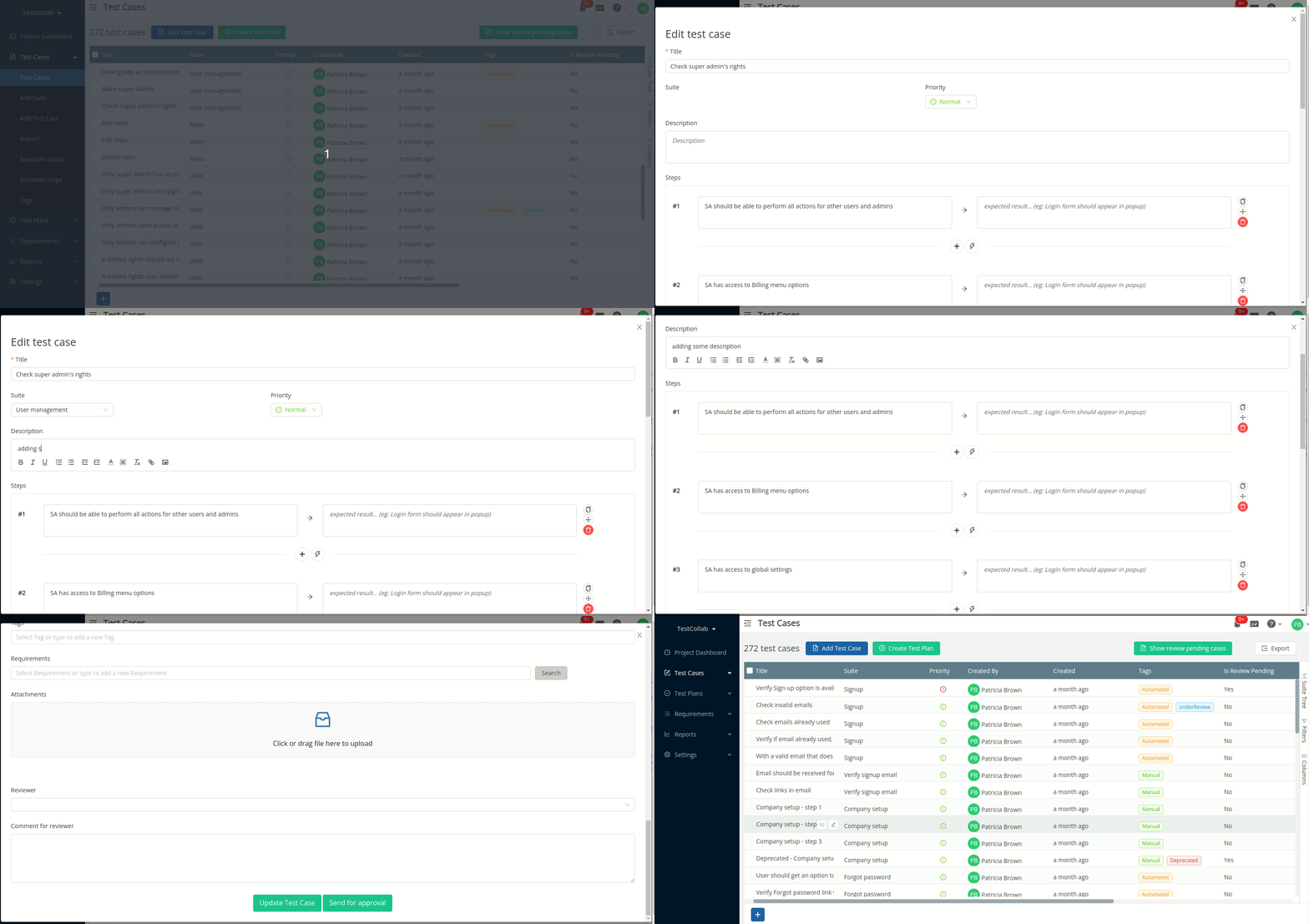
If approval is mandatory then every action of add and edit test case will have to go through the process of review. Here the author of the test case would need to select the reviewer and optionally add a comment for reviewer. For this two additional fields will be available on test case add/edit form.
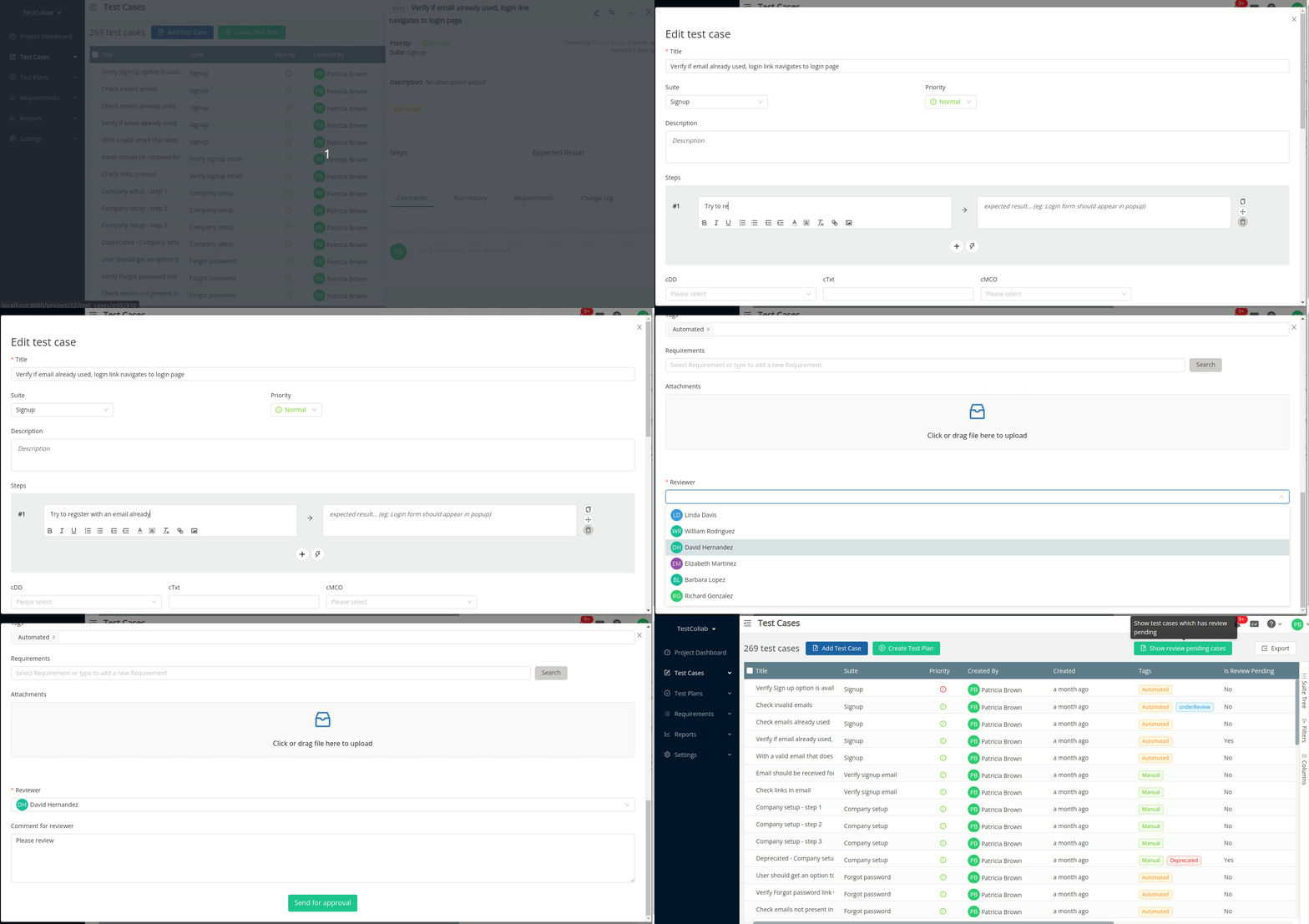
If approval is optional for the project then user can opt to not select the reviewer and add/update the test case. Here the test case will be available for other processes.
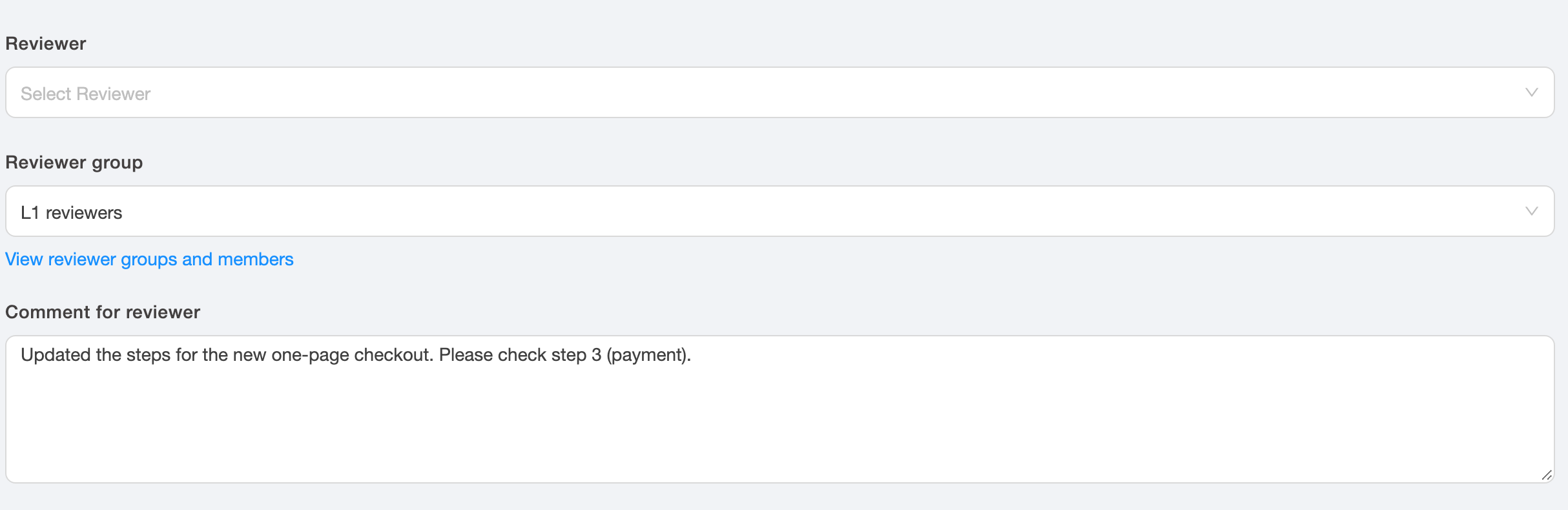
Sending a test case to a reviewer group
If reviewer groups are enabled for the project, the add/edit form also shows a Reviewer group field. Select a reviewer or a reviewer group. You can select only one of the two. When you select a group, all eligible members of the group get a notification, and any one of them can click Start review to become the reviewer. For more details, see Using Reviewer Groups for Test Case Review.
Setting reviewer for multiple test cases
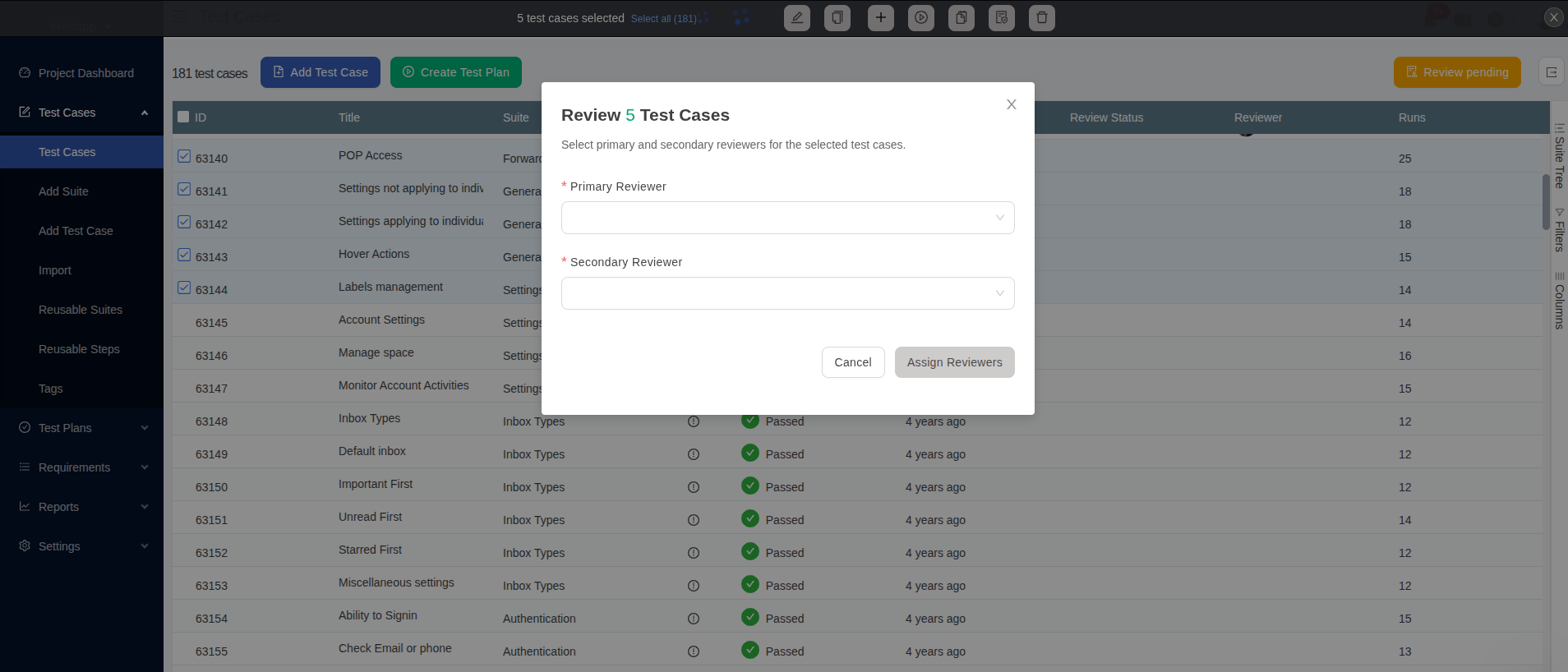
One or more test cases can be selected on test cases page to set the reviewer.
Use send for review
 button on bulk
actions bar
Note:
-
If reviewer groups are enabled, you can select a reviewer group instead of the primary and secondary reviewer. The primary and secondary reviewer fields then hide. Each group member gets one notification for the whole action, not one for each test case
-
When you select individual reviewers, both primary and secondary reviewer need to be selected, and they cannot be same
-
If the author of one or more selected test cases is same as the primary reviewer then secondary reviewer will be marked as the reviewer for such test cases
-
With this you can also set yourself as a reviewer if the above condition is satisfied
Importing test case
While importing test cases for a project that has approval mandatory, the data source should have a column that holds the value for the reviewer; and the user importing the test cases would be required to select that column in data source and map it to "Reviewer" field in TestCollab.
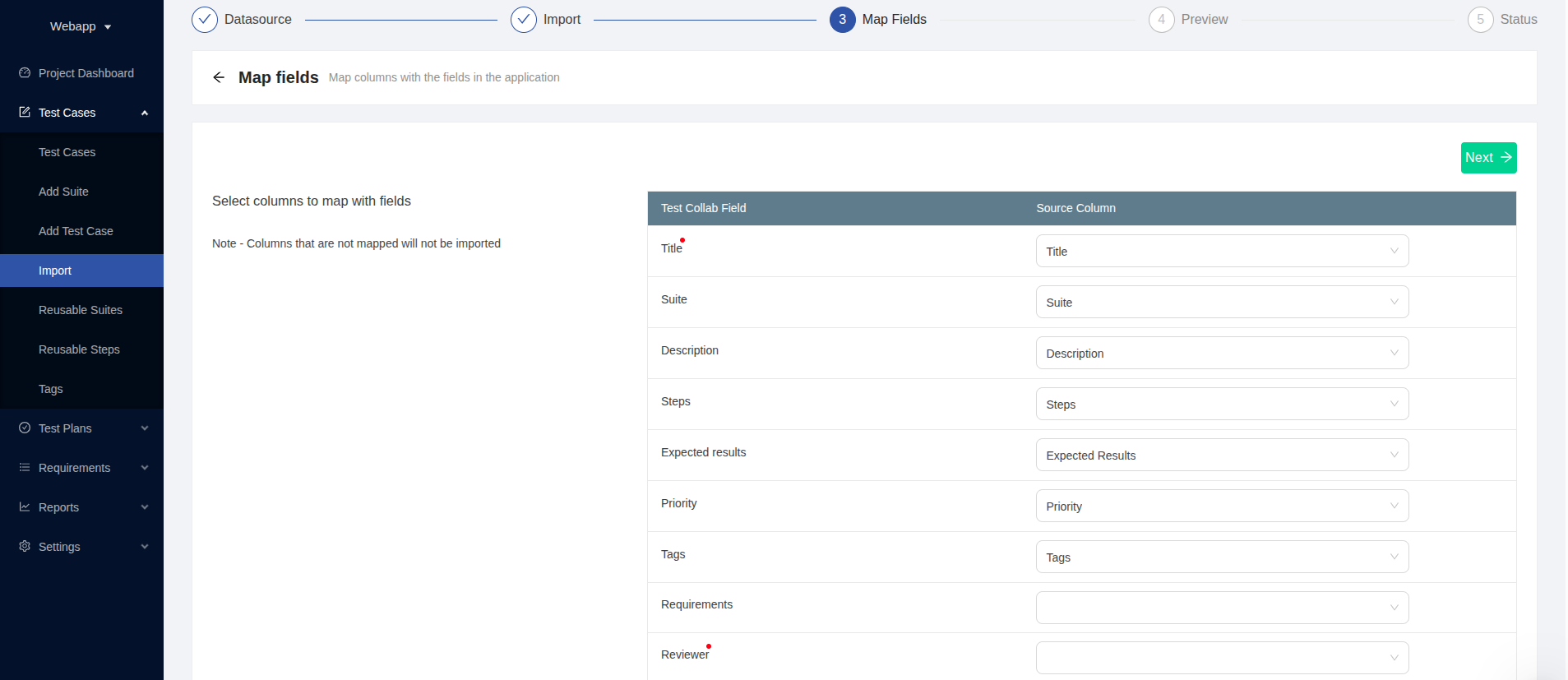
If any of the rows in data source does not have value for column mapped with reviewer, then that row will simply not be imported.
Other operations
Other operations like :
-
Bulk update of test cases,
Duplicate single or multiple test cases,
-
Revert test case to a previous revision ...
... would fetch the value of primary and secondary reviewer from project settings page.