

When you delete a test case or a suite in TestCollab, it is not removed at once. It moves to the project's Trash and stays there for 60 days. During that time a company Administrator can restore it with its revisions, test plan results, comments, attachments, tags, requirement links and linked copies.
What moves to Trash
Every delete of a test case or a suite goes to Trash:
- a single test case (Delete in the test case menu, see Deleting a test case)
- several test cases at once with bulk actions
- a suite, together with its child suites and their test cases (Move to Trash in the suite menu, see Managing test suites)
- a test case deleted from the archived list, and deletes made through the API or the CLI
Deleting a whole project is different: it is permanent and does not use Trash.
While an item is in Trash
An item in Trash acts as deleted everywhere in the project. It leaves the test case list and the suite tree, test plans and runs, reports and dashboards, and the counts on them. A test plan no longer counts a test case in Trash in its progress. Defects reported on the test case stay in the Defects list.
Open the Trash
Only an Administrator of the company that owns the project can open the Trash. Go to Settings and then Trash in the project menu. Each project has its own Trash.
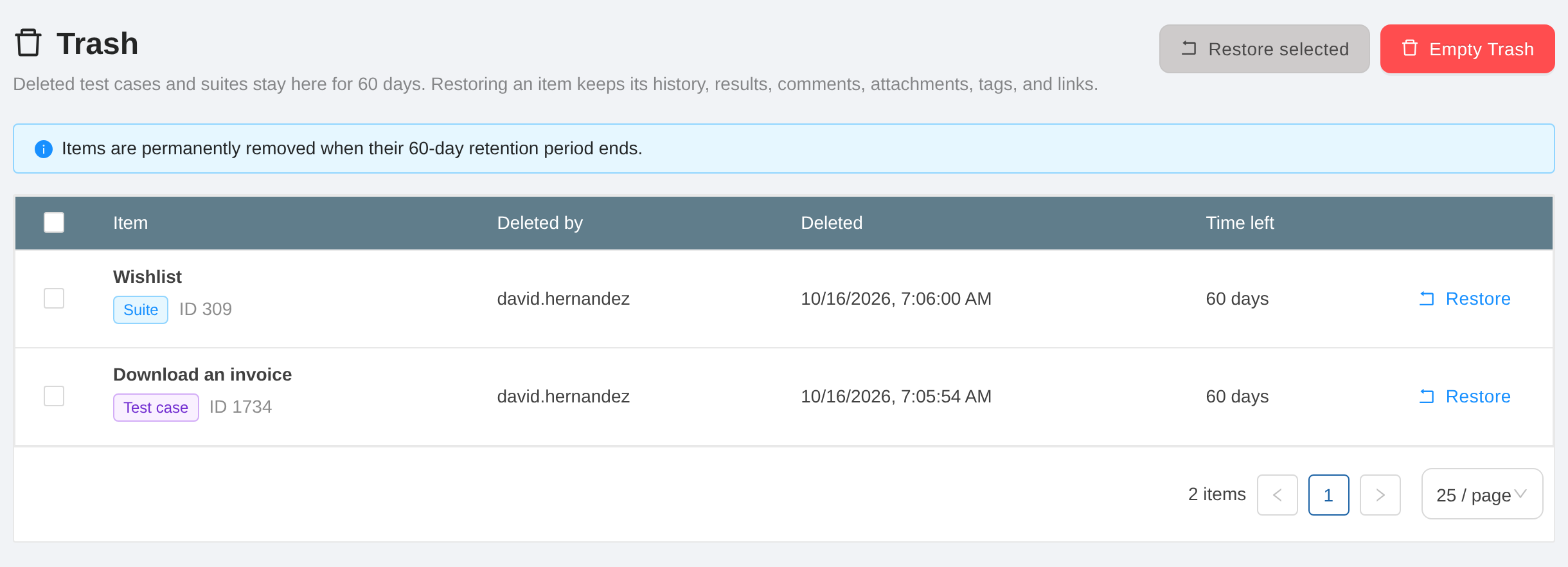
Each row shows the item and its ID, whether it is a test case or a suite, who deleted it, when, and how much of the 60 days is left.
Restore items
- Click Restore at the end of a row.
- Or, to restore several items at once, select their rows (or all rows with the checkbox in the header) and click Restore selected.
The restore runs in the background. The page tells you when it is done, and the items are back where they were. A suite comes back with the child suites and test cases that were deleted with it. A test case comes back with its recorded results, so the test plans count it again.
If an item cannot be restored, TestCollab shows the reason. For example, restore its parent suite first if the parent is also in Trash, or rename one of two suites that now have the same name at the same level.
Empty the Trash
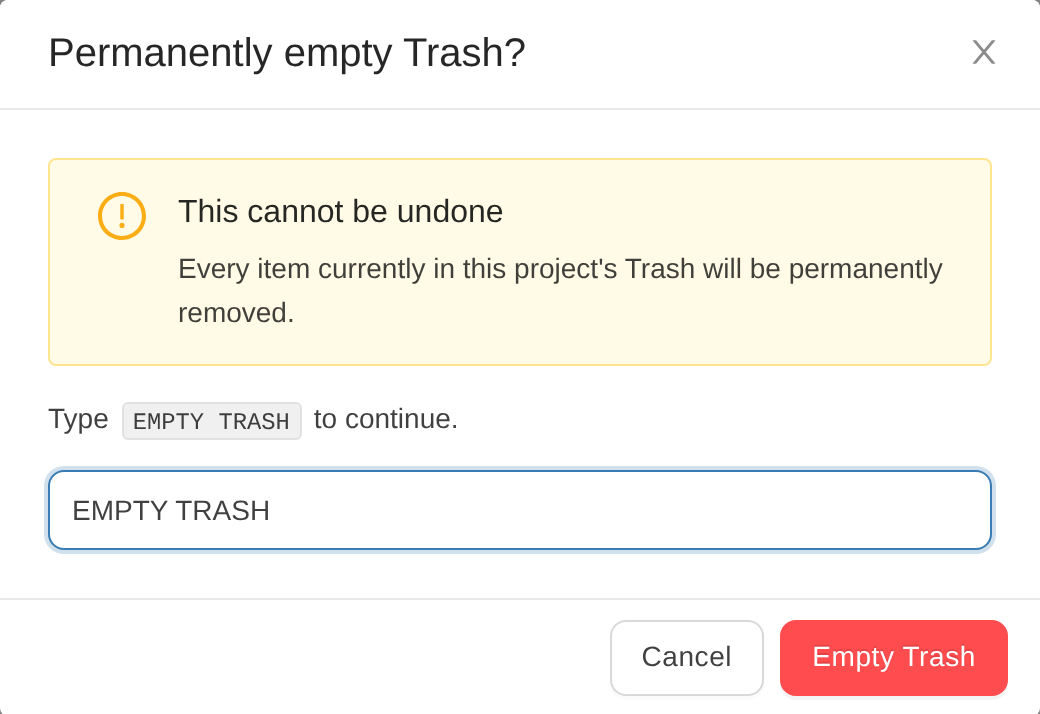
Empty Trash deletes every item in the project's Trash for good. Type
EMPTY TRASH to confirm. This cannot be undone.
After 60 days
An item is deleted for good when its 60 days end, the same way as Empty Trash. When a test case is deleted for good, its defects stay in the Defects list, unlinked from the test case.
Each move to Trash, restore and Empty Trash is recorded in the project's activity and in the audit log.



